Executive Summary
A school district decides to replace its telephone system.
The current phones are obsolete, licensing is expensive, or the existing PBX has reached the end of its supportable life.
The district needs a modern system, but its campuses have other communications equipment that still works.
Overhead speakers serve classrooms and hallways. Paging amplifiers distribute daily announcements. Bell controllers manage school schedules. Intercoms support visitor communication. Separate equipment may provide panic alerts and emergency notifications.
Should all of that equipment be replaced with the phone system?
Not necessarily.
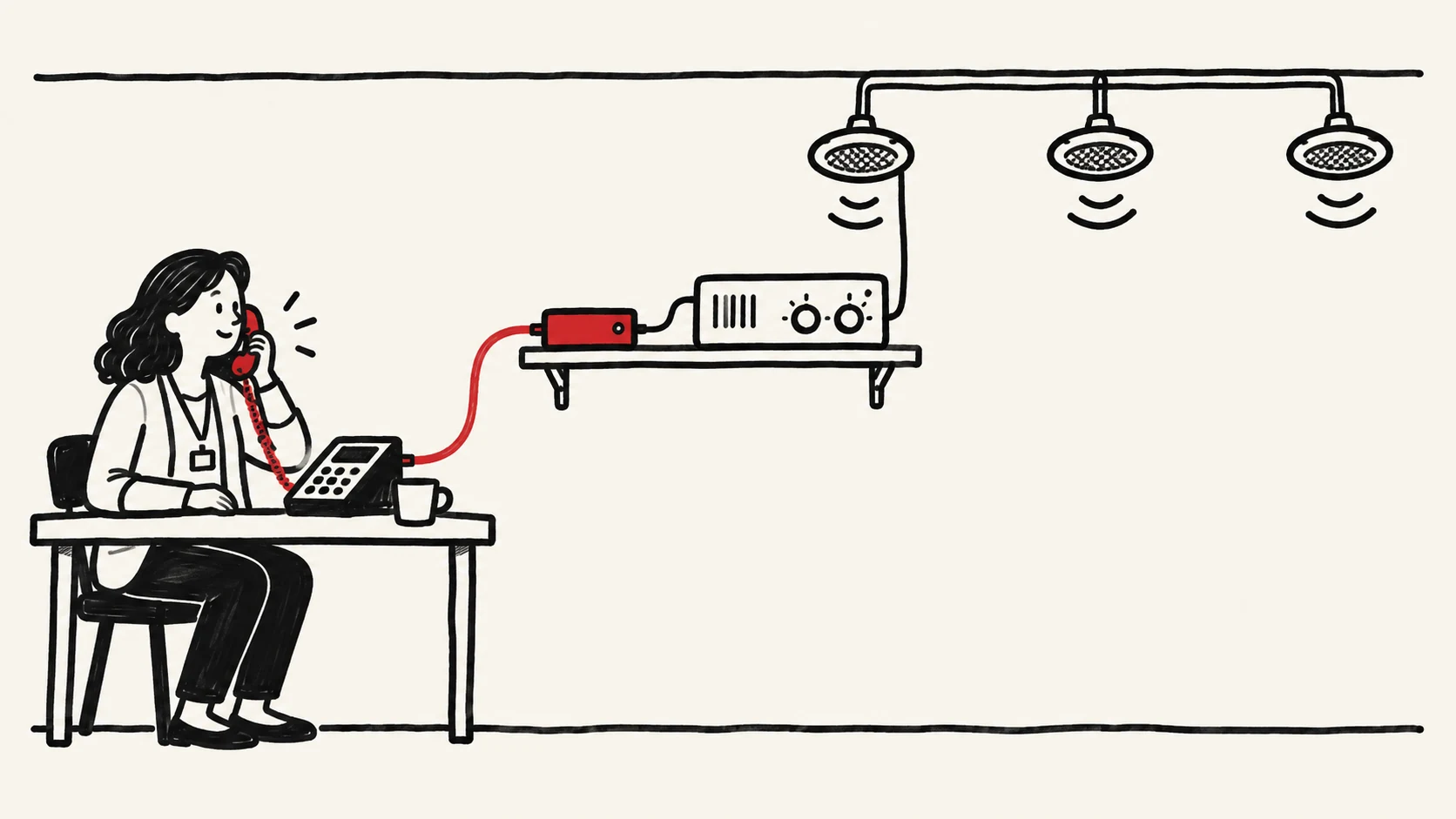
A modern VoIP system can sometimes connect to existing paging infrastructure through a compatible SIP paging adapter, allowing authorized personnel to use the new telephone platform without replacing every speaker, amplifier, and cable.
That can reduce unnecessary capital spending and disruption.
But successful audio connectivity does not prove that all required functions have been preserved.
A basic paging interface may not provide independent bell scheduling, emergency-message priority, system supervision, fault reporting, or the functions required of a regulated safety system.
An integration that works perfectly for morning announcements may behave differently during a network outage or emergency.
The distinction matters.
SPARK VoIP, a managed 3CX provider and CyberData-certified partner, commonly approaches school paging integration by connecting the new 3CX telephone platform to existing district paging equipment through a compatible CyberData SIP paging adapter.
SPARK VoIP's role centers on the telecommunications system, SIP interface configuration, and coordination of the required integration.
SPARK VoIP does not operate as a low-voltage installation contractor. Physical cabling, speaker installation, and related licensed work must be performed by the district's appropriately qualified personnel or its installation contractor.
This division of responsibility should be explicit in the project scope.
This paper examines five familiar campus integration problems:
- Connecting a modern PBX to existing overhead paging equipment.
- Preserving paging zones across multiple buildings and campuses.
- Coordinating bells, routine announcements, and emergency-message priority.
- Integrating entrance intercoms without compromising access-control functions.
- Connecting telephone communications to panic alerts and emergency notification systems without confusing their legal or operational requirements.
A practical evaluation must establish what the district wants each system to do, how the equipment connects, what happens during a failure, who maintains it, and how successful operation will be demonstrated.
The central recommendation: Don't replace what still works. Don't assume that connecting it makes it safe. Verify every critical communication function before accepting the new system.
1. Five Campus Communication Workflows Worth Preserving
A school district should define the functions it needs before choosing new equipment.
Five examples illustrate the differences.
Routine paging
A school secretary calls an authorized paging extension and announces an early dismissal.
The announcement should reach the intended speakers with understandable audio.
It should not unintentionally reach other campuses.
Zoned announcements
An administrator needs to contact one classroom wing, a gymnasium, or a specific building.
The system must reach the intended zone without broadcasting to unrelated locations.
Scheduled bells
A bell controller plays scheduled tones.
An authorized administrator changes the day's timetable for a special event.
The system must follow the revised schedule and return to normal operations afterward.
Visitor-entry intercom
A visitor activates an entrance intercom.
The call reaches the correct office personnel, who communicate with the visitor and follow the district's access procedures.
Any door-release capability requires its own authorization and security verification.
Emergency notification
An authorized person activates an emergency procedure.
The appropriate notification system must deliver the required information to the designated recipients.
If the plan calls for an overhead emergency announcement, the necessary priority, targeting, intelligibility, and continuity requirements must be verified.
These five workflows can involve common equipment.
They should not be treated as one interchangeable communications function.
The district's starting question
For each workflow, identify:
- Who initiates it?
- What event triggers it?
- Who or what receives it?
- What equipment carries it?
- What happens if the primary path fails?
- How does the district know the workflow succeeded?
The answers define the integration requirements.
2. Inventory the Equipment Before Designing the Integration
School communications infrastructure frequently represents years of accumulated investment.
A district may have functional paging amplifiers, analog speaker wiring, door stations, and bell controllers that predate its current telephone system.
That equipment may remain useful.
Replacing it automatically can add material, installation, and project-management costs without improving the required outcome.
But visual condition alone is not sufficient evidence of compatibility.
The equipment inventory
Each campus should document its actual components.
| Component | Information to record |
|---|---|
| Paging amplifier | Manufacturer, model, available inputs, power requirements |
| Overhead speakers | Location, zone, wiring arrangement, condition |
| Paging controller | Inputs, outputs, selection method, priority behavior |
| Bell controller | Scheduling features, audio/control interfaces, independence |
| Intercom | SIP or analog interface, firmware, intended functions |
| SIP adapter | Model, firmware, registration, audio and control interfaces |
| Network | Switching, VLANs, routing, firewall, PoE, WAN dependencies |
| Emergency system | Separate controller, notification paths, supervision, service owner |
The inventory should identify which components depend on the existing PBX.
For example, a traditional paging amplifier might receive audio through an analog port on the old phone system.
Replacing the PBX removes that audio source.
The solution may be a compatible interface, not a replacement amplifier and speaker network.
Document functional requirements too.
Two amplifiers with similar connectors may support different functions.
One may have a dedicated priority input.
Another may provide only ordinary audio.
Some existing systems support multiple zones through external control equipment.
A paging adapter supplying audio alone does not automatically preserve the old system's zone selection or priority functions.
A compatible connector is not proof of a compatible workflow.
3. Connecting Hosted 3CX to Existing Analog Paging Equipment
For districts retaining functional overhead paging infrastructure, a SIP paging adapter is a practical integration option worth evaluating.
SPARK VoIP commonly uses this general approach.
The conceptual architecture
SPARK VoIP-managed 3CX PBX → Compatible CyberData SIP paging adapter → Existing district paging amplifier → Existing speaker zones
The actual design depends on the paging equipment and network.
In a hosted deployment, the SIP paging adapter must communicate with the 3CX system through a supported connectivity arrangement.
The adapter provides the relevant interface between the telephone system and the local paging equipment.
A physical connection from the adapter to the amplifier may require audio wiring, control wiring, or both.
That work belongs within the agreed installation scope of qualified district personnel or the physical installation contractor.
The SIP paging adapter's role
A compatible SIP paging adapter may register as a SIP endpoint and accept an incoming call or page.
Its output can feed supported paging equipment.
Depending on the particular model and configuration, available functions may include analog audio output, relay interfaces, multicast, and priority-related features.
CyberData publishes specifications for its paging adapters and compatibility information for telephone platforms, including 3CX.
The manufacturer has historical interoperability records for 3CX Version 14 SP1. Those records do not establish current compatibility with every Version 20 deployment or firmware release. [1]
A district should require current configuration evidence for the selected devices.
What the provider must verify
Before approving the design, establish:
SIP registration: Does the selected adapter register and remain reachable through the intended 3CX arrangement?
Audio quality: Does the amplifier receive a suitable signal without distortion or inadequate volume?
Zoning: Can the appropriate school zones be selected?
Priority: What happens when another page, bell, or emergency input is active?
Connectivity: Which network and SBC or router components are required?
Recovery: Does the adapter reconnect and operate correctly after an outage or configuration change?
Security: Who is authorized to initiate a page?
The answer must come from the actual configuration and testing, not the general capabilities listed on a product page.
Division of responsibility
A typical project may involve three parties.
| Work | Primary responsibility |
|---|---|
| Hosted 3CX configuration | SPARK VoIP, within its contracted scope |
| CyberData SIP configuration | SPARK VoIP or assigned integration specialist |
| Paging requirements and site access | District IT and facilities |
| Physical adapter-to-amplifier wiring | Qualified district personnel or installation contractor |
| New low-voltage cabling | Appropriately licensed contractor |
| Existing amplifier or speaker repairs | District or paging contractor |
| Network changes | District IT or contracted network provider |
| Joint functional acceptance tests | SPARK VoIP, district, and relevant contractors |
These assignments should be agreed upon before implementation.
SPARK VoIP's telecommunications responsibility should not be confused with authority or licensing to perform physical low-voltage installation.
When this approach makes sense
Selective integration is attractive when existing paging equipment remains serviceable, its interfaces can support the required functions, and the necessary continuity and safety controls are preserved.
It is not appropriate merely on account of an adapter being commercially available.
4. Multi-Campus Paging: SIP, Multicast, and Network Boundaries
One of the most important design distinctions involves native 3CX multicast paging.
3CX Version 20 documents ordinary paging groups and multicast paging, but they operate differently.
Ordinary paging through a group
The PBX directs a one-way announcement to designated compatible endpoints using its supported paging group behavior.
This is different from using a SIP paging adapter connected to an external amplifier.
Actual endpoint behavior, group capacity, and routing should be demonstrated.
Native 3CX multicast paging
3CX's documented multicast implementation requires compatible telephones listening on the configured multicast address.
The official documentation states that receiving phones must reside on the same local subnet as 3CX. [2]
That restriction is material.
A district with one externally hosted PBX and numerous separate campus networks should not assume native PBX multicast can directly reach desk-phone speakers across all campuses.
A local SBC does not automatically remove that requirement.
A SIP paging interface
A different approach is to use a supported SIP connection to a local paging adapter or controller.
The adapter can interface with existing amplifier equipment or, where supported, initiate local paging functions.
This should be evaluated as a separate design rather than called native 3CX multicast paging.
Architecture comparison
| Design | Primary function | Principal limitation |
|---|---|---|
| Native 3CX paging group | Page designated compatible phones | Endpoint and deployment conditions |
| Native PBX multicast | Distribute multicast audio under documented local-subnet conditions | Not a generic hosted multi-campus multicast solution |
| SIP adapter to amplifier | Connect PBX-originated audio to existing paging equipment | Must validate audio, zones, control, and recovery |
| Dedicated local paging controller | Operate defined local paging functions | Requires its own supported integration and administration |
Campus boundaries
A district may want paging from the central office to selected campuses.
It may want principals to reach their own building without accessing other schools.
These permissions should be defined explicitly.
Acceptance tests must demonstrate that the intended zones receive the page and excluded zones do not.
A successful announcement heard at one speaker does not verify an entire district's paging design.
5. Bell Scheduling and Emergency Audio Priority
Schools may use the same overhead speakers for routine announcements, bell tones, and emergency messages.
This introduces more than an audio integration question.
It introduces priority, control, supervision, and recovery requirements.
A realistic conflict
Assume a school bell is sounding.
An administrator attempts a routine page.
At the same time, an authorized emergency notification needs to reach designated areas.
What happens?
The answer should not be left to chance.
The district must define which signal has priority, which functions are allowed to interrupt others, and how authorized staff activate those functions.
Priority hierarchy
A district may adopt a hierarchy such as:
Emergency announcements → Approved high-priority operational pages → Routine pages → Scheduled bell tones
This is an illustrative design concept, not a universal regulatory priority standard.
The correct hierarchy must follow the district's emergency operations plan and any applicable safety-system requirements.
A basic SIP paging interface does not automatically implement it.
A priority controller may be necessary.
Some paging environments use a local controller with defined priority inputs and audio-selection behavior.
A PBX-originated page may enter the controller as an ordinary communication source.
A separately approved emergency notification input may receive precedence.
The exact functions depend on the controller and equipment.
The provider must not imply emergency override capability merely on account of the adapter transmitting audio.
Fault supervision
An emergency announcement is of limited value if a required amplifier or speaker path fails without anyone knowing.
For safety-related functions, the district should establish whether supervision or fault detection is required.
Potential conditions include loss of controller power, failed network connectivity, unavailable amplifiers, broken speaker circuits, and failed delivery paths.
Not every ordinary paging system has built-in supervision.
The requirements depend on how the system is classified and used.
Intelligibility and coverage
The district should define where messages must be understandable and under which operating conditions.
Testing only whether sound is audible may be insufficient.
For systems subject to regulated emergency communications or fire-alarm requirements, qualified engineering and the applicable authority must determine the standards and acceptance procedures.
Restoration
After an emergency announcement, the system should return to its specified operating state.
A priority override should not leave routine paging blocked or bell schedules permanently disabled.
Emergency priority is a designed and verified function, not a generic benefit of connecting SIP audio to an amplifier.
6. Door Intercoms and Visitor Access
Entrance communication can involve SIP audio, video, door-control contacts, access-control systems, and staff authorization.
3CX may provide a communication path to a compatible SIP intercom.
That is not the same as controlling the complete security system.
The intended workflow
A visitor activates an entrance station.
The call reaches the designated office personnel.
Staff communicate with the visitor and apply the district's visitor-access procedure.
If remote door release is supported, it must be authorized and tested independently.
Three separate functions
Audio: Can office personnel hear and speak to the visitor?
Call handling: Does the right person or group receive the call during normal and alternate hours?
Access control: Can authorized personnel operate a permitted door-release function without granting unintended access?
A working audio call does not verify the access-control system.
Failure behavior
The district should establish what happens when:
- The hosted PBX is unavailable.
- The campus WAN fails.
- The intercom loses power.
- The destination telephone is unavailable.
- A door-release interface malfunctions.
Any life-safety or egress-related requirements should be reviewed by the appropriate specialists and authorities.
SPARK VoIP's role in configuring SIP communication should remain distinct from the physical security contractor's responsibility for door hardware and control systems.
7. Alyssa's Law and School Emergency Notifications
Texas schools have a direct reason to distinguish ordinary telephony from silent panic alert technology.
Texas Education Code § 37.118 addresses classroom silent panic alert capabilities.
Texas Education Agency guidance identifies implementation beginning with the 2025–2026 school year. [3]
The law distinguishes the classroom panic-alert technology from the separate requirement to provide classroom access to a telephone or another electronic communication device.
A school district must not assume that one replaces the other.
The difference between three emergency functions
911 telephone calling: A caller communicates with emergency services through a supported voice calling path.
Silent panic alert: An authorized user activates a designated alert workflow intended to reach the required emergency recipients without relying on an audible telephone conversation.
Campus emergency announcement: Authorized personnel distribute spoken instructions to intended locations.
These functions may interact, but they are not identical.
What an integration can contribute
A 3CX-based telephone system might support defined voice communications or serve as an interface to selected notification components.
A CyberData device may provide compatible paging or notification hardware functions according to its model and configuration.
Neither feature establishes compliance with Texas silent panic alert requirements automatically.
A compliant deployment may depend on additional equipment, external services, district procedures, and emergency-response arrangements.
A panic-alert verification record
The district should establish:
| Requirement | Evidence to collect |
|---|---|
| Authorized activation | Defined users/devices and activation test |
| Required recipients | Approved recipient list and delivery record |
| Location identification | Verified information attached to the event where required |
| Activation behavior | Correct silent or other required signaling |
| Delivery acknowledgment | Actual supported acknowledgment or confirmation mechanism |
| Failure response | Known escalation and alternate procedures |
| Power and connectivity | Approved performance under relevant outage conditions |
| Operating procedures | Assigned response responsibilities |
The exact legal requirements must be evaluated using current state law, applicable implementing standards, and district policy.
A demonstration of paging audio is not evidence that the complete panic-alert process has met its requirements.
8. What Happens When a Campus Network Fails?
Integration can make ordinary communications more convenient.
It can create new shared dependencies.
Imagine a campus whose paging amplifier, bell controller, and connected SIP adapter all operate through the same local network infrastructure.
A network interruption might affect multiple functions simultaneously.
The hosted 3CX platform could remain fully operational, yet equipment at the affected campus might be unable to access it.
Employees with configured 3CX mobile applications may retain ordinary calling over independent cellular data.
That does not restore local overhead speakers, a disconnected paging adapter, or a bell controller that depends on the affected infrastructure.
Required failure scenarios
| Scenario | What to verify |
|---|---|
| Campus WAN failure | Which local paging and bell functions continue independently? |
| Hosted PBX interruption | Which integrated functions require the PBX, and what happens during recovery? |
| SIP adapter failure | How is the failure detected and what functions are affected? |
| Amplifier failure | Which zones lose audio and how is staff notified? |
| Electrical interruption | What backup power supports approved critical functions? |
| Network configuration change | Do SIP registration, routing, and paging zones remain correct? |
| Emergency priority activation | Can an authorized alert reach the required zones and interrupt lower-priority functions where specified? |
Independence may be worth preserving.
A local bell controller that continues functioning without the hosted PBX can provide useful operational independence.
A separate regulated safety system may require dedicated pathways and supervision.
Consolidation should not be pursued where it would eliminate independence needed to meet the district's requirements.
The best integration may be a controlled connection between systems rather than one system replacing all the others.
9. The Five-Year Cost of Reuse Versus Replacement
Districts should compare retaining existing equipment with selective integration and full replacement.
The result should include installation, long-term support, recovery needs, and expected equipment lifecycle.
Hypothetical district comparison
Assume a district has existing overhead speakers and amplifiers that have passed a condition assessment.
It is comparing two options that both meet its approved paging requirements.
Option A: Retain the amplifiers and speakers, install compatible interfaces, and complete required configuration and testing.
Option B: Replace the overhead paging equipment with new hardware and wiring where necessary.
The following figures are illustrative, not SPARK VoIP quotations or actual district bids.
| Five-year expense | Reuse and integrate | Replace paging system |
|---|---|---|
| Initial equipment | $18,000 | $95,000 |
| Installation and configuration | $17,000 | $55,000 |
| Acceptance testing | $6,000 | $10,000 |
| Annual maintenance and support | $5,000 | $4,000 |
| Planned lifecycle replacements | $20,000 | $8,000 |
| Five-year total | $86,000 | $188,000 |
Both options are assumed to satisfy the same functions, coverage, zoning, and applicable requirements.
Under those assumptions, selective integration costs $102,000 less over five years.
That result is not a forecast.
If the existing equipment fails required tests, needs more extensive support, or lacks necessary emergency priority and supervision capabilities, it may no longer qualify.
The district should not choose the least expensive option before determining which options satisfy its non-negotiable requirements.
Avoid hidden integration expenses.
A reuse proposal should account for:
- Interface compatibility.
- Analog audio or control wiring.
- Existing amplifier repairs.
- Power and network modifications.
- Paging-zone requirements.
- Specialist engineering and testing.
- Ongoing support coordination.
- Expected equipment replacements.
A lower equipment purchase price does not automatically produce a lower total ownership cost.
10. Acceptance Testing: Prove the Entire Workflow
An integration should not be accepted merely when a SIP adapter registers or a speaker produces sound.
The district should establish measurable acceptance criteria before installation.
A complete test record
For every required workflow, document:
Initiator: The person or system allowed to activate it.
Destination: The exact intended building, zone, device, or recipient.
Operating condition: Normal, after-hours, emergency, or approved failure mode.
Expected result: The function and measurable outcome.
Observed result: What actually occurred.
Evidence: Test log, recorded configuration, witness sign-off, or other agreed documentation.
Disposition: Pass, fail, or not verified.
Corrective action: Required repair, owner, and retest.
Example acceptance matrix
| Function | Acceptance requirement |
|---|---|
| Routine page | Authorized initiator reaches all intended zones |
| Zone exclusion | Unintended zones receive no page |
| Audio quality | District-approved intelligibility criterion is met |
| Bell schedule | Approved times and temporary overrides function |
| Priority | Required high-priority message interrupts lower-priority audio |
| Fault indication | Required equipment faults are detected and reported |
| Door intercom | Correct receiving station answers with usable audio |
| Door release | Only authorized action operates the approved interface |
| Silent panic alert | Applicable approved safety workflow performs correctly |
| WAN interruption | Defined local functions remain available |
| Power interruption | Critical equipment operates for its approved duration |
| Recovery | Integrations return to their required configuration and function |
The standards and methods should reflect the equipment and applicable requirements.
For regulated safety systems, qualified specialists and the relevant authorities should determine the acceptance criteria.
Example of a failed test
Assume a paging adapter successfully sends audio to the school's amplifier.
Routine paging passes.
During a test of the district's approved emergency priority behavior, however, a bell tone continues over the intended message.
That is a failed acceptance criterion, despite the audio connection working.
The appropriate response is to investigate controller priority settings, interface capabilities, or system architecture, then retest.
This is a hypothetical example, not a documented SPARK VoIP project.
11. A Practical Division of Responsibility
An integrated communications project can involve several organizations.
The district needs one coordinating owner for the complete workflow.
SPARK VoIP's typical role
SPARK VoIP may configure the managed 3CX system, select and configure a supported CyberData SIP paging interface, and coordinate telephone-side integration testing under the agreed scope.
District IT's role
District IT commonly provides network information, access, approved configuration requirements, routing and VLAN coordination, and system ownership decisions.
Physical installation contractor's role
The district's qualified contractor handles physical installation work such as low-voltage cabling, speaker wiring, amplifier connections, and mounting equipment, subject to the licensing rules and contract.
Safety-system specialist's role
Where functions involve regulated fire, emergency communications, panic alerting, or access control, qualified specialists must evaluate the relevant technical and regulatory requirements.
Responsibility matrix
| Work product | Responsible party to assign |
|---|---|
| Equipment inventory | District and facilities |
| 3CX SIP configuration | SPARK VoIP or designated PBX administrator |
| CyberData adapter setup | Assigned SIP integration specialist |
| Physical wiring and installation | Qualified installation contractor |
| Existing amplifier maintenance | District or paging contractor |
| Emergency priority specification | District safety team and qualified specialist |
| Network connectivity | District IT or network contractor |
| End-to-end testing | Joint team with district acceptance authority |
| Ongoing support coordination | Named owner in service agreement |
| Change and retest procedure | District and relevant providers |
The specific parties must be named before work begins.
A project should not reach completion with a working audio connection but no organization responsible for the entire paging function.
12. The District Communications Integration Assessment
A useful integration assessment should give a school district a written plan, not just a product recommendation.
Four deliverables provide a defensible structure.
1. Equipment Compatibility Register
Records existing devices, models, firmware, functions, physical interfaces, support status, and available interoperability evidence.
2. Integration Architecture and Dependency Map
Shows the proposed 3CX connection, paging adapters, amplifiers, controllers, speaker zones, power sources, and network dependencies.
It distinguishes telecom configuration work from physical installation and regulated safety-system work.
3. Functional and Safety Requirements Matrix
Identifies routine paging, bells, entrance communications, emergency priority, notification workflows, independence requirements, and applicable regulatory questions.
4. Cost and Acceptance Plan
Compares reuse with replacement, identifies required hardware and labor, assigns responsibility, establishes acceptance tests, and records open technical issues.
The result may support retaining existing equipment, adding an interface, replacing selected components, or pursuing a larger system upgrade.
A trustworthy assessment must be willing to recommend keeping the current subsystem when it already satisfies the district's requirements.
Conclusion: Modernize the Phones. Preserve What Works. Verify the Connections.
A school district may have legitimate reasons to replace its telephone system without replacing all of its paging and related communications infrastructure.
Existing amplifiers, speakers, and cabling can represent substantial financial value.
Where supported, a compatible CyberData SIP paging adapter can provide a connection between a modern 3CX platform and existing equipment.
That creates a practical opportunity to modernize telephone service with less physical disruption.
But connecting the systems is only the beginning.
The district must establish whether the integration preserves paging zones, bell schedules, authorized access, emergency priority, necessary independence, and recovery behavior.
It must distinguish ordinary communications from functions subject to specialized safety requirements.
It must identify who performs telephone configuration, physical installation, safety-system engineering, and end-to-end testing.
And it must demonstrate that required functions actually work.
Don't replace what still works. Don't assume that connecting it makes it safe. Verify every critical communication function before accepting the new system.
That approach gives districts a clearer basis for controlling costs, protecting existing investments, and improving communications without introducing unrecognized dependencies.
Research Methodology and Commercial Disclosure
This publication uses manufacturer technical documentation, Texas school-safety legislation, published 3CX feature requirements, and operational information provided by SPARK VoIP.
SPARK VoIP reports commonly using CyberData SIP paging adapters to connect 3CX deployments with existing school paging equipment.
The publication does not claim that SPARK VoIP installs low-voltage cabling or operates as a licensed low-voltage installation contractor.
Historical compatibility information is not represented as proof of current product-version interoperability.
The worked cost model, failed priority test, and other illustrative examples are hypothetical and are not presented as actual district project outcomes.
K12PhoneSystems.com is associated with SPARK VoIP, a commercial provider of managed 3CX telephone solutions and related telecommunications integration services.
The paper does not certify compliance with any particular emergency communication or school-safety standard.
References
- [1]
CyberData Corporation. Connecting to Compatible IP-PBX Servers. Historical 3CX interoperability records and supported product categories.
https://www.cyberdata.net/pages/connecting-to-ip-pbx-servers - [2]
3CX. Call Queues & Ring Groups V20. Paging, multicast limitations, and intercom functions.
https://www.3cx.com/docs/manual/call-center-queues/ - [3]
Texas Legislature. Texas Education Code § 37.118: Silent Panic Alert Technology.
https://statutes.capitol.texas.gov/Docs/ED/htm/ED.37.htm - [4]
Texas Education Agency. School Safety 89th Legislative Updates. Classroom panic alert implementation guidance.
https://tea2.tea.texas.gov/taa-letters/school-safety-89th-legislative-updates - [5]
Texas Education Agency. School Safety Standards. Applicable state implementation and safety communications guidance.
https://tea.texas.gov/taa-letters/school-safety-standards - [6]
3CX. Emergency Numbers. Emergency routing and notification functions.
https://www.3cx.com/docs/manual/emergency-numbers/ - [7]
CyberData Corporation. SIP paging adapter product specifications and manufacturer documentation.
https://www.cyberdata.net/ - [8]
National 911 Program. Next Generation 911. National emergency communications transition information.
https://www.911.gov/issues/ng911/ - [9]
SPARK VoIP. Provider-reported CyberData SIP paging adapter integration approach and scope of installation services, October 2026. Unpublished operating information.
Copyright © 2026 K12PhoneSystems.com. Educational and technical procurement guidance only. This publication does not certify system compatibility, guarantee emergency communication performance, or establish regulatory compliance. Physical installation, telecommunications integration, and safety-system engineering must be assigned to appropriately qualified personnel under the district's applicable requirements.