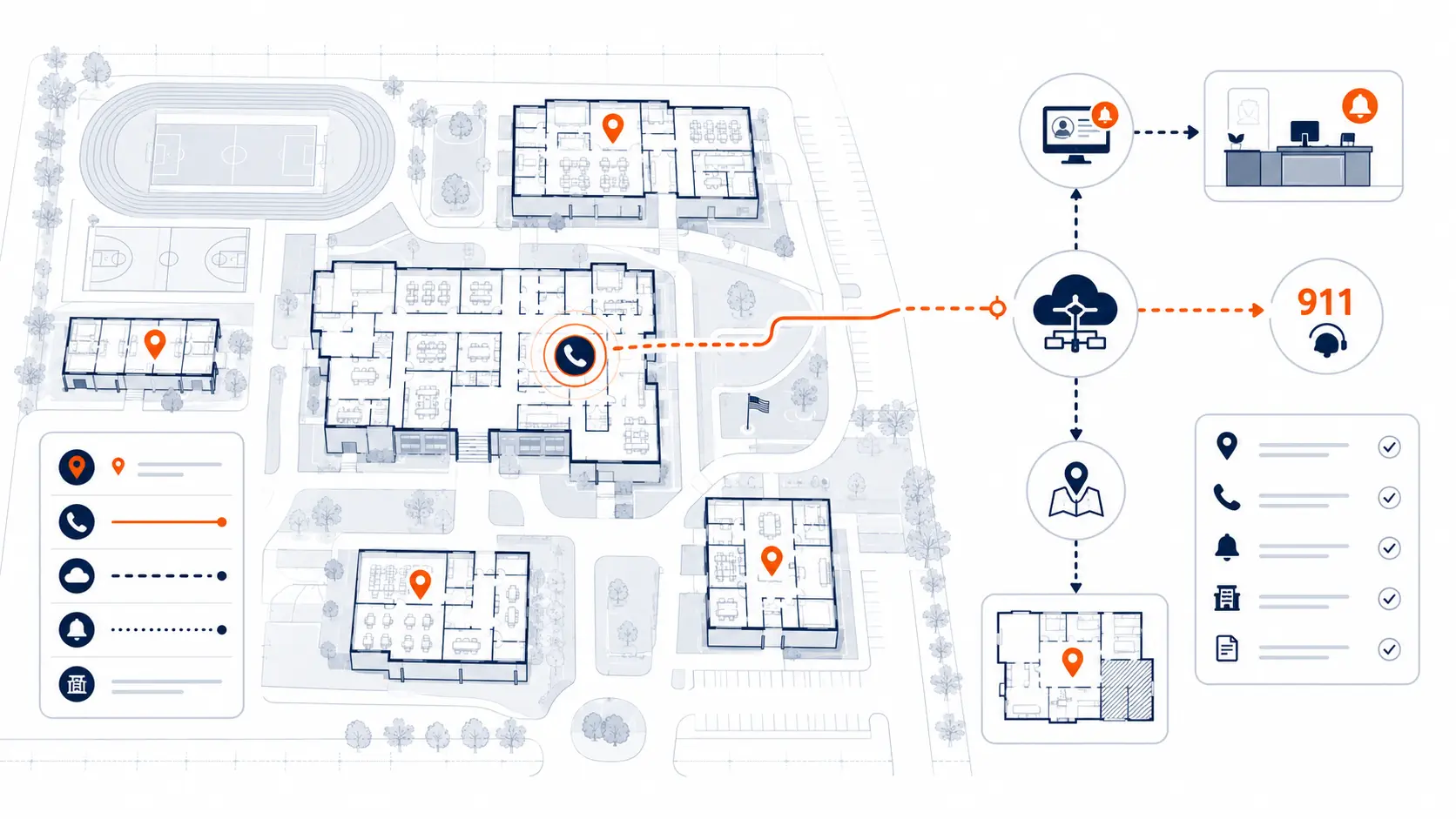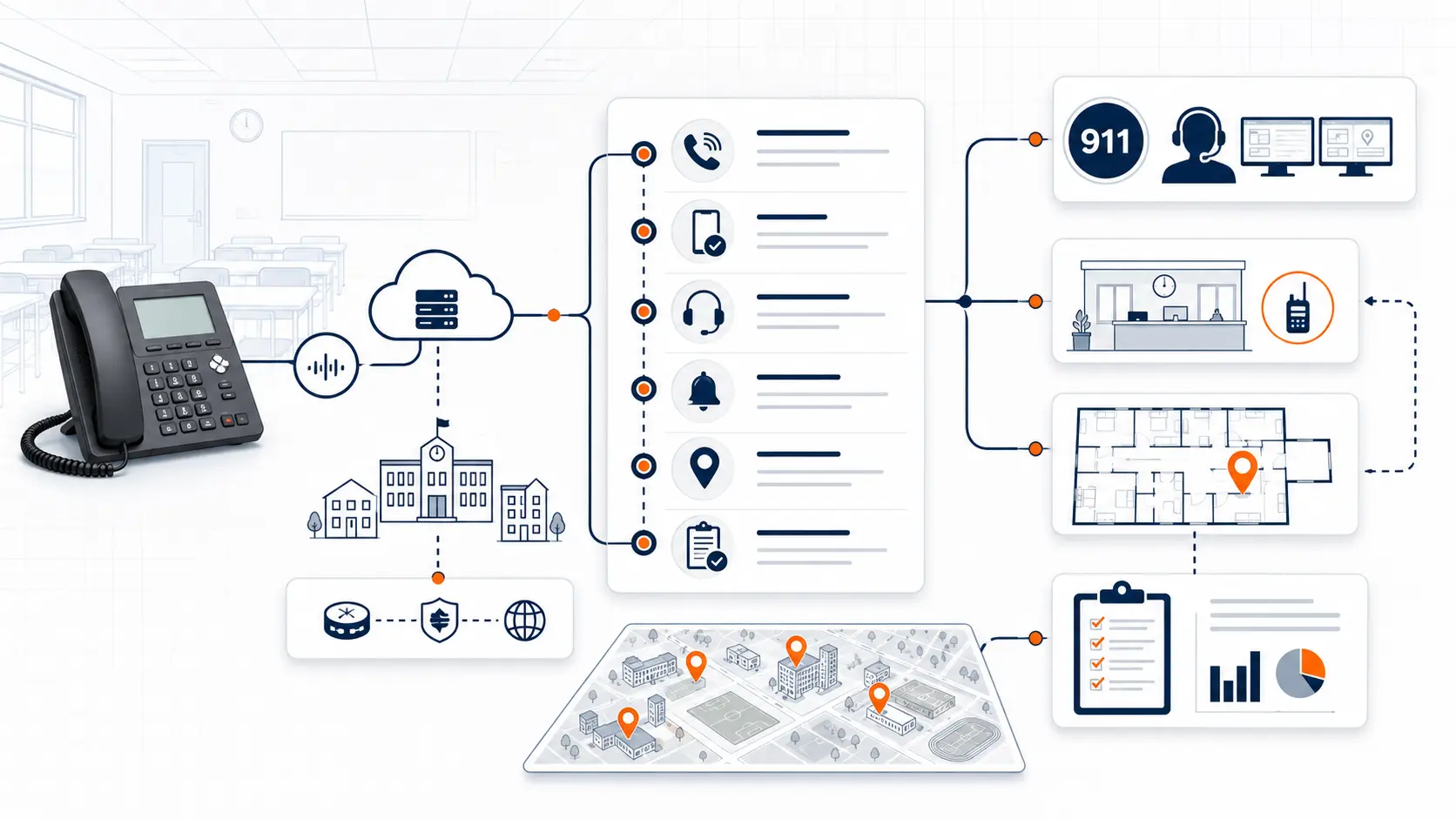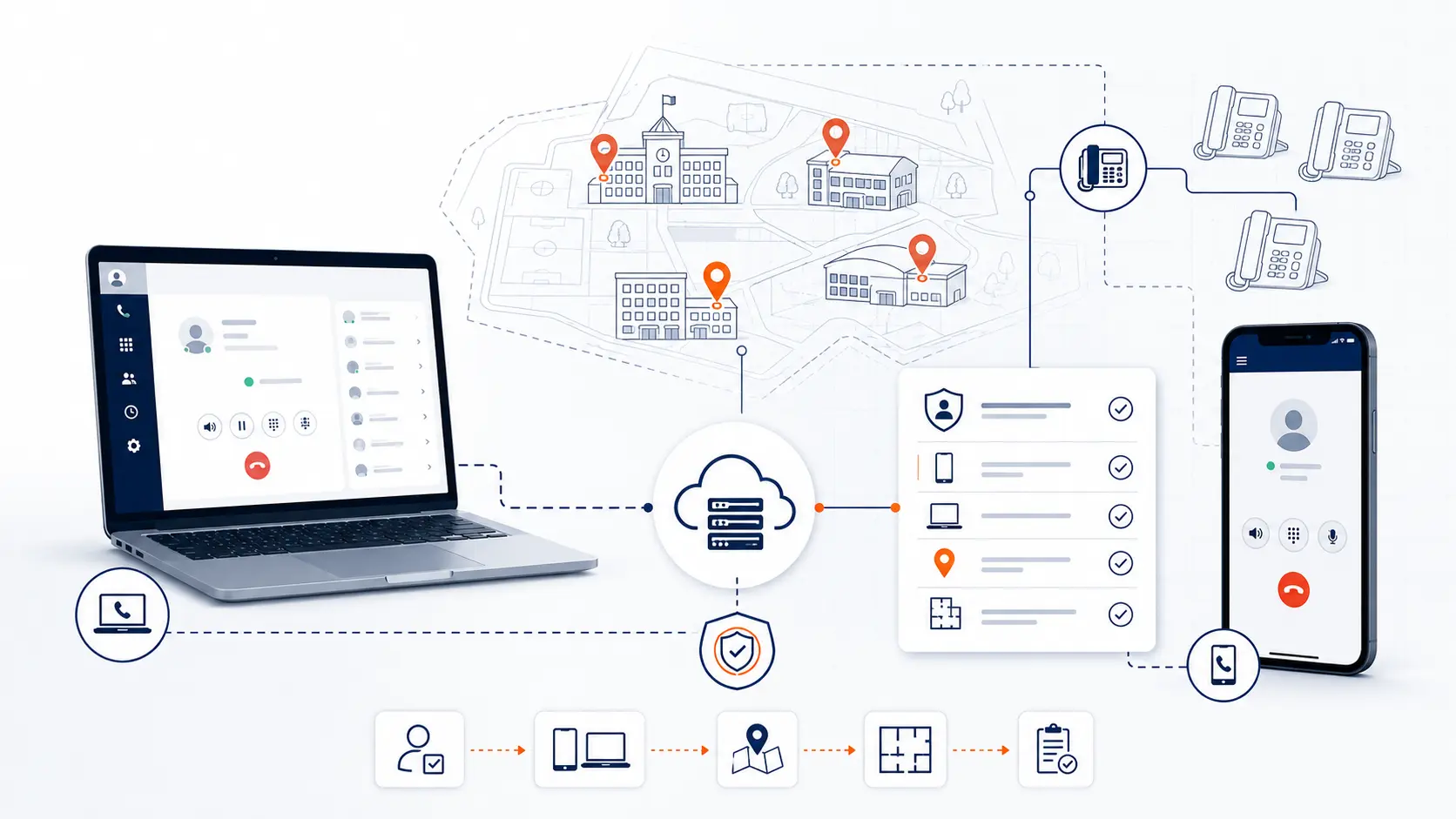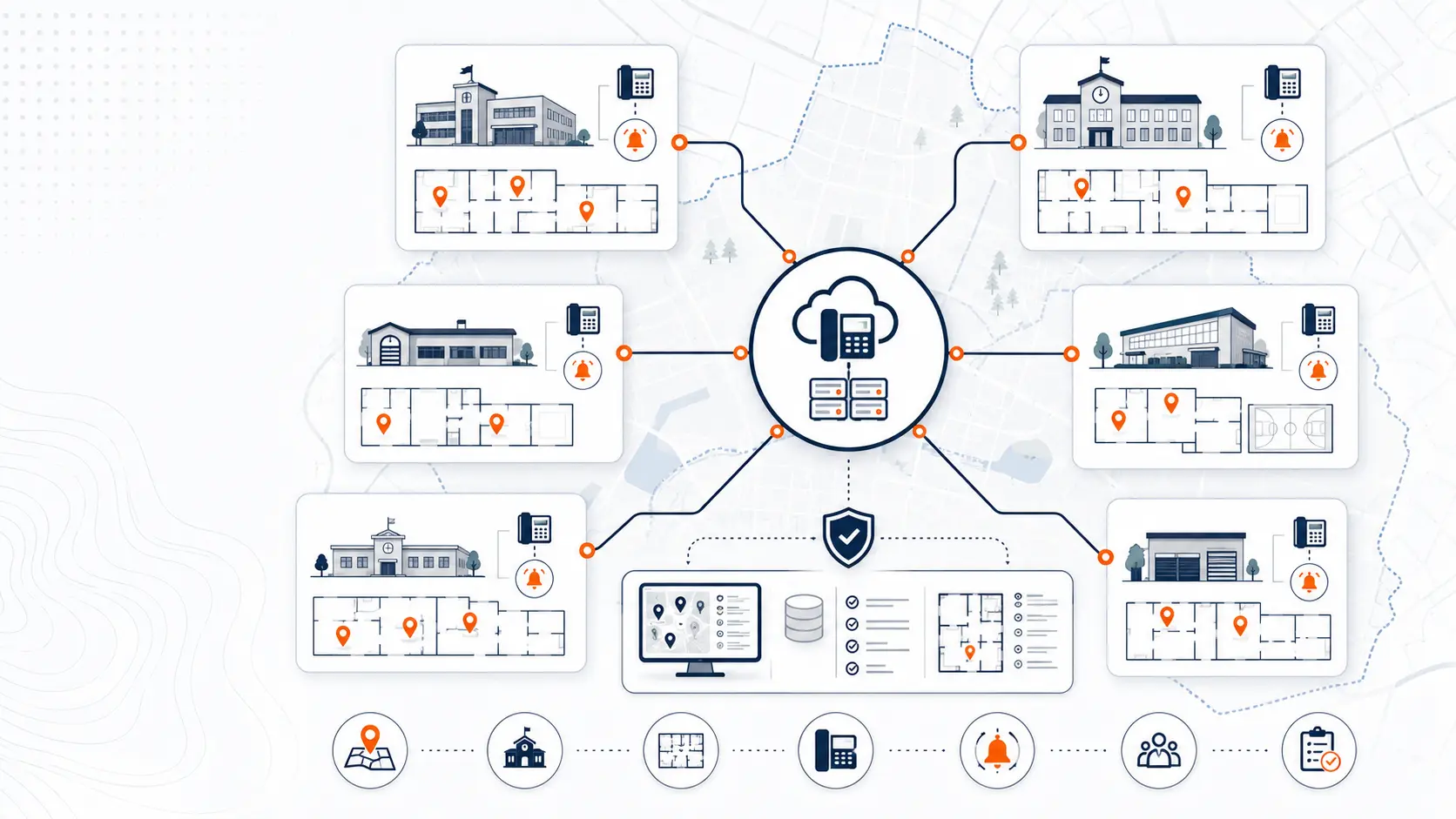
E911 planning gets harder when a school district has more than one building, campus, office, or support facility. A single street address may not tell emergency responders where the caller is. A multi-campus district has to think about front offices, classrooms, gyms, cafeterias, portable buildings, district administration, transportation, maintenance, softphones, mobile apps, and staff who work across more than one location.
This guide is for technical planning and general education only. It is not legal advice. Districts should review legal and compliance obligations with qualified counsel, public safety authorities, and appropriate state or local agencies.
Request System Review | Download the K-12 E911 Readiness Checklist
Why multi-campus E911 planning is different
A single-campus phone system can be complicated. A multi-campus phone system adds another layer of risk because the district has to maintain location accuracy across separate buildings and call paths.
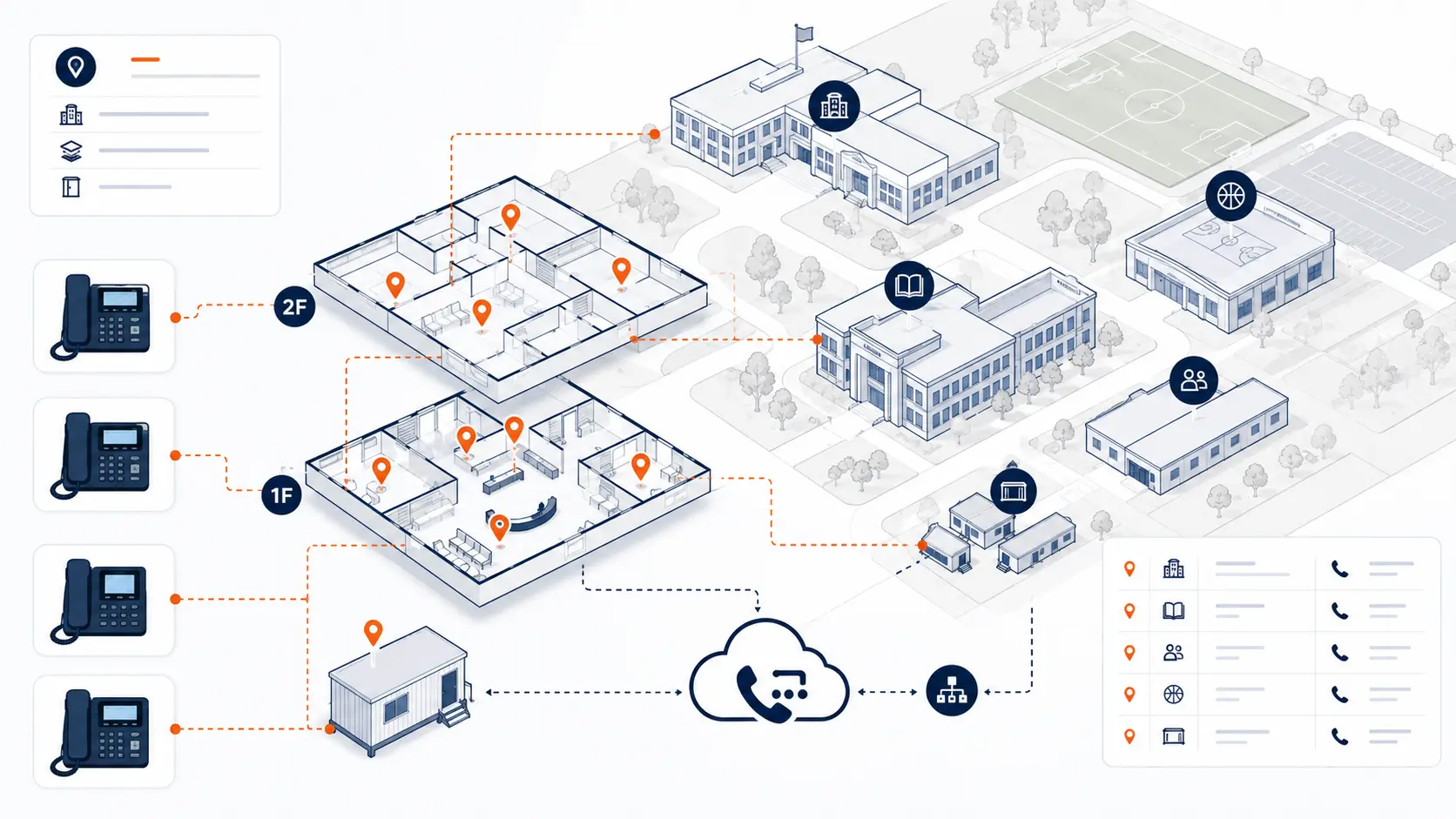
In a multi-campus district, a phone extension may belong to a front office, classroom, shared office, gym, library, cafeteria, transportation facility, or district administration building. Some phones may be fixed to one location. Others may be softphones or mobile apps that follow a user instead of a room.
That creates a practical question:
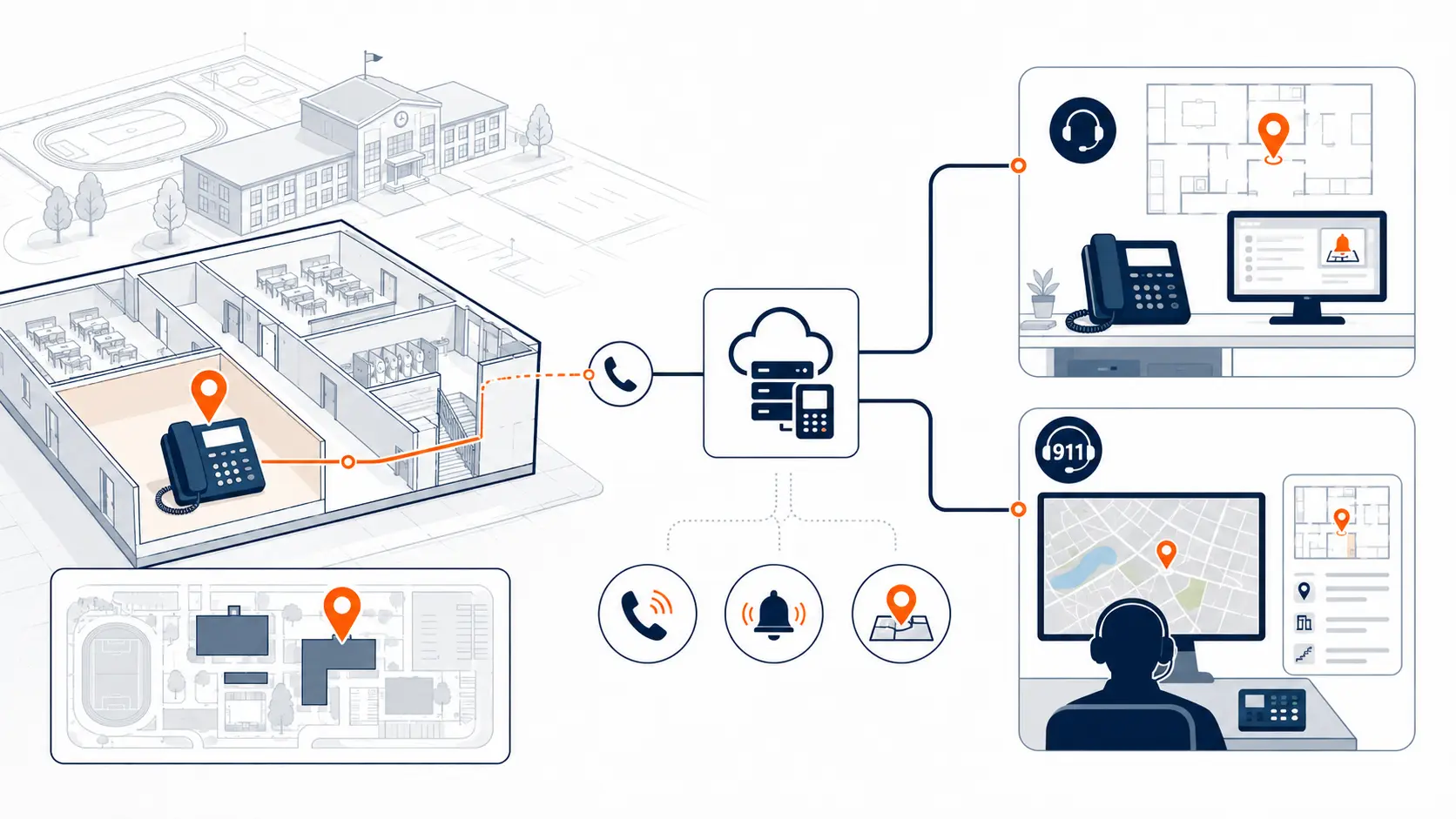
If someone dials 911 from this device, where will responders be sent?
For school districts, that question cannot be answered only at the district level. It needs to be answered by campus, building, room, area, and device type.
What E911 planning must account for
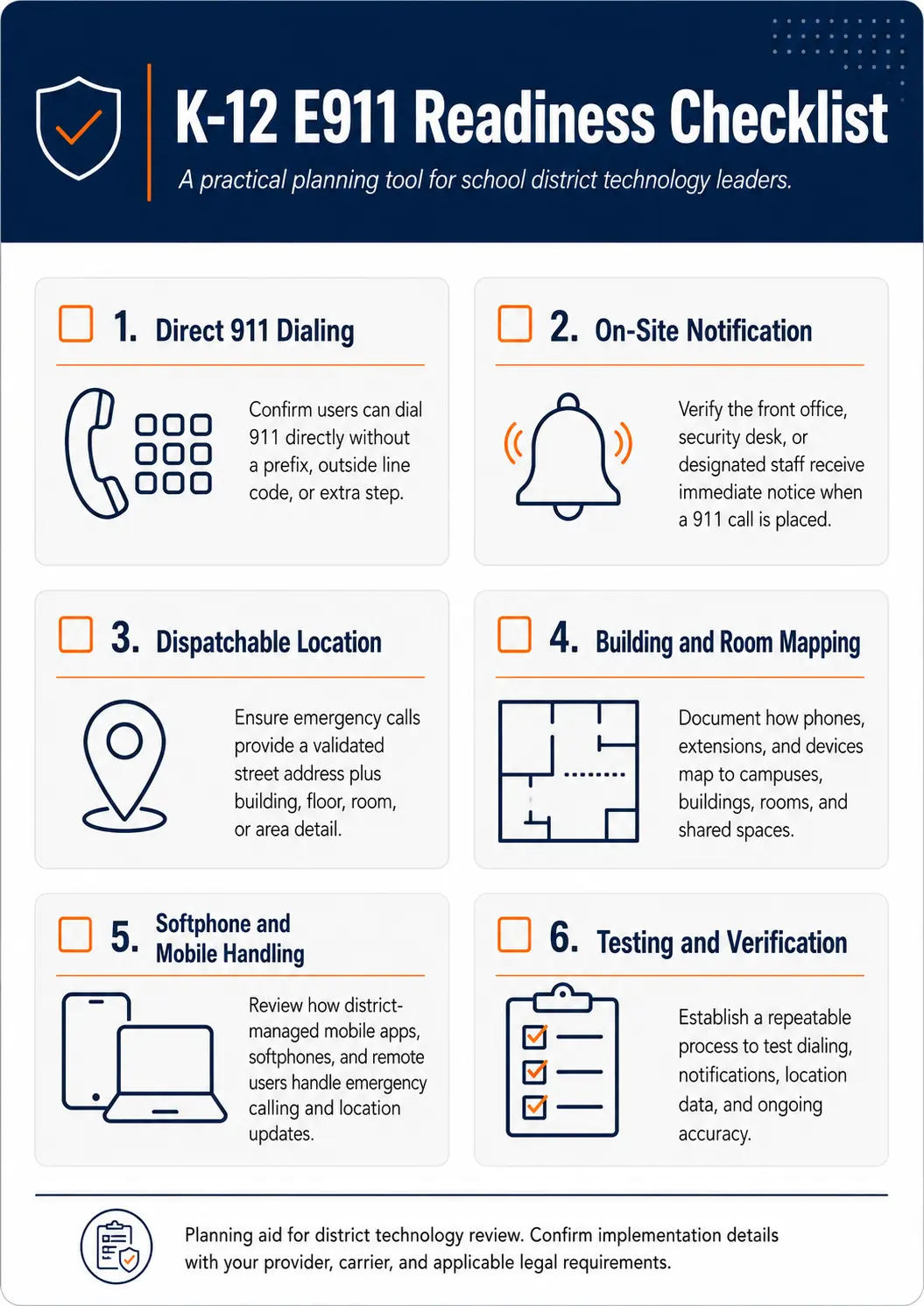
The FCC’s MLTS rules under Kari’s Law and RAY BAUM’S Act address direct 911 dialing, notification, and dispatchable location. For school phone systems, those ideas become operational planning requirements across the district.
| Planning area | What it means in a district | What to review |
|---|---|---|
| Direct 911 dialing | Users should be able to dial 911 without a prefix | Confirm settings across all campuses |
| On-site notification | Designated staff should be alerted when 911 is dialed | Confirm who receives alerts by campus |
| Dispatchable location | Responders need usable location information | Map buildings, floors, rooms, zones, and shared spaces |
| Device assignment | Phones need to match physical locations | Confirm each device is tied to the right place |
| Mobile users | Softphones and mobile apps may move | Define policy and technical handling |
| Testing | Districts need confidence before and after cutover | Coordinate safe testing with the correct PSAP |
For a deeper overview, read E911 Compliance for Schools.
Map campuses before mapping phones
Before reviewing individual phones, start with the district’s physical environment.
A practical map should include:
- elementary, middle, and high school campuses
- district office buildings
- transportation facilities
- maintenance facilities
- alternative education buildings
- portable classrooms
- athletic buildings and field houses
- shared spaces such as gyms, cafeterias, libraries, clinics, and auditoriums
- any off-site offices using the district phone system
This does not need to start as a perfect technical drawing. A spreadsheet, building list, floor plan, or current asset list can be enough to begin a review.
The key is to separate the district’s locations into usable groups so phone records, extensions, and E911 data can be reviewed site by site.
Dispatchable location in a school campus
Dispatchable location means more than a district address. It should give responders enough information to identify where the caller is located. In a school setting, that may involve a building name, floor, room number, suite, zone, wing, portable number, or area description.
For example, “123 Main Street” may not be enough if the caller is in:
- a portable classroom behind the elementary school
- a gym on the far side of campus
- a maintenance building with a separate entrance
- a second-floor counseling office
- a classroom wing that is not visible from the front office
- a transportation facility away from the main campus
The exact structure should be reviewed with the district’s technical team, phone provider, public safety contacts, and legal counsel where appropriate.
Campus-by-campus notification planning
On-site notification is not only a technical feature. It is an operational workflow.
When a 911 call is placed, who needs to know?
The answer may vary by campus.
A district may need notification to go to:
- the school front office
- campus administration
- district security
- district technology leadership
- operations leadership
- a central reception point
- an after-hours contact group
For a multi-campus district, a single notification path may not fit every building. A 911 call from the high school may need to notify a different team than a call from the transportation facility.
A review should document who receives alerts, how those alerts are delivered, and what staff are expected to do when an alert arrives.
Softphones and mobile apps need a separate review
Softphones and mobile apps are useful, but they create E911 planning questions.
A desk phone normally stays in one room. A softphone or mobile app can be used from a classroom, district office, home office, parking lot, athletic event, or another campus. That means location assumptions can become risky.
Districts should review:
- which users are allowed to use softphones or mobile apps
- whether those tools are used on campus, off campus, or both
- how the system handles location data for non-fixed devices
- what users are told about emergency calling from those devices
- whether staff should use mobile apps for emergency calls or local cellular service
- how location records are updated when users move
This should be documented before deployment, not after the district is already live.
Legacy PBX and current hosted systems both need review
E911 planning is not only for old PBX systems.
Legacy PBX systems may have problems with dialing prefixes, outdated extension records, limited administration, or carrier records that only show the main address. That is why many districts begin with a Legacy PBX Risk Map for School Districts before planning replacement.
Current hosted VoIP systems can have problems too. A hosted system may still have stale location records, unclear device assignments, softphone gaps, poor documentation, or per-extension pricing that encourages the district to keep unused extensions active.
Districts should review both technical readiness and cost structure. A system can be cloud-based and still be poorly matched to the district’s real campus layout.
For a broader replacement view, see PBX Replacement for Schools and K-12 VoIP Phone Systems.
How to review E911 during a phased migration
Many districts do not move every campus at once. A phased migration can reduce risk, but E911 planning must follow the same phased logic.
A practical sequence looks like this:
- Review the current campus list and phone inventory.
- Identify fixed devices, softphones, mobile apps, analog lines, and specialty services.
- Map dispatchable locations by campus and building.
- Define on-site notification recipients for each campus.
- Configure the first phase.
- Coordinate testing with the appropriate public safety contact.
- Document results before moving to the next phase.
- Repeat the process for each campus or building group.
A phased project is only useful if each phase is verified before the next one begins.
The District Phone System Modernization Roadmap can help organize this process.
E911 testing for multi-campus districts
Testing should be planned, documented, and coordinated. District staff should not casually place 911 test calls without proper coordination.
A district should define:
- who is allowed to coordinate testing
- which PSAP or public safety contact should be involved
- which campuses and devices will be tested
- what result is expected for each location
- how failed tests will be corrected
- where test records will be stored
- when retesting is required after moves or system changes
A good testing plan reduces uncertainty before cutover and after major changes.
Use the K-12 E911 Readiness Checklist to organize the review.
What to document before requesting quotes
Before asking vendors for pricing, districts should collect enough information to make proposals comparable.
Helpful documentation includes:
- campus list
- building list
- floor plans if available
- phone inventory
- extension list
- main numbers
- direct inward dial numbers
- auto attendants
- ring groups
- current carrier services
- analog lines
- softphone and mobile users
- current E911 records if available
- on-site notification recipients
- cutover constraints
- known outage or support issues
A vendor cannot design a reliable multi-campus phone system from a user count alone. The district’s buildings, call paths, and location records matter.
The District Phone System Review Checklist is a good starting point.
Questions districts should ask before choosing a system
Use these questions during planning and vendor review:
- How will E911 records be mapped by campus, building, floor, room, and shared space?
- How will on-site notifications work for each campus?
- How are softphones and mobile apps handled for emergency calling?
- Who maintains location records after deployment?
- What happens when a phone is moved?
- How are portable classrooms documented?
- Can deployment be phased by campus?
- How will testing be coordinated before cutover?
- How will failed tests be corrected?
- How will the district review location data after launch?
- Does the pricing model charge by extension, user, call path, or another structure?
- Are unused extensions driving unnecessary cost?
That last pricing question matters. Districts often focus on technical requirements and miss the billing model. If an existing VoIP provider charges by extension, the district may be paying for far more than it actually uses.
How a system review helps
A district phone system review helps connect the technical, operational, and financial pieces.
K12 Phone Systems reviews:
- buildings and campuses
- current PBX or hosted system
- main numbers and extensions
- call routing
- E911 planning needs
- device locations
- softphone and mobile use
- number porting
- phased migration needs
- current cost structure
- support and cutover risk
The goal is not to force a migration. The goal is to identify what needs attention before the district makes a phone system decision.
Related planning resources
- K-12 E911 Readiness Checklist
- District Phone System Review Checklist
- District Phone System Modernization Roadmap
- Legacy PBX Risk Map for School Districts
- Multi-Campus Phone Systems
Frequently asked questions
What makes E911 planning harder for multi-campus school districts?
Multi-campus districts have separate buildings, shared spaces, portable classrooms, support facilities, and staff who may move between locations. Each device or user type may need a different location review.
Is a street address enough for a school campus?
Often, no. A street address may identify the campus, but responders may need building, floor, room, zone, portable, or area information to find the caller quickly.
Does E911 planning apply to softphones and mobile apps?
Yes. Softphones and mobile apps can be used from different locations. Districts should review how location data is handled and what staff should do when they need emergency help.
Can E911 planning be handled campus by campus?
Yes. In many districts, a campus-by-campus review is practical. Each phase should include mapping, configuration, testing, and documentation.
Do hosted phone systems automatically solve E911 planning?
No. Hosted systems can improve administration, but they still require correct location records, device assignments, softphone policies, notification settings, and testing.
Who should maintain E911 location records after deployment?
The district should define ownership. IT, facilities, operations, the phone provider, and campus leadership may all have roles, but one process should control updates.
Should districts test 911 calling before cutover?
Yes, but testing should be coordinated with the appropriate public safety contact. Districts should not place casual test calls without an approved process.
What should districts document before requesting a proposal?
Districts should document campuses, buildings, extensions, main numbers, phone locations, softphone use, analog lines, current carrier services, and known E911 concerns.
Can E911 planning affect the migration schedule?
Yes. Mapping, configuration, testing, and corrections can affect timing. It is better to find those issues during planning than after cutover.
Can K12 Phone Systems provide legal compliance advice?
No. K12 Phone Systems provides technical review and E911 planning support for phone system projects. Districts should confirm legal and regulatory obligations with qualified counsel, public safety authorities, and appropriate state or local agencies.
References
Ready to review E911 planning across your campuses?
Share your current phone setup, campus list, building notes, phone bill, or vendor proposal. We will help identify technical review areas, migration considerations, and practical next steps for multi-campus emergency calling readiness.