A school phone system has to support front offices, district administration, classrooms, transportation, maintenance, emergency calling, and multi-campus routing. For many districts, replacing an aging PBX is not just a technology refresh. It is a reliability, safety, support, and migration planning decision.
Request System Review | Download the System Review Checklist
Built for district phone system review | Supports multi-campus routing needs | E911 planning support | Phased migration planning
What is a school phone system?
A school phone system manages calling, routing, voicemail, extensions, emergency calling, front office call flow, staff access, and district-wide communication. It serves as the primary communications infrastructure connecting administrators, teachers, parents, and emergency services.
Modern systems may be hosted, cloud-based, hybrid, or still PBX-based. While the underlying technology varies, the core requirement remains the same: delivering reliable voice communication across all district facilities.
For districts, the real issue is not just phone features. It is reliability, location accuracy, support, routing, cutover planning, and staff usability. A successful deployment requires careful consideration of how calls flow during normal operations and emergencies.
Why school districts replace legacy phone systems
School districts typically begin evaluating new phone systems when their existing infrastructure becomes a liability rather than an asset. Aging PBX hardware is a primary driver. As these systems reach end-of-life, finding replacement parts becomes difficult, and the technicians who understand the legacy architecture are retiring.
Financial and compliance pressures also force change. Carriers are increasing costs for analog lines, and telecom bills are often confusing, making it difficult to understand what the district is actually paying for. Furthermore, legacy systems often struggle to support modern E911 and dispatchable location planning requirements, creating potential safety and compliance risks. District growth, building consolidation, and the need for staff mobility further strain older systems that were not designed for flexible, multi-campus routing.
| Driver | What it creates | Planning question |
|---|---|---|
| Aging PBX hardware | Risk of hardware failure and lack of replacement parts. | What is the timeline before our current system becomes unsupportable? |
| Analog line dependence | Increasing carrier costs and maintenance challenges. | How many analog lines do we currently pay for, and what are they used for? |
| E911 location gaps | Inability to provide accurate dispatchable location data to emergency services. | Can our current system identify the specific building and room during a 911 call? |
| Multi-campus routing complexity | Fragmented communication and difficult administration across different buildings. | How easily can we route calls between campuses during an emergency or staff absence? |
| Carrier billing confusion | Unclear telecom expenses and difficulty budgeting. | Are we paying for unused lines or redundant services across different carriers? |
| Staff mobility needs | Inability for staff to communicate securely when away from their desks. | How do administrators and maintenance staff handle calls when moving around the campus? |
What a school phone system needs to support
Front office calling
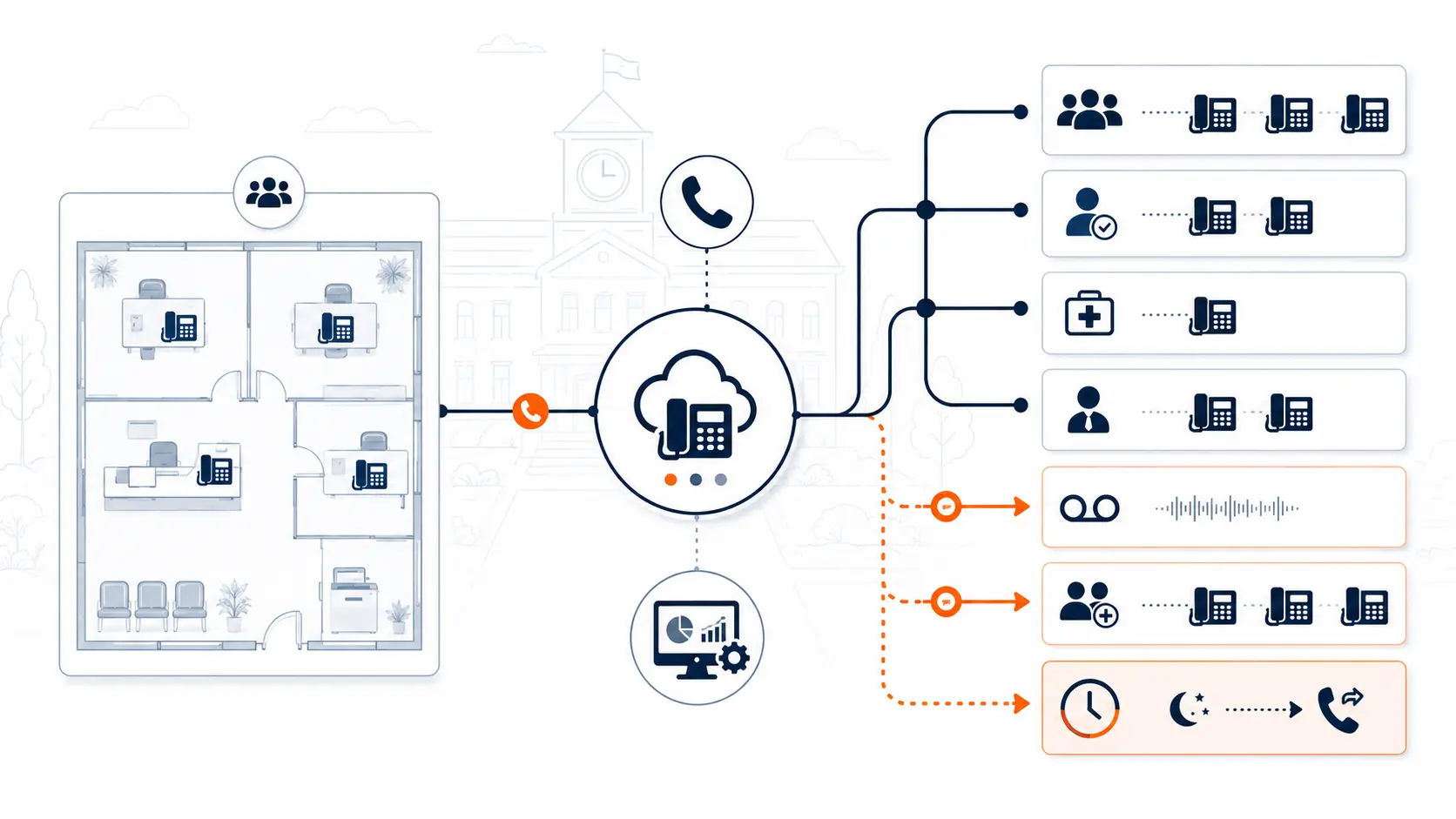
The front office is the communication hub of any school. The phone system must handle main numbers efficiently, utilizing auto attendants to guide callers and ring groups to ensure calls are answered promptly. Overflow routing is necessary for busy periods, directing calls to voicemail or backup staff. Clear visitor and parent call flows are essential for daily operations and managing absences or early dismissals.
District administration
Central office staff require direct extensions and reliable transfer paths to connect with principals and department heads. Leadership availability must be visible, and department routing should ensure that inquiries reach the correct administrative team, whether for human resources, finance, or student services.
Classrooms and staff
Classroom communication needs vary. Some rooms require physical desk phones, while softphones may be appropriate for staff who primarily use computers. Mobile app options provide flexibility for teachers, allowing them to communicate with parents using district-managed calling, which protects teacher privacy by displaying the school's number rather than a personal cell phone number.
Transportation, maintenance, and operations
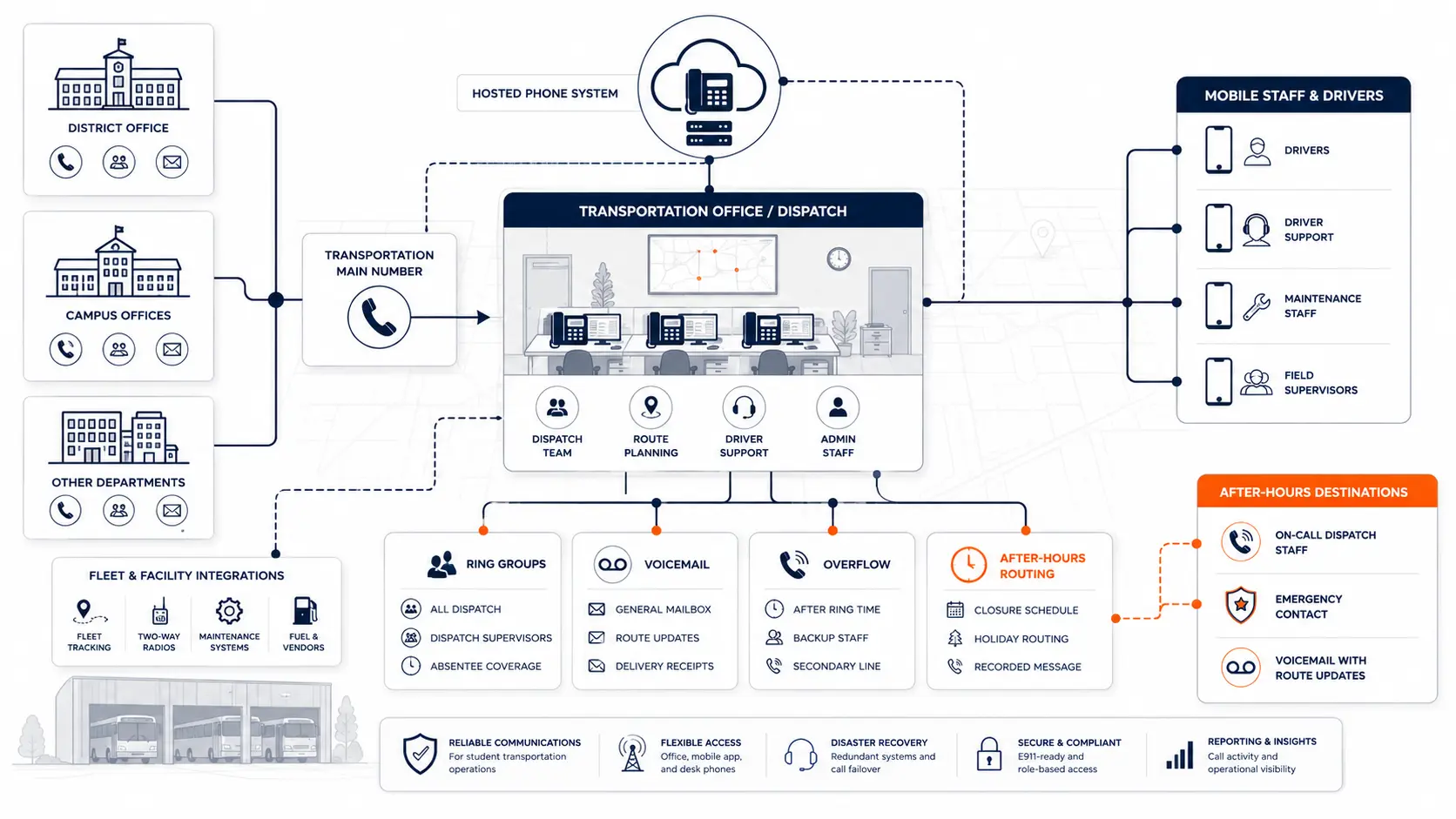
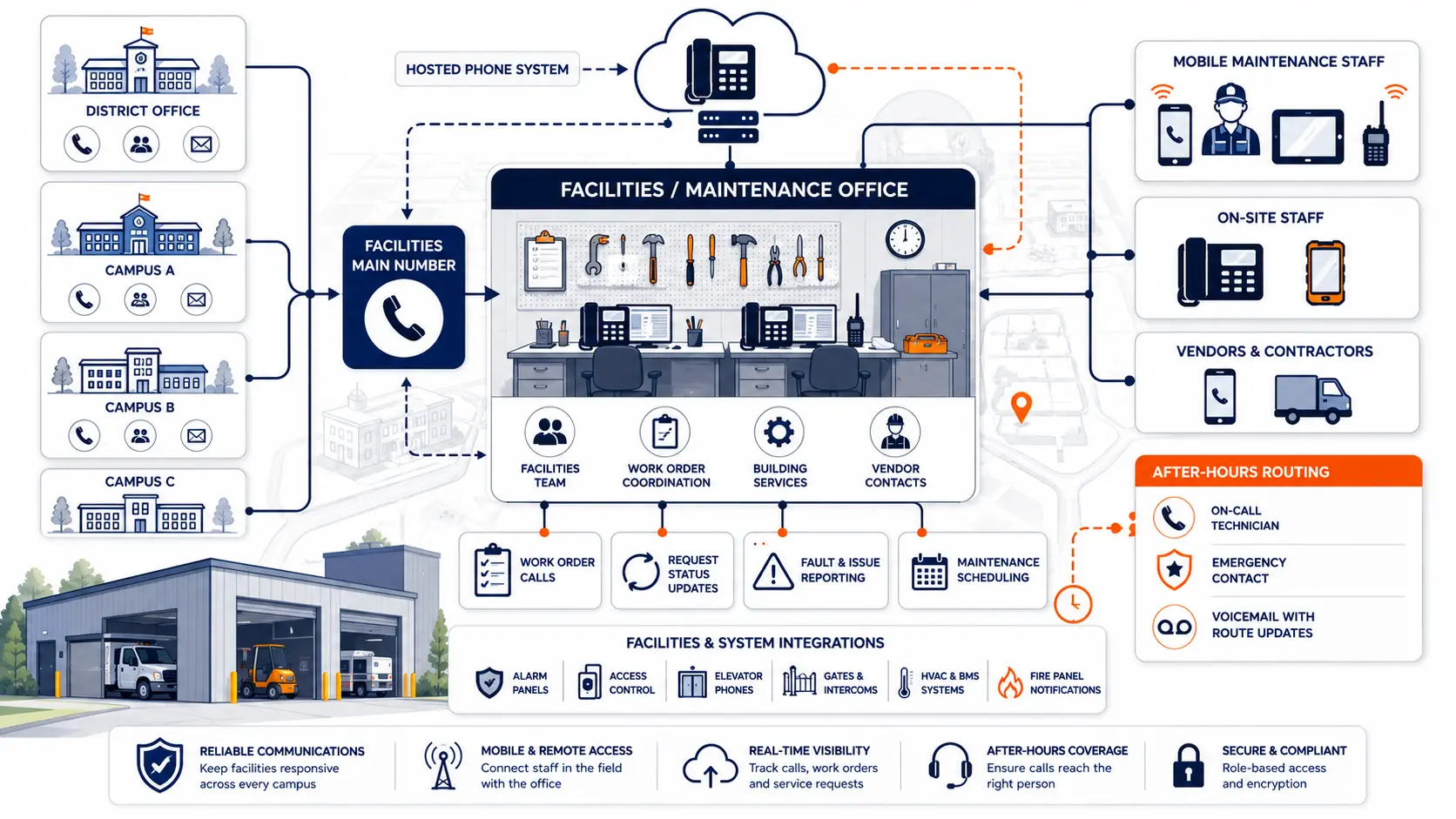
Non-classroom communication needs are critical for district operations. Transportation and maintenance departments require specific routing and often need robust after-hours call handling to manage facility emergencies or bus schedule changes.
Multi-campus routing
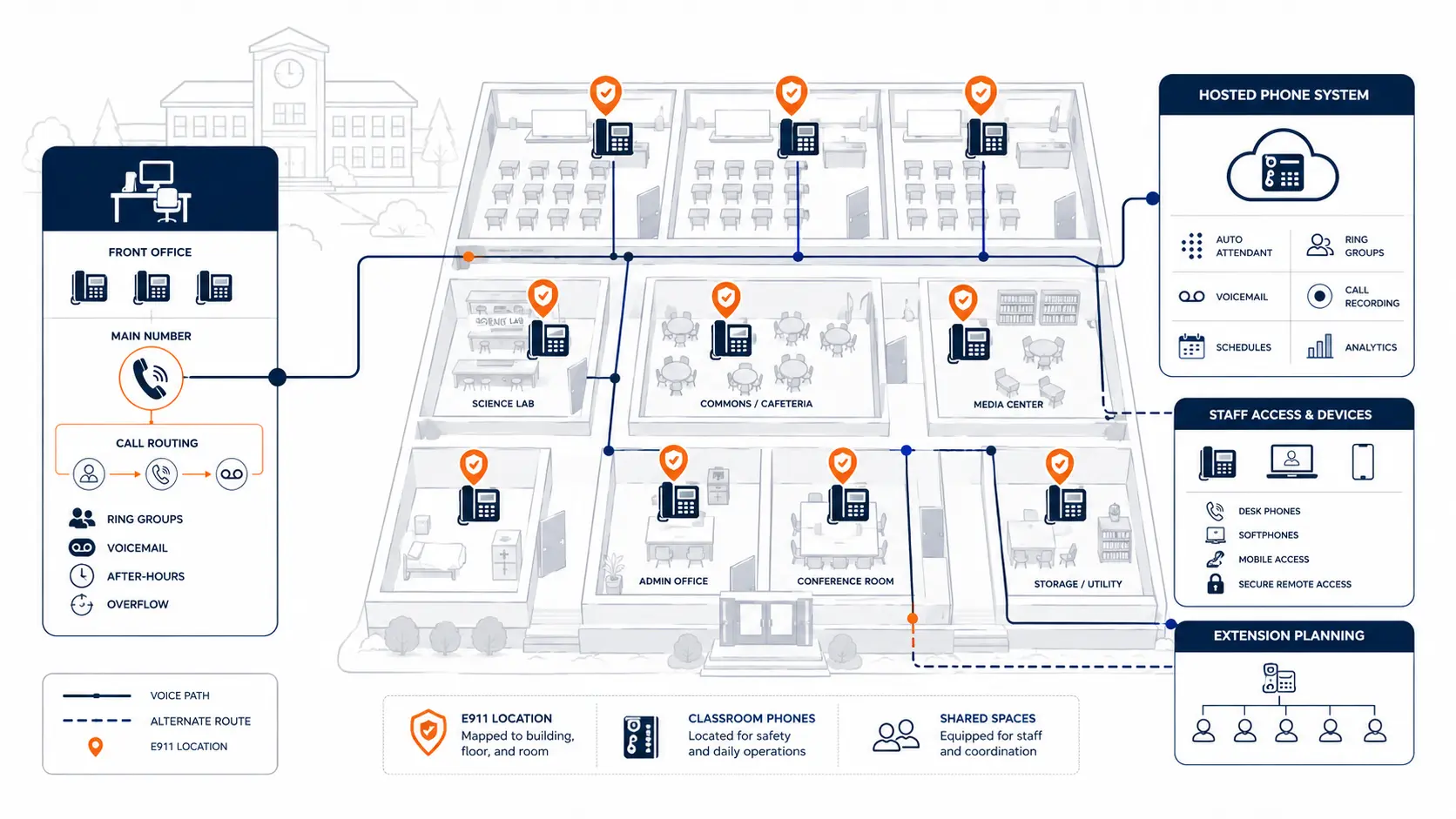
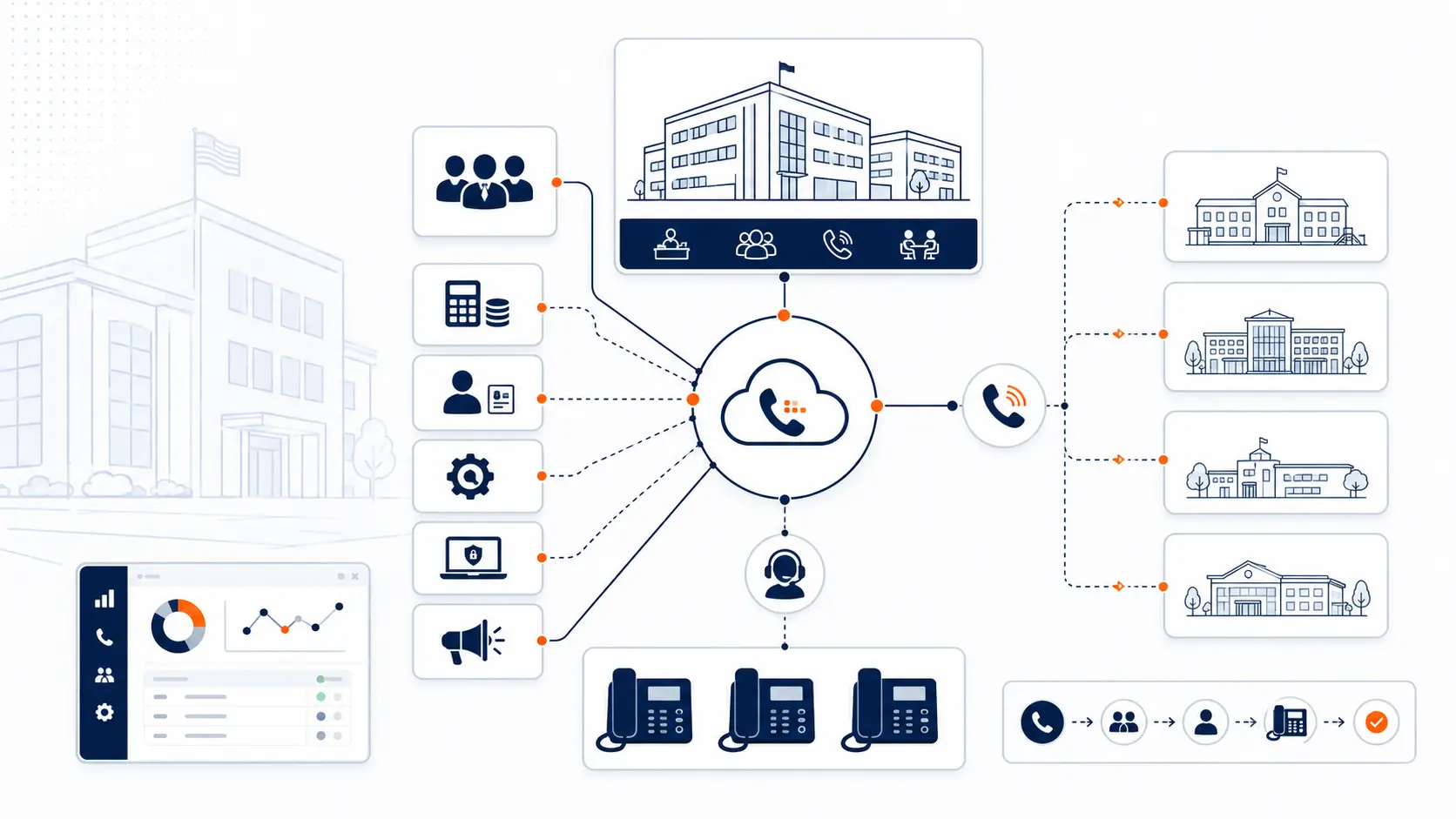
For districts with multiple buildings, the system must support building-level call paths while maintaining shared district numbers. Campus failover is necessary to ensure that if one building loses connectivity, calls can be routed to another location. Consistent call handling across all campuses creates a unified experience for parents and staff.
E911 planning for school phone systems
Emergency calling is a critical function of any school phone system. New or replaced school phone systems should be reviewed for direct 911 dialing so users can reach emergency services without dialing a prefix such as "9" first. Depending on the system, installation date, and applicable federal, state, or local rules, districts may also need on-site notification to designated personnel, such as the front office or security staff, when a 911 call is placed.
Districts should also review dispatchable location planning so 911 receives usable location information. This depends on accurate building, floor, room, and area mapping within the phone system's configuration. Managing this data is complex, especially when considering softphones and mobile devices that may move between locations. Testing and verification should be coordinated with the provider and appropriate public safety contacts. Districts should assign ownership for maintaining location data as staff move or room assignments change.
This page provides technical planning information, not legal advice. Districts should review compliance requirements with qualified counsel and appropriate public safety authorities.
Download the K-12 E911 Readiness Checklist
Use this planning checklist to review direct 911 dialing, on-site notification, dispatchable location, mobile handling, and testing procedures.
Hosted school phone systems vs legacy PBX
When evaluating a replacement, districts must understand the differences between maintaining an on-premise PBX and moving to a hosted system. Hosted systems offer advantages in management and failover, but they still require network readiness, call flow design, E911 planning, number porting, and support planning.
| Area | Legacy PBX | Hosted phone system |
|---|---|---|
| Hardware | Requires on-site servers, line cards, and physical maintenance. | Infrastructure is maintained in secure data centers by the provider. |
| Support | Relies on local technicians and availability of aging replacement parts. | Supported by the provider with remote diagnostics and software updates. |
| Scaling | Requires purchasing new hardware capacity to add users or lines. | Users and extensions can be added easily through an administrative portal. |
| Remote access | Difficult to configure and often requires complex VPN setups. | Built-in support for softphones and mobile apps from any internet connection. |
| E911 planning | Often struggles to provide granular dispatchable location data. | Designed to support modern E911 mapping and on-site notification. |
| Management | Requires specialized telecom knowledge to make changes. | Managed via web portals, allowing IT staff to make routing changes quickly. |
| Failover | If the building loses power or connectivity, calls cannot be routed. | Calls can automatically route to mobile apps or other campuses during an outage. |
| Migration effort | Typically involves a heavy physical installation and cutover. | Requires careful network planning, logical configuration, and phased cutovers. |
| Cost visibility | Costs are often split across hardware maintenance and confusing carrier bills. | Provides a more predictable, consolidated monthly cost structure. |
How cloud phone systems work for schools
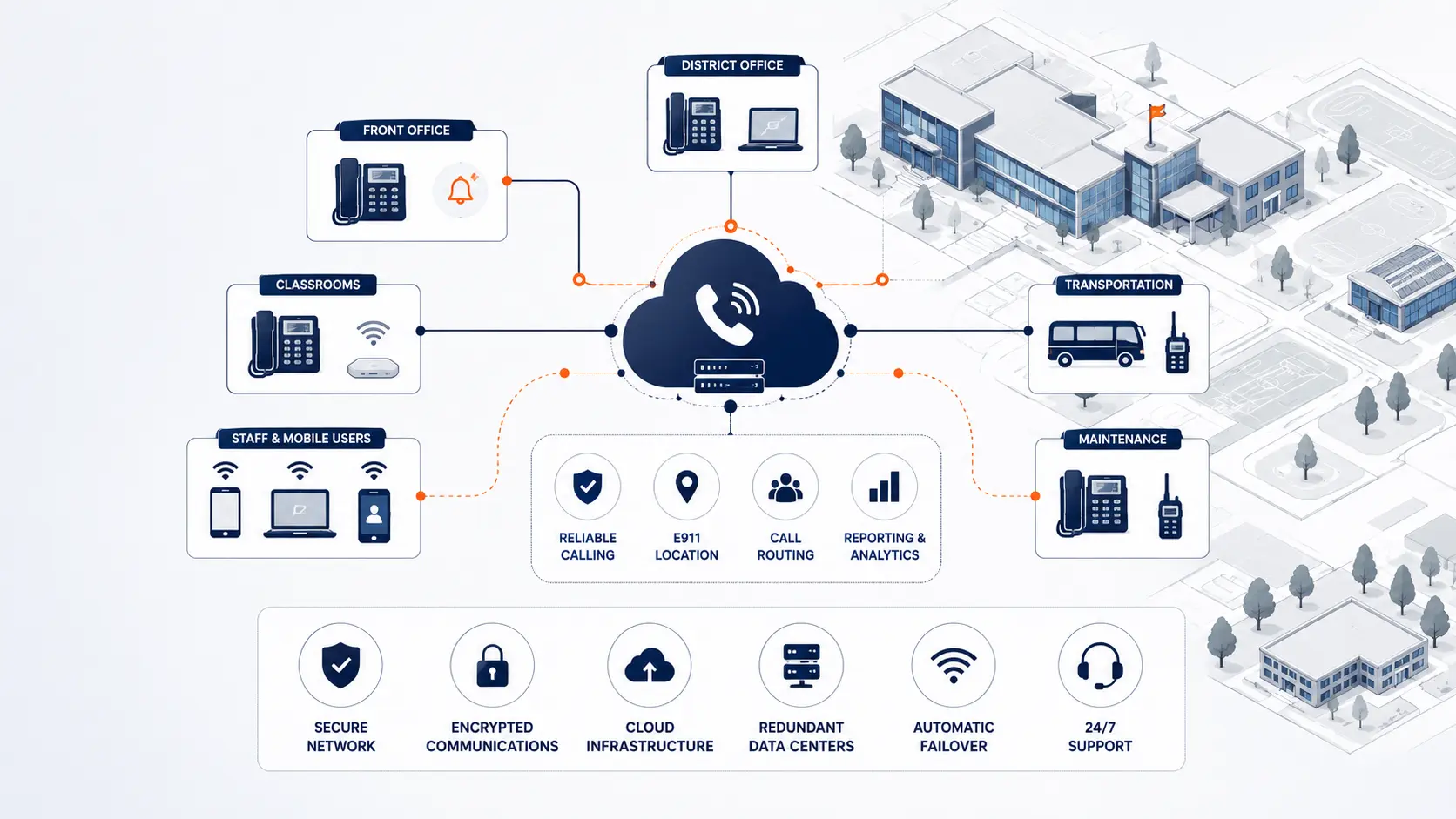
A cloud phone system, often referred to as a hosted PBX, moves the core routing intelligence from a server in the school's telecom closet to a secure data center. The school connects to this system using SIP connectivity over its existing internet connection.
Users interact with the system using standard IP desk phones, software-based softphones on their computers, or mobile apps on their smartphones. Administrators manage the entire system, including call routing, voicemail, and failover planning, through a web-based admin portal. When a district migrates to a cloud system, they undergo number porting, a process that transfers their existing phone numbers from their old carrier to the new cloud provider.
How to plan a school phone system replacement
Replacing a phone system requires a methodical approach to ensure minimal disruption to school operations.
- Step 1: Review the current environment. Assess existing hardware, network readiness, and current carrier contracts.
- Step 2: Document campuses, buildings, numbers, and call flows. Create a detailed inventory of how calls currently enter and move through the district.
- Step 3: Review E911 and location needs. Map out how dispatchable locations will be defined for every building and floor.
- Step 4: Design routing, extensions, and user access. Plan the new auto attendants, ring groups, and determine which staff need desk phones versus softphones.
- Step 5: Plan number porting and cutover sequence. Schedule the transition of numbers and decide if the rollout will be district-wide or phased by campus.
- Step 6: Prepare staff and test before go-live. Train users on new devices and thoroughly test all call flows and emergency routing.
- Step 7: Support and monitor after launch. Provide clear channels for staff to report issues and monitor system performance.
Download the District Phone System Modernization Roadmap
What to review before choosing a school phone system vendor
Evaluating vendors requires looking beyond basic phone features to understand how they support the specific needs of an educational environment.
- K-12 experience and understanding of school operations
- E911 planning support and location management capabilities
- Number porting process and dedicated project management
- Multi-campus routing and failover architecture
- Cutover planning and phased deployment options
- Support model, including availability and escalation paths
- Device support for various environments (classrooms, front offices, maintenance)
- Mobile and softphone options for staff mobility
- Admin training for district IT staff
- Contract clarity and predictable terms
- Billing clarity without hidden fees
- Post-launch support and ongoing account management
Questions to ask before replacing a school phone system
District leaders should ask specific questions to ensure a proposed system meets their operational and safety requirements.
- Can we keep our existing phone numbers?
- Can deployment be phased by campus?
- How is E911 handled across buildings and devices?
- Who maintains location data?
- What happens during an internet outage?
- What support is available during cutover?
- What phones and devices are supported?
- How are auto attendants and ring groups configured?
- What does the district receive before go-live?
- How are changes handled after launch?
Cost and procurement considerations for school phone systems
Understanding the total cost of a new system requires comparing current expenses against proposed solutions. Districts must evaluate their current bills and carrier services, ongoing PBX maintenance costs, and the expense of maintaining legacy analog lines.
When reviewing new proposals, consider the cost of new phone hardware, ongoing hosted service charges, and one-time fees for number porting and implementation support. Contract terms should be reviewed carefully to understand long-term commitments.
Funding mechanisms require careful navigation. Districts should review funding and procurement questions with their E-rate consultant, finance team, or legal counsel to understand eligibility and compliance requirements before making purchasing decisions.
What a district phone system review covers
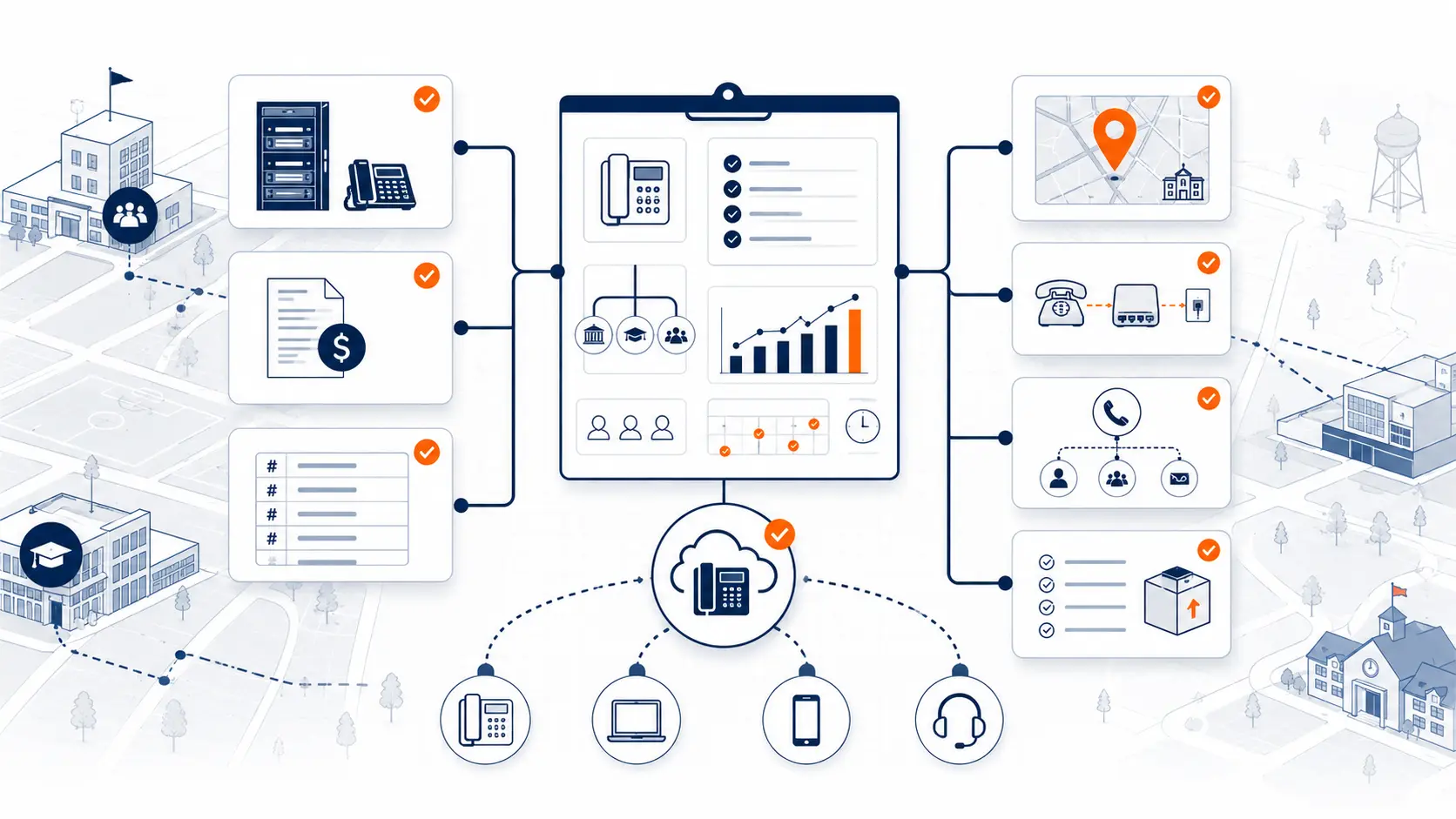
A thorough system review provides a clear picture of your current infrastructure and the path forward. It examines your current phone system hardware, phone bills, and carrier services to identify inefficiencies. The review maps out your buildings and campuses, cataloging main numbers, extensions, and existing call routing and auto attendants.
Crucially, it evaluates E911 planning and failover capabilities, identifying cutover risks and outlining specific support needs for a successful migration.
School phone system planning resources
- District Phone System Review Checklist
- K-12 E911 Readiness Checklist
- District Phone System Modernization Roadmap
- Legacy PBX Risk Map for School Districts
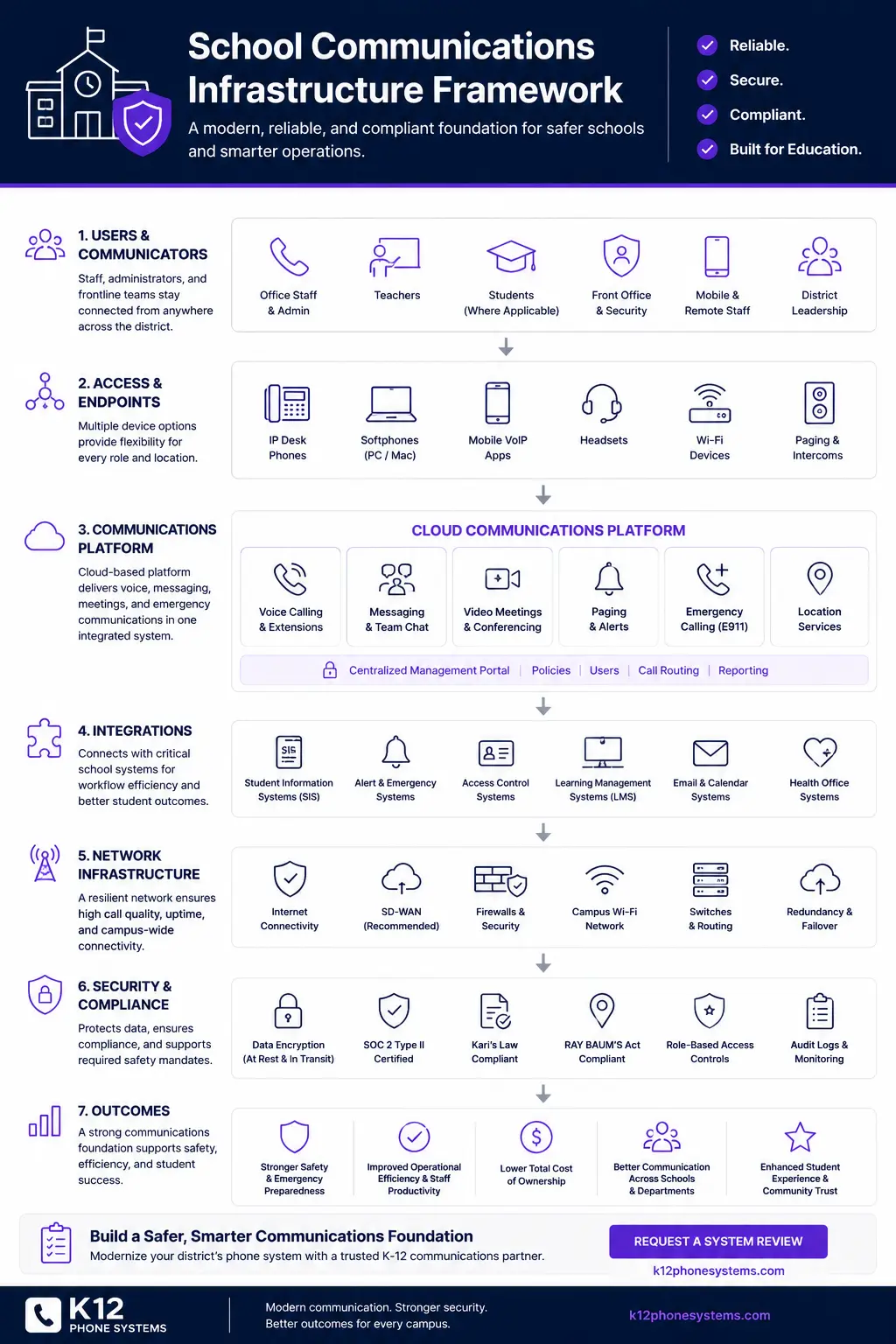
- School Communications Infrastructure Framework
Frequently asked questions
What is the best phone system for schools?
The best phone system for a school district depends on its specific infrastructure, multi-campus routing needs, and E911 readiness. Many districts are moving to hosted or cloud-based systems because they remove the burden of maintaining aging on-premise PBX hardware, provide better failover during outages, and support accurate dispatchable location data for emergency responders.
Should a school district replace its PBX?
A school district should consider replacing its PBX when hardware becomes difficult to maintain, replacement parts are scarce, analog lines become expensive, or the system cannot support modern E911 location requirements. A system review can help identify the specific risks of keeping legacy hardware versus the costs of migrating.
Can schools keep their existing phone numbers?
Yes. Through a process called number porting, school districts can transfer their existing main numbers, department lines, and direct inward dialing (DID) numbers to a new phone system provider.
Can a school phone system be deployed campus by campus?
Yes. A phased migration allows districts to roll out the new phone system one campus or building at a time. This approach minimizes disruption, allows staff to test call flows, and ensures that front office and emergency routing work correctly before moving to the next site.
How does E911 work for school phone systems?
E911 planning for a school phone system focuses on allowing direct 911 dialing where required, sending usable dispatchable location information, and notifying designated on-site personnel when applicable. It also includes planning for mobile users, room changes, and regular testing.
What is dispatchable location?
Dispatchable location is the validated street address of the calling party, plus additional information such as suite, apartment, or similar information necessary to adequately identify the location of the calling party. For schools, this often means identifying the specific building, floor, and room where a 911 call originated.
Do school phone systems support mobile apps?
Yes, modern school phone systems typically offer mobile applications. These apps allow administrators, maintenance staff, and teachers to make and receive calls using their district extension on their personal or district-issued mobile devices, maintaining privacy by displaying the school's caller ID rather than a personal number.
What happens if the internet goes down?
If a district uses a cloud or hosted phone system and the local internet connection fails, the desk phones at that site will not work. However, calls can be automatically rerouted to mobile apps, voicemails, or other campuses based on pre-configured failover rules, ensuring that external callers can still reach the district.
How long does a school phone system migration take?
The timeline depends on the size of the district, the complexity of the call routing, and the number of campuses. A single-building migration might take a few weeks of planning, while a multi-campus rollout can take several months. The process involves network assessment, call flow design, number porting, and staff training before the final cutover.
What should we send before requesting a system review?
Before requesting a system review, it is helpful to gather a list of your current campuses, a recent phone bill, an overview of your current PBX hardware, and any known issues with call routing or E911 compliance. This information helps identify immediate risks and plan a practical migration path.
References
- FCC Multi-line Telephone Systems 911 Direct Dialing, Notification, and Dispatchable Location Requirements
- FCC Dispatchable Location for 911 Calls
- USAC E-Rate Eligible Services Overview
- National 911 Program: Next Generation 911
Ready to review your district phone system?
Share your current phone setup, phone bill, campus list, or vendor proposal. We will help identify risk areas, migration considerations, and practical next steps.