K-12 VoIP is not just a newer way to make phone calls. For a school district, VoIP affects front offices, classrooms, district administration, transportation, maintenance, emergency calling, staff mobility, phone bills, number porting, and day-to-day support. A well-planned VoIP phone system can replace aging PBX equipment and give district IT teams better control. A poorly planned VoIP installation can create routing problems, E911 gaps, pricing waste, and support headaches that feel no better than the system it replaced.
Request System Review | Download the District Phone System Review Checklist
What K-12 VoIP means
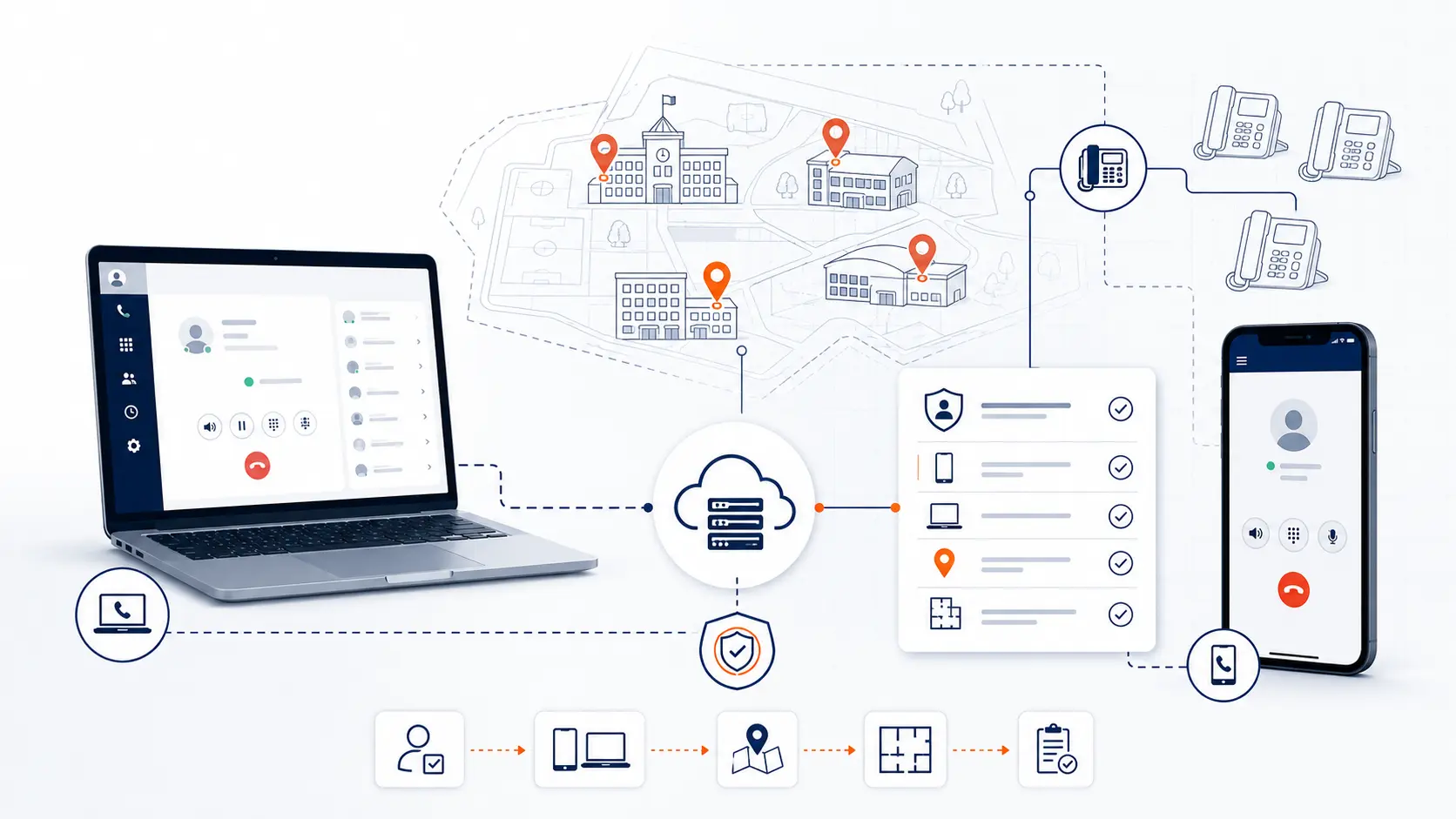
K-12 VoIP means a school district uses internet protocol technology to carry voice calls instead of relying only on traditional analog lines or an on-site PBX. In plain language, calls move through the district network and internet connection, then connect to the public telephone network through a hosted phone platform or SIP service.
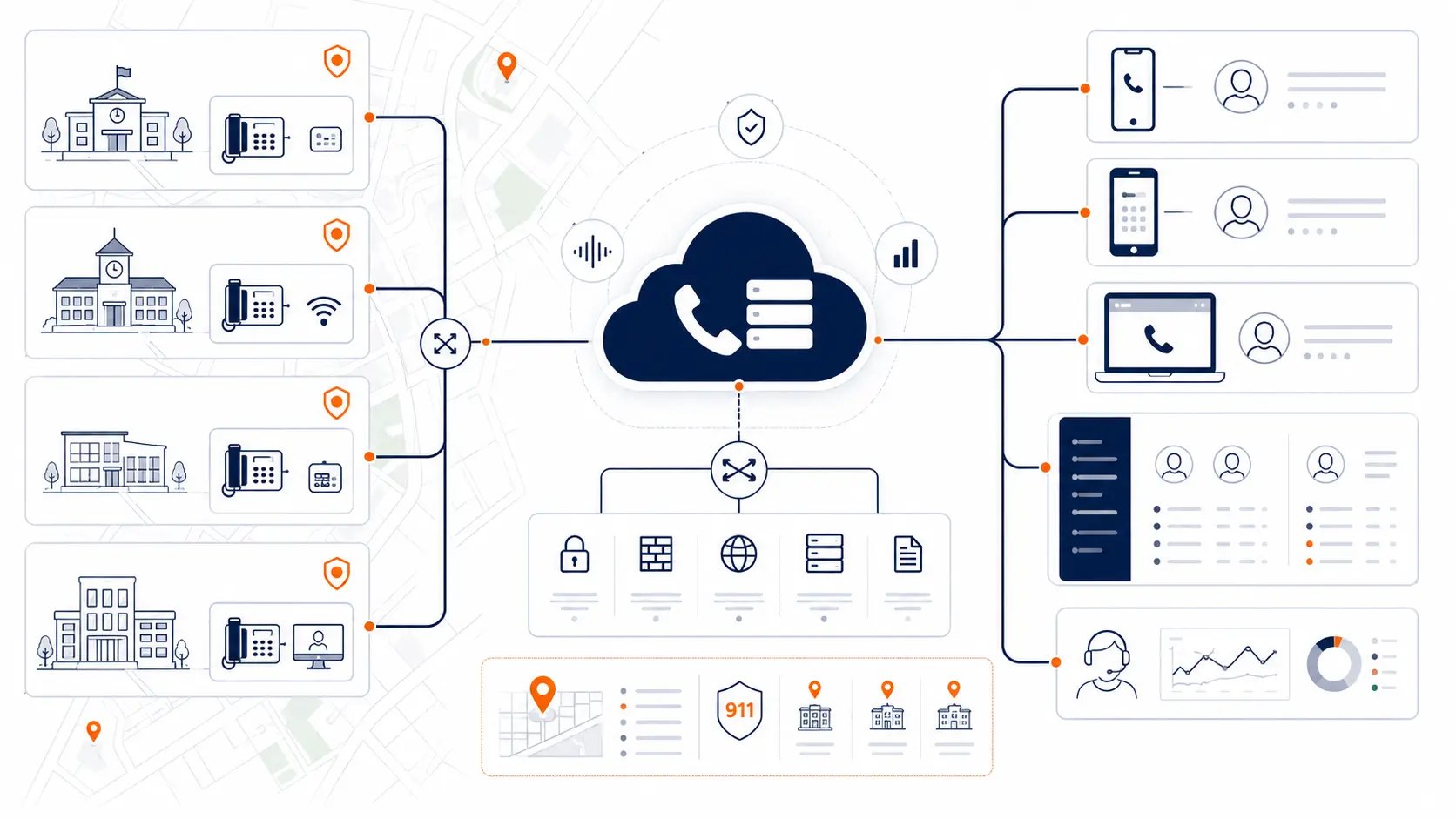
A school VoIP phone system may include desk phones, softphones on computers, mobile apps, voicemail, call routing, auto attendants, ring groups, E911 configuration, and an administration portal. It may be fully hosted by a provider, managed in a private cloud, or connected to some existing district equipment during a transition.
The key point is this: VoIP is not the strategy by itself. The strategy is how the district uses VoIP to support reliable calling, accurate emergency location information, stable front office workflows, district-wide routing, predictable support, and clear cost structure.
For a broader planning view, review School Phone Systems.
Why school districts move to VoIP
School districts usually move to VoIP for practical reasons. They are not changing phone systems just to use newer technology. The replacement is often triggered by aging hardware, rising support risk, analog line changes, E911 questions, or a need to manage multiple campuses more consistently.
| Driver | What the district may be seeing | What to review |
|---|---|---|
| Aging PBX hardware | Old equipment, limited parts, fewer qualified technicians | Current system age, support availability, replacement timing |
| Analog line dependence | Old voice lines, fax lines, alarms, elevators, gates, or specialty circuits | Line inventory and which lines can or cannot move |
| E911 readiness | Unclear location records or old direct-dialing configuration | Direct 911 dialing, notification, and dispatchable location |
| Multi-campus routing | Different call flows at each campus | Main numbers, ring groups, auto attendants, and transfer paths |
| Staff mobility | Staff need to call from laptops or mobile apps | Softphone policy, mobile app usage, privacy, and E911 handling |
| Cost concerns | Per-extension charges, unused seats, rising renewals | Pricing model, contract terms, usage patterns, and support scope |
| Support limitations | Slow changes or unclear ownership | Admin access, change process, escalation path, and go-live support |
VoIP can solve some problems, but it can expose weak planning. A district should review the current environment before replacing PBX hardware or renewing an existing hosted VoIP contract.
VoIP can be cheaper, but not every VoIP quote is efficient
Many districts assume VoIP will lower cost. Sometimes it does. Sometimes it just changes the billing format.
A common problem is per-extension pricing. A school district can have a large number of extensions that do not all represent heavy phone users. Classrooms, offices, shared spaces, break rooms, libraries, gyms, maintenance areas, and transportation buildings may all need phones. If the district pays the same monthly charge for every extension, the bill can grow quickly.
That does not mean every per-extension plan is bad. It means the district should question whether the pricing model matches actual usage.
A district should review:
- How many extensions are active
- How many phones are shared or low-use
- How many users need mobile apps or softphones
- Whether voicemail boxes are charged separately
- Whether support is included or tiered
- Whether device rental or leasing is included
- Whether taxes, recovery fees, and surcharges are clear
- Whether call paths, concurrent calls, or usage-based structure would better match the district
A hosted VoIP system can still be overpriced if the contract charges for every extension without regard to how the district actually uses phones. Districts should review current VoIP bills with the same seriousness they apply to legacy PBX replacement.
Use the District Phone System Review Checklist before renewing or replacing an existing VoIP service.
Existing VoIP installations can still have problems
Not every K-12 VoIP problem comes from old technology. Some districts already moved to VoIP and still have issues.
Common problems include:
- Paying for too many extensions
- Paying for features staff do not use
- Inconsistent call routing by campus
- Front offices receiving the wrong calls
- Auto attendants that confuse parents
- Mobile apps that were deployed without clear policy
- Softphones that raise E911 location questions
- Support that takes too long for simple changes
- Phone bills that are hard to explain
- Contracts that renew before the district reviews usage
- No clear plan for analog lines or specialty services
- Number porting uncertainty at renewal time
This is where a system review can create leverage. The district may not need a full replacement. It may need pricing correction, routing redesign, number cleanup, E911 review, support changes, or a new provider path before the next renewal.
The question is not only “Do we need VoIP?” The better question is:
Is our current phone system designed and priced around how our district actually works?
Hosted VoIP vs on-site PBX
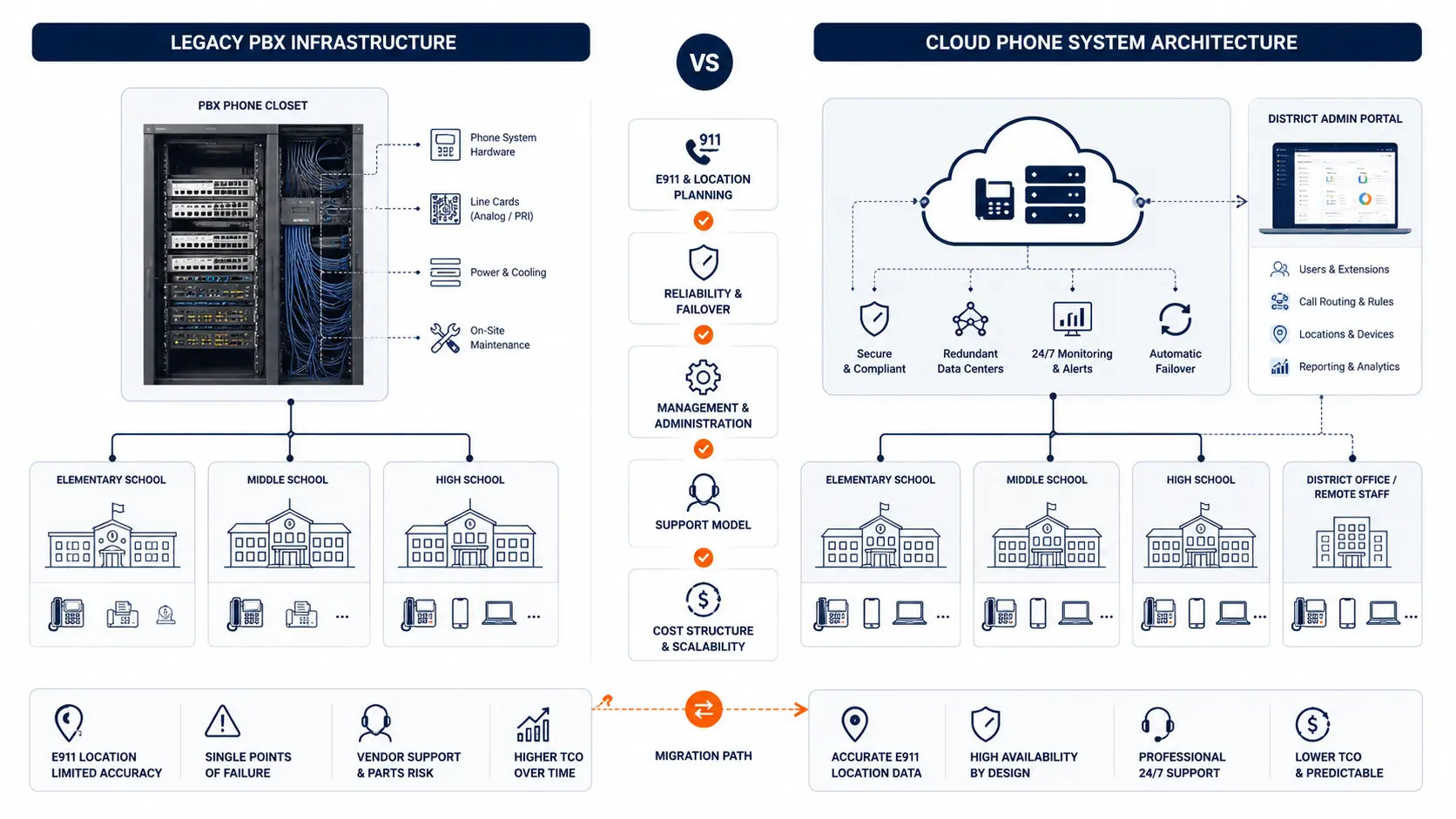
A hosted VoIP phone system moves the core phone platform away from a district-owned PBX closet and into a hosted environment. The district still uses phones, numbers, routing, voicemail, and emergency calling features, but the system is managed through a hosted platform.
| Area | On-site PBX | Hosted VoIP |
|---|---|---|
| Core equipment | District-owned PBX hardware | Hosted platform managed off-site |
| Hardware lifecycle | District must plan repair and replacement | Provider manages platform infrastructure |
| Administration | Often local, sometimes limited | Usually web-based administration |
| Scaling | May require cards, ports, licenses, or hardware | Usually software-based, but pricing must be reviewed |
| Staff mobility | Often limited without extra tools | Softphones and mobile apps are more common |
| E911 planning | May rely on old extension and address records | Requires current location records and device mapping |
| Support | May depend on legacy technician knowledge | Depends on provider support quality and scope |
| Internet dependency | Less dependent for internal calls | Requires reliable network and internet planning |
| Cost structure | Hardware, maintenance, trunks, support | Monthly service, devices, support, porting, and fees |
Hosted VoIP can reduce PBX hardware risk, but it does not remove planning work. The district still needs a review of call flows, network readiness, phone placement, E911 location data, number porting, and support process.
E911 planning for K-12 VoIP
Emergency calling is one of the most sensitive parts of K-12 VoIP planning. The Federal Communications Commission explains that Kari’s Law and RAY BAUM’S Act address direct 911 dialing, notification, and dispatchable location requirements for multi-line telephone systems [1]. 911.gov provides a plain-language overview of Kari’s Law and RAY BAUM’S Act as well [2].
For a school district, E911 planning should include:
- Direct 911 dialing without requiring a prefix
- On-site notification to the right staff
- Dispatchable location for buildings, rooms, floors, zones, or areas
- Phone location records for each fixed device
- Softphone and mobile app behavior
- Testing procedure coordinated with the local PSAP
- Ongoing ownership for moves, adds, and changes
VoIP systems can support stronger E911 management, but they must be configured correctly. A hosted system does not automatically make a district compliant. Districts should review technical and legal obligations with qualified counsel, public safety authorities, and appropriate state or local agencies.
Use the K-12 E911 Readiness Checklist during early VoIP planning, and review E911 Compliance for Schools for more detail.
Network readiness for K-12 VoIP
A VoIP phone system depends on the district network. That does not mean every network has to be rebuilt. It means the network should be reviewed before cutover.
Districts should review:
- Internet connection reliability
- LAN switching capacity
- Cabling condition
- Power over Ethernet availability
- UPS and battery backup
- Network segmentation or voice VLAN planning
- Wi-Fi limitations for voice
- Firewall and routing configuration
- Failover options
- Remote site connectivity
- Support process during outages
VoIP quality depends on latency, jitter, packet loss, power, cabling, and network design. Those terms can sound technical, but the practical question is simple: can the district network carry phone calls reliably across the buildings and users that need service?
The Cybersecurity and Infrastructure Security Agency has published K-12 cybersecurity resources that frame school systems as part of a broader technology risk environment [3]. Voice systems should fit into that operational reality. Phones are not separate from the district’s technology stack anymore.
Call routing and front office workflow
Many K-12 phone system problems are not technical failures. They are workflow failures.
A parent calls the main number and reaches the wrong campus. A transportation call goes to the front office. The nurse line forwards after too many rings. The superintendent’s office receives routine calls that should route elsewhere. A campus has a snow day or closure, but the phone menu is hard to update.
A K-12 VoIP review should map:
- Main district numbers
- Campus numbers
- Department numbers
- Auto attendants
- Ring groups
- Front office routing
- After-hours handling
- Holiday and closure messages
- Transportation and maintenance routing
- Voicemail escalation
- Emergency notification paths
The goal is not to make the call flow fancy. The goal is to make it understandable, manageable, and aligned with how people actually contact the district.
Desk phones, softphones, and mobile apps
VoIP gives districts more device options. Those options should be governed by policy and workflow.
Desk phones
Desk phones still make sense in many school spaces:
- Front offices
- Classrooms
- Administrative offices
- Nurse offices
- Libraries
- Cafeterias
- Maintenance areas
- Transportation buildings
- Shared workrooms
Desk phones are predictable. Staff know where they are. E911 location records can be mapped to fixed devices more easily when the phone stays in place.
Softphones
Softphones can help office staff, remote staff, and administrators use a district number from a computer. They can be useful, but they need planning. The district should decide who gets softphones, how they are supported, and how location information is handled.
Mobile apps
Mobile apps can protect personal phone privacy and give district staff more flexibility. They can create E911 and support questions if staff use them from many locations. Mobile access should be offered with a clear policy, not just turned on for everyone.
Number porting in a school VoIP migration
Number porting is the process of moving phone numbers from the old carrier or provider to the new service. It sounds simple, but school districts often have many numbers tied to many functions.
Review:
- Main district numbers
- Campus main numbers
- Direct inward dial numbers
- Fax numbers
- Transportation numbers
- Maintenance numbers
- Athletic department numbers
- Emergency or after-hours numbers
- Numbers tied to old carrier records
- Numbers that should be retired
Porting should be sequenced. A district should know which numbers move first, which numbers stay temporarily, which numbers forward during transition, and who verifies call routing after cutover.
Poor number planning can create avoidable disruption. Good number planning helps the migration feel controlled.
Analog lines and specialty services
Even districts moving to VoIP may still have analog lines. Some are obvious. Others hide in old bills.
Common examples include:
- Fax lines
- Elevator phones
- Fire alarm lines
- Burglar alarm lines
- Gate systems
- Door entry systems
- Modems
- Scoreboard or facility systems
- Backup lines
- Old unused lines
Not every analog line should be moved the same way. Some services require coordination with alarm vendors, elevator contractors, facilities staff, or code officials. A VoIP project should inventory these lines, separate them by function, and decide what can move, what must stay, and what needs special review.
This is one reason a phone system review should include bills and carrier records, not just a count of desk phones.
Pricing models districts should question
A school district should not assume the first VoIP quote is the right pricing model.
Pricing can be based on:
- Per user
- Per extension
- Per device
- Per simultaneous call path
- Per site
- Per feature bundle
- Per support tier
- Per contract term
The issue is fit. A district with many classroom phones and low call volume may not benefit from paying the same monthly rate for every extension. A district with fewer phones but heavy front office call volume may need a different structure. A district with many campuses may need pricing that reflects routing and support complexity.
Questions to ask:
- Are we paying for every extension?
- Are low-use phones priced the same as heavy-use staff?
- Are mobile apps included?
- Are softphones included?
- Are support changes included?
- Are E911 records included?
- Are taxes and fees clearly shown?
- Are we charged for unused numbers or features?
- What happens at renewal?
- What costs are one-time versus monthly?
If the district already has VoIP, this review is still relevant. Existing installations can drift into waste through unused extensions, old numbers, unclear support tiers, and automatic renewals.
E-Rate and funding caution
Districts often ask whether phone systems, VoIP, or network components are eligible for E-Rate support. The safest answer is that districts should review eligibility with their E-Rate consultant, finance team, and official program guidance.
The FCC describes E-Rate as a program that helps schools and libraries obtain affordable broadband [4]. USAC states that the Eligible Services List provides guidance for each funding year [5]. Voice service eligibility and network infrastructure eligibility can differ, and program rules can change.
Do not assume every phone system cost is eligible. A district should separate:
- Internet access
- Internal connections
- Network equipment
- Hosted voice services
- Phones and endpoints
- Support
- Cabling
- Specialty lines
- Maintenance
Then the district can review those categories against current guidance.
Planning a K-12 VoIP migration
A school VoIP migration should be planned in phases.
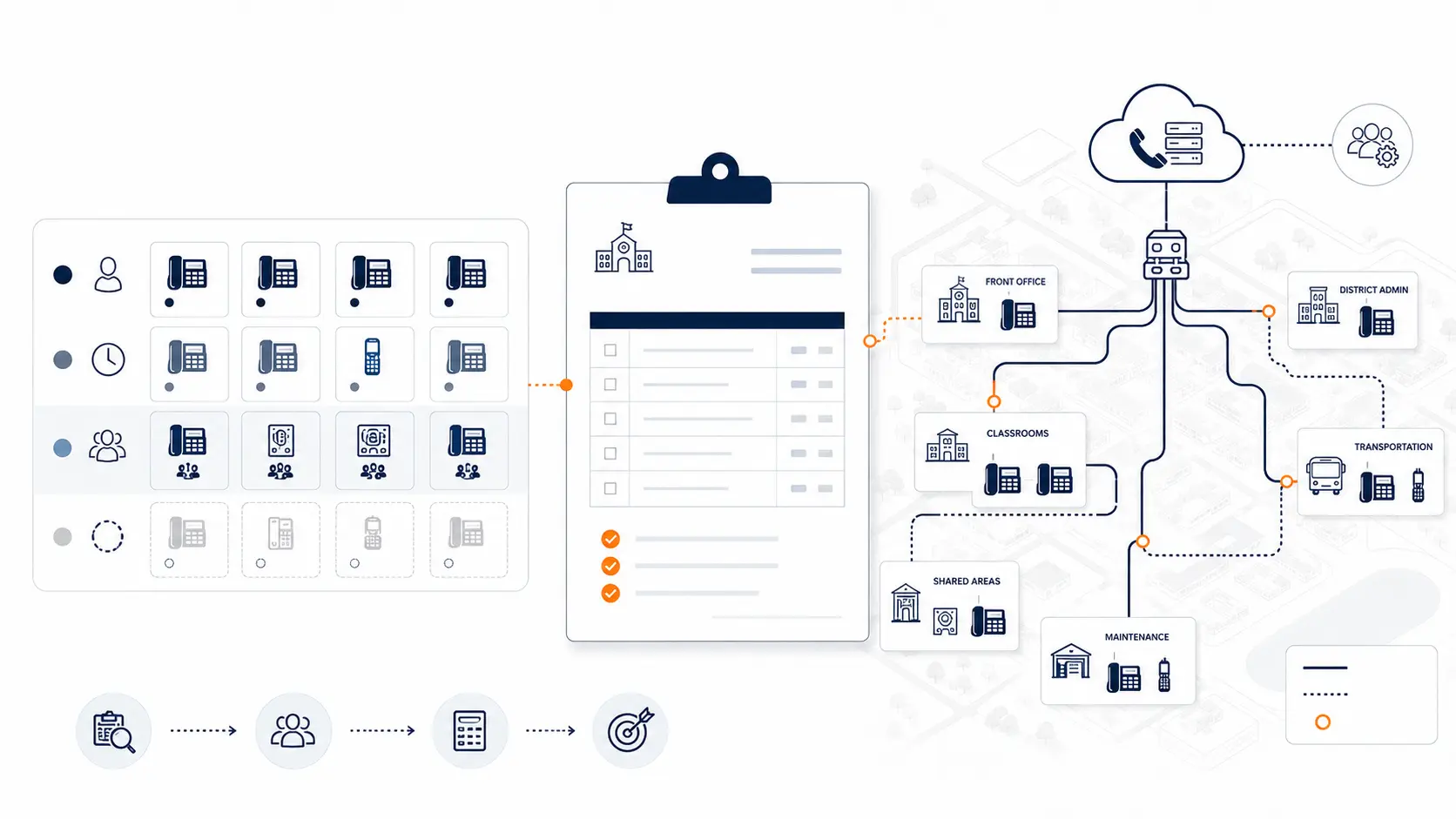
1. Review the current environment
Start with the existing phone system, phone bills, carrier records, campuses, buildings, numbers, and call flows.
2. Document users and locations
Map phones to rooms, departments, and buildings. Identify mobile users, softphone users, shared phones, and specialty lines.
3. Review E911
Confirm direct dialing, notification, dispatchable location, and testing process before cutover.
4. Design call routing
Rebuild main numbers, auto attendants, ring groups, front office workflows, after-hours messages, and escalation paths.
5. Plan number porting
Sequence number movement by campus, department, or function. Test before and after.
6. Prepare the network
Review switching, cabling, PoE, internet reliability, firewall rules, failover options, and power backup.
7. Pilot before full rollout
Use a limited group, office, or campus to validate routing, phones, voicemail, E911 handling, support, and staff readiness.
8. Support after go-live
A VoIP project does not end when dial tone works. Districts need help with changes, routing adjustments, staff questions, and post-launch cleanup.
Use the District Phone System Modernization Roadmap to plan the migration path.
What to ask before choosing a K-12 VoIP provider
Use these questions before choosing or renewing a provider:
- How do you support school districts with multiple campuses?
- How do you review current phone bills and carrier records?
- How do you handle E911 planning?
- Can deployment be phased by campus or department?
- Can we keep existing numbers?
- How do you handle porting?
- What pricing model are you using?
- Are we paying per extension?
- What is included in support?
- How are routing changes handled after launch?
- How are softphones and mobile apps managed?
- What happens during an internet outage?
- What analog lines need separate review?
- What is not included in the proposal?
- What does the district receive before go-live?
These questions help move the conversation away from feature lists and toward operational fit.
What a K-12 VoIP review should include
A practical review should look at the system as the district uses it today, not just the product being proposed.
K12 Phone Systems reviews:
- Current PBX or hosted VoIP setup
- Phone bills and carrier services
- Buildings and campuses
- Main numbers and direct numbers
- Extensions and device assignments
- Auto attendants and ring groups
- Front office routing
- E911 planning needs
- Softphone and mobile app use
- Existing VoIP pricing and contract structure
- Analog lines and specialty services
- Number porting requirements
- Network readiness
- Cutover risks
- Support expectations
Related planning resources
- District Phone System Review Checklist
- District Phone System Modernization Roadmap
- K-12 E911 Readiness Checklist
- Legacy PBX Risk Map for School Districts
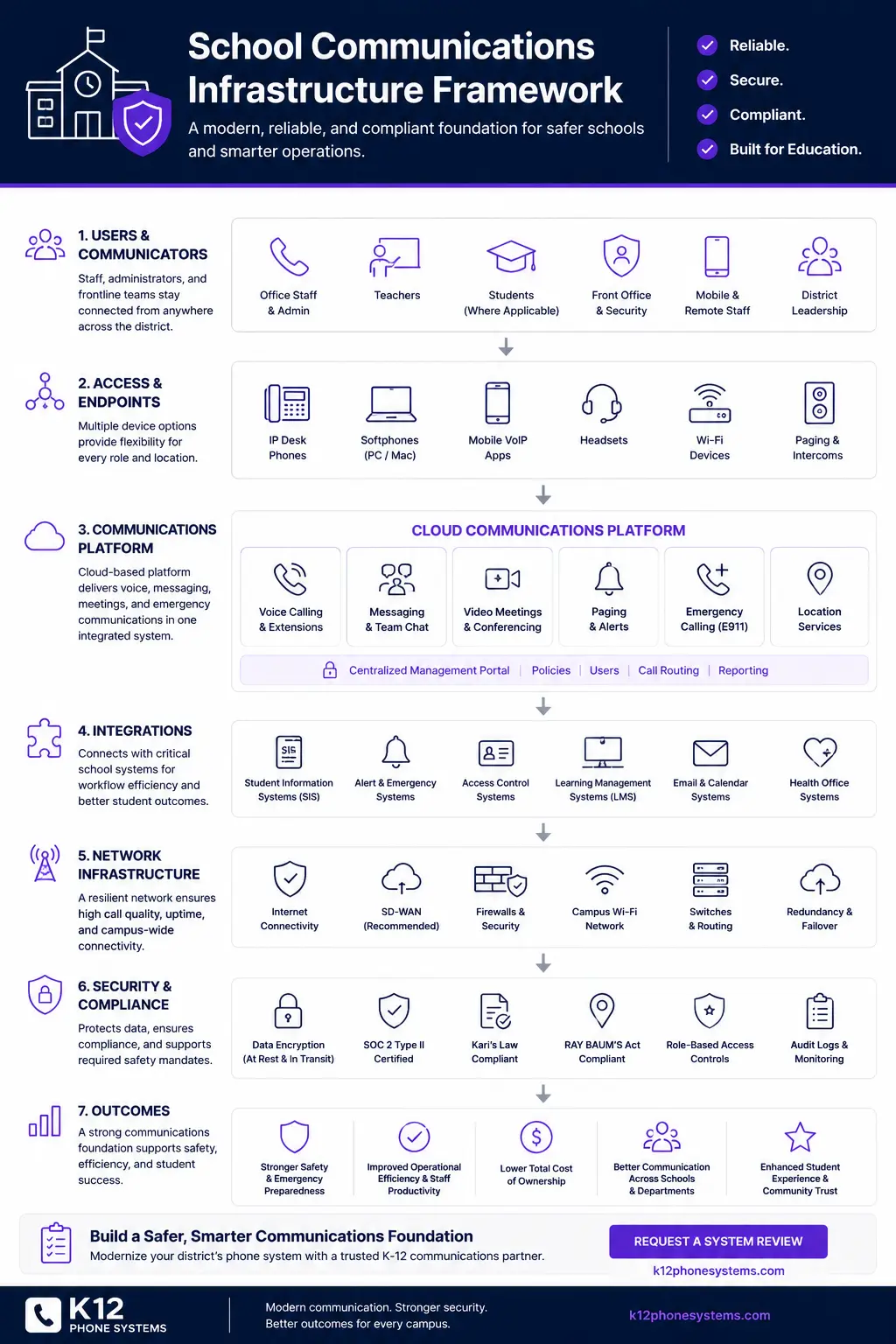
- School Communications Infrastructure Framework
- School Phone Systems
- PBX Replacement for Schools
- E911 Compliance for Schools
Frequently asked questions
What is K-12 VoIP?
K-12 VoIP is a phone system approach that uses internet protocol technology to carry voice calls for a school district. It may include desk phones, softphones, mobile apps, voicemail, call routing, E911 configuration, and hosted administration.
Is VoIP good for schools?
VoIP can be a good fit for schools when it is planned around district buildings, front office workflows, E911 requirements, number porting, network readiness, and support. It is not automatically better if those areas are not reviewed.
Does VoIP replace a school PBX?
In many projects, hosted VoIP replaces an on-site PBX. In some projects, a district may run a hybrid environment during transition. The right plan depends on the current system, campus structure, numbers, and migration timing.
Can a school district keep existing phone numbers with VoIP?
Often, yes. Existing numbers can usually be ported, but the district should review main numbers, direct numbers, fax numbers, and specialty numbers before cutover.
Does VoIP automatically solve E911?
No. VoIP can support E911 planning, but the system still needs correct configuration, accurate location records, device assignments, softphone policies, and testing.
Are per-extension VoIP plans too expensive for schools?
They can be. Districts often have many low-use extensions, shared phones, and classroom phones. Paying the same monthly rate for every extension may create unnecessary cost. The pricing model should match how the district actually uses phones.
What should districts review before renewing an existing VoIP contract?
Districts should review extension counts, unused licenses, support response, routing problems, mobile app usage, E911 records, number inventory, contract terms, and total monthly cost.
Can VoIP be deployed campus by campus?
Yes. Many districts benefit from phased deployment by campus, department, or building group. Phasing can reduce disruption and improve testing.
What happens if the internet goes down?
The district should review failover options before migration. Options may include backup internet, call forwarding, mobile access, alternate routing, or emergency call handling plans.
What should we send before requesting a K-12 VoIP review?
Send any available phone bill, current provider proposal, campus list, extension list, call flow notes, or summary of what is not working. A complete inventory helps, but it is not required to start.
References
- Multi-line Telephone Systems, Kari’s Law and RAY BAUM’S Act 911 Direct Dialing, Notification, and Dispatchable Location Requirements
- Kari’s Law and RAY BAUM’S Act
- Cybersecurity for K-12 Education
- E-Rate, Schools and Libraries USF Program
- Eligible Services List
Ready to review your district’s VoIP phone system options?
Share your current phone setup, phone bill, campus list, existing VoIP contract, or vendor proposal. We will help identify cost concerns, technical review areas, migration considerations, and practical next steps.