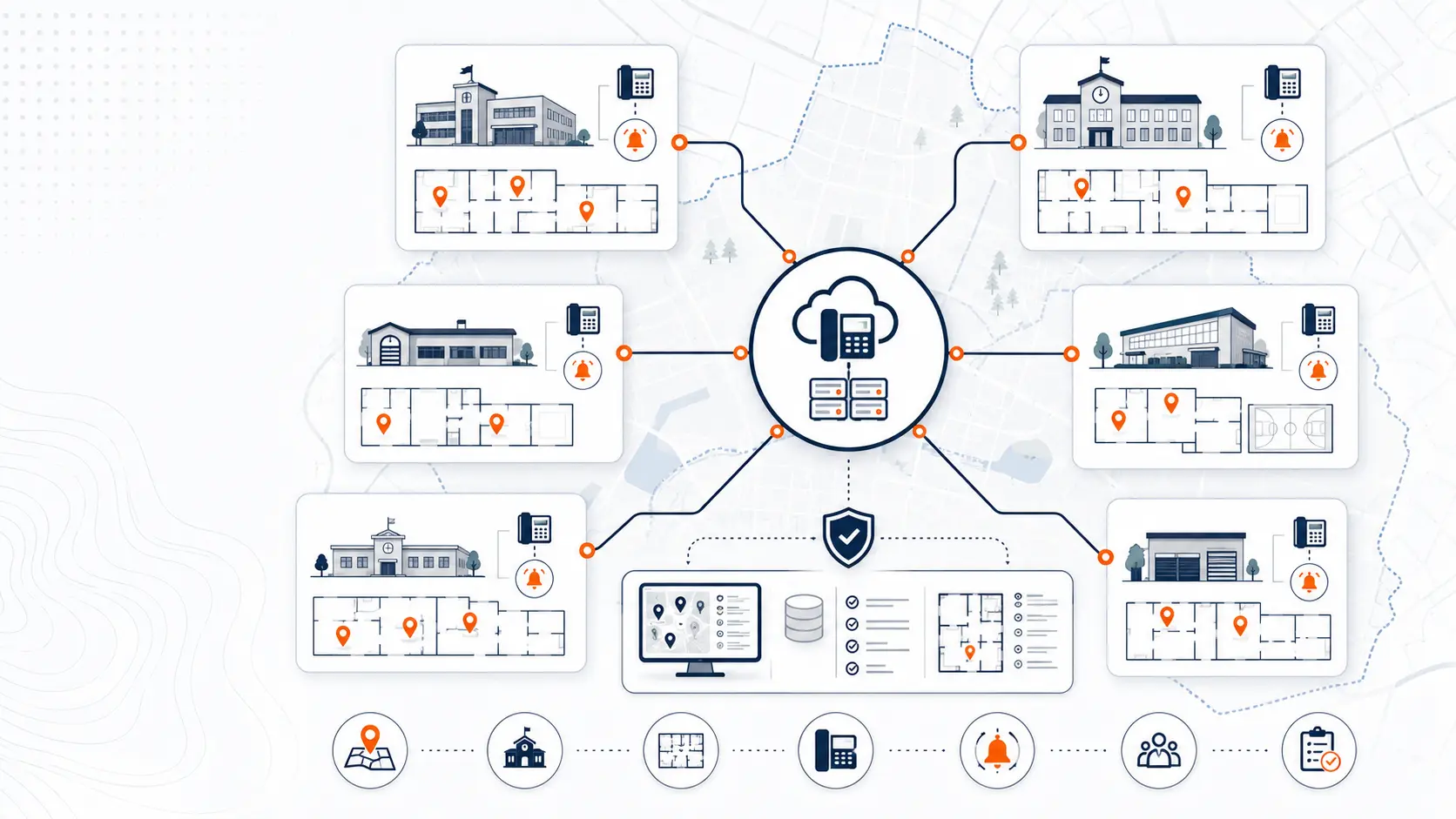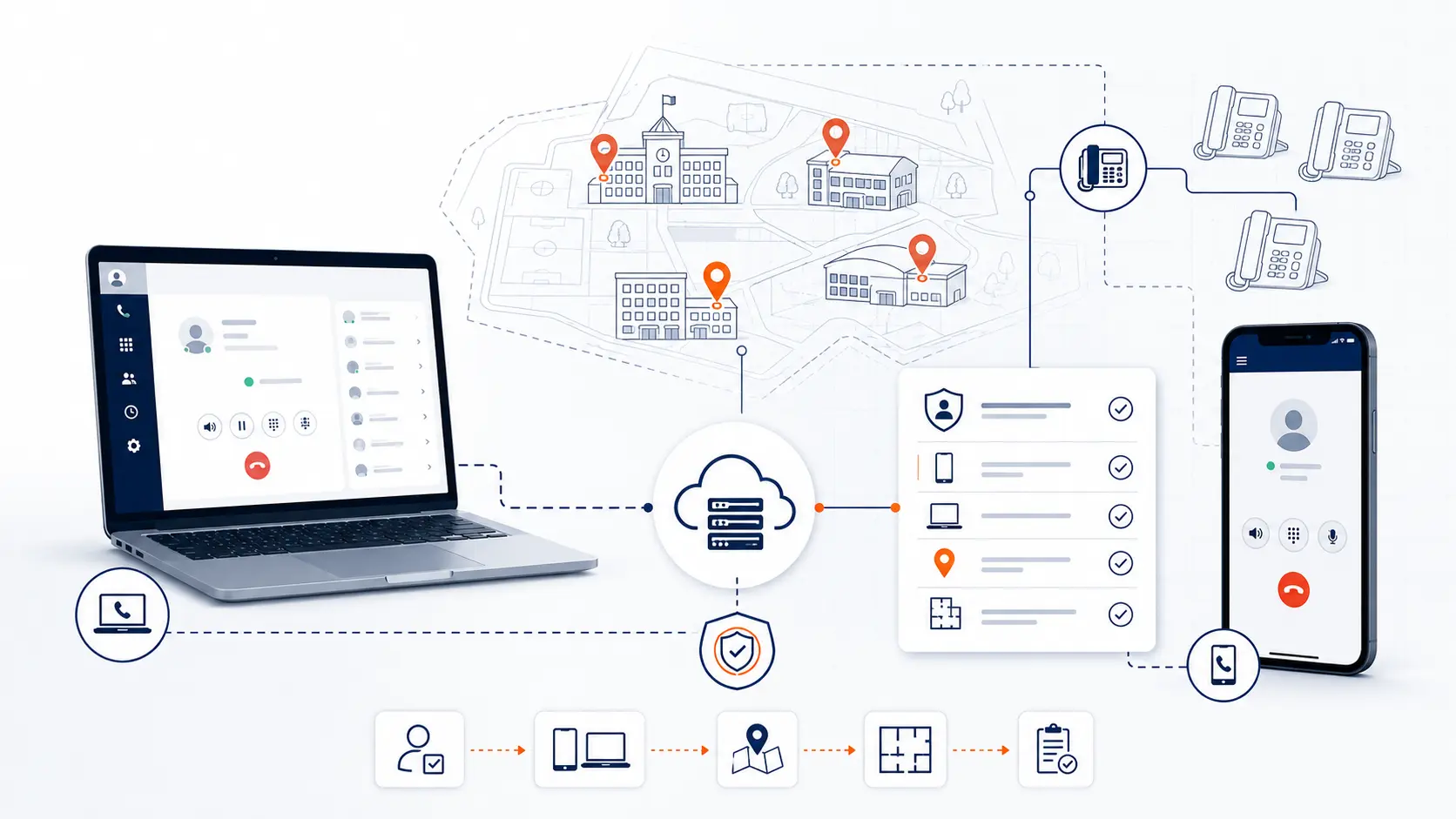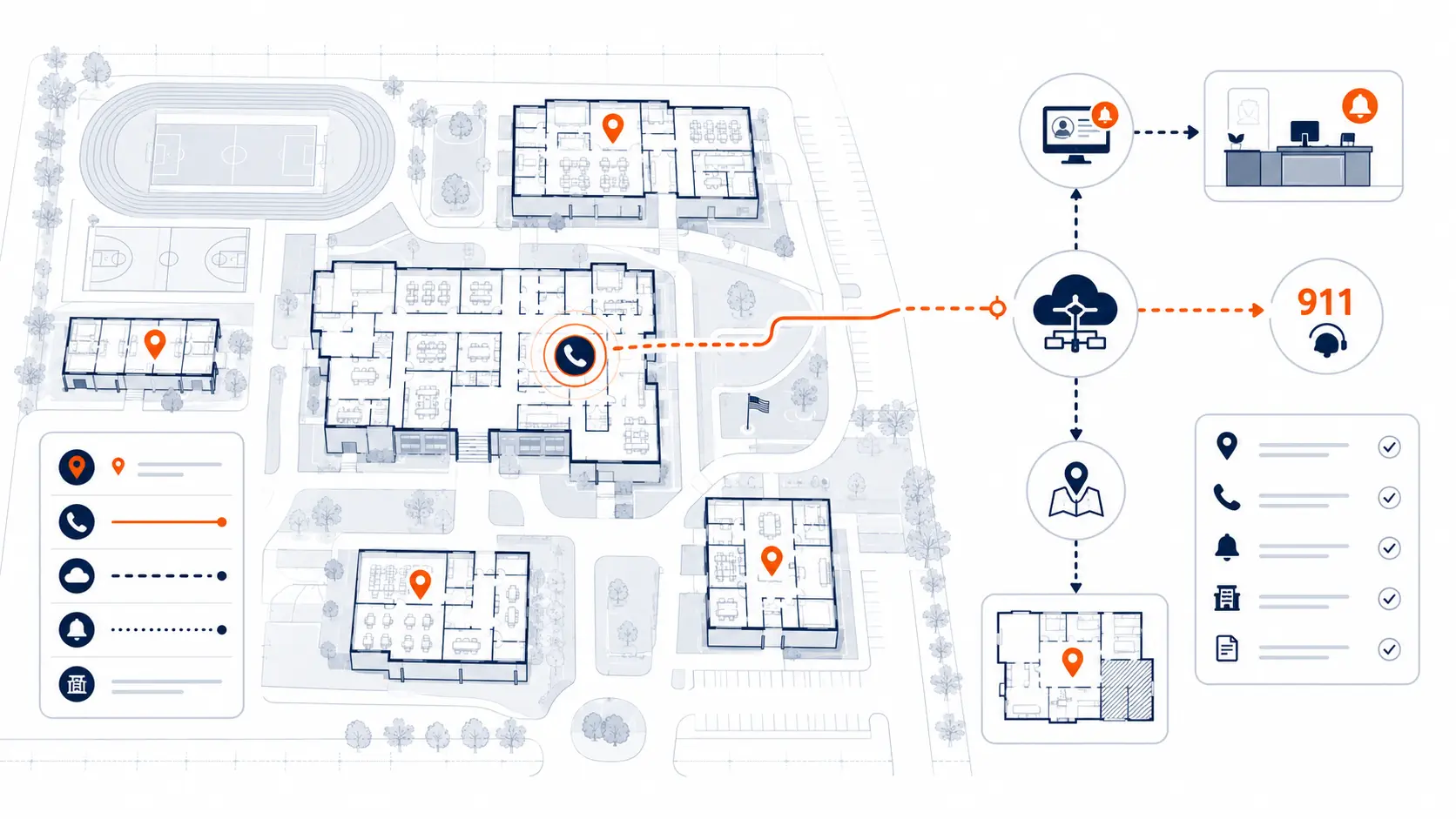
E911 planning for schools is not just a phone feature. It is a district communications infrastructure issue that touches front offices, classrooms, shared spaces, administrative buildings, softphones, mobile apps, number routing, location records, testing, and ongoing ownership. A district phone system can have dial tone, working voicemail, and modern handsets, yet still need a careful review of how emergency calls are placed, routed, reported, and located.
This guide is for technical planning and general education only. It is not legal advice. Districts should review legal and compliance obligations with qualified counsel, public safety authorities, and appropriate state or local agencies.
Request System Review | Download the K-12 E911 Readiness Checklist
What E911 compliance for schools means in plain English
E911 compliance for schools means the district phone system is planned and configured so emergency calls can be placed quickly, local personnel can be notified, and responders can receive usable location information. In a school environment, that requires more than sending a street address. A large campus may include multiple buildings, floors, rooms, gyms, cafeterias, libraries, portable classrooms, administrative offices, athletic facilities, maintenance areas, and transportation buildings.
For district leaders, the practical question is not only, “Can someone dial 911?” The better question is, “If someone calls 911 from a specific school phone, softphone, or district-managed device, will the right emergency information reach the right people fast enough to be useful?”
That answer depends on four planning areas:
- Direct 911 dialing: Users should be able to dial 911 without needing a prefix such as 9 for an outside line.
- On-site notification: Designated district personnel should receive notice that a 911 call has been placed.
- Dispatchable location: Emergency responders should receive enough location detail to find the caller.
- Ongoing data maintenance: Phone locations, device assignments, campus records, and notification lists must stay current after moves, adds, and changes.
Modern hosted phone systems can make some of this easier to administer, but they do not remove the need for planning. A hosted system still needs accurate addresses, location records, device assignments, routing logic, testing procedures, and staff ownership.
What the main E911 requirements mean for districts
The following table gives district teams a quick planning view before a deeper review.
| E911 area | What it means | Why it matters in schools | What to review |
|---|---|---|---|
| Direct 911 dialing | Users can dial 911 without a prefix | Staff, visitors, substitutes, and students may not know old dialing rules | Test emergency dialing behavior on representative phones |
| On-site notification | Designated people receive notice of a 911 call | Front office, security, and administrators may need to guide responders | Confirm who receives alerts and how alerts are delivered |
| Dispatchable location | 911 receives a usable location for the caller | A street address may not identify a room, portable, floor, or building | Review building, floor, room, zone, and device records |
| Location maintenance | Location data is updated over time | Phones move, rooms change, buildings open, and staff roles shift | Assign ownership for updates after moves and changes |
| Softphone and mobile handling | Non-fixed devices get a clear planning process | A softphone extension may move between rooms or off campus | Define where these devices may be used and how location data is handled |
| Testing and verification | Emergency calling is checked safely and documented | Cutovers and changes can break assumptions | Coordinate testing with the proper public safety answering point |
Why E911 planning is different in K-12 environments
A school district is not a single office. A district may have elementary schools, middle schools, high schools, alternative programs, administration buildings, transportation facilities, maintenance shops, athletic facilities, and shared spaces that all need communication support.
That creates several E911 planning challenges.
Multiple buildings and campus layouts
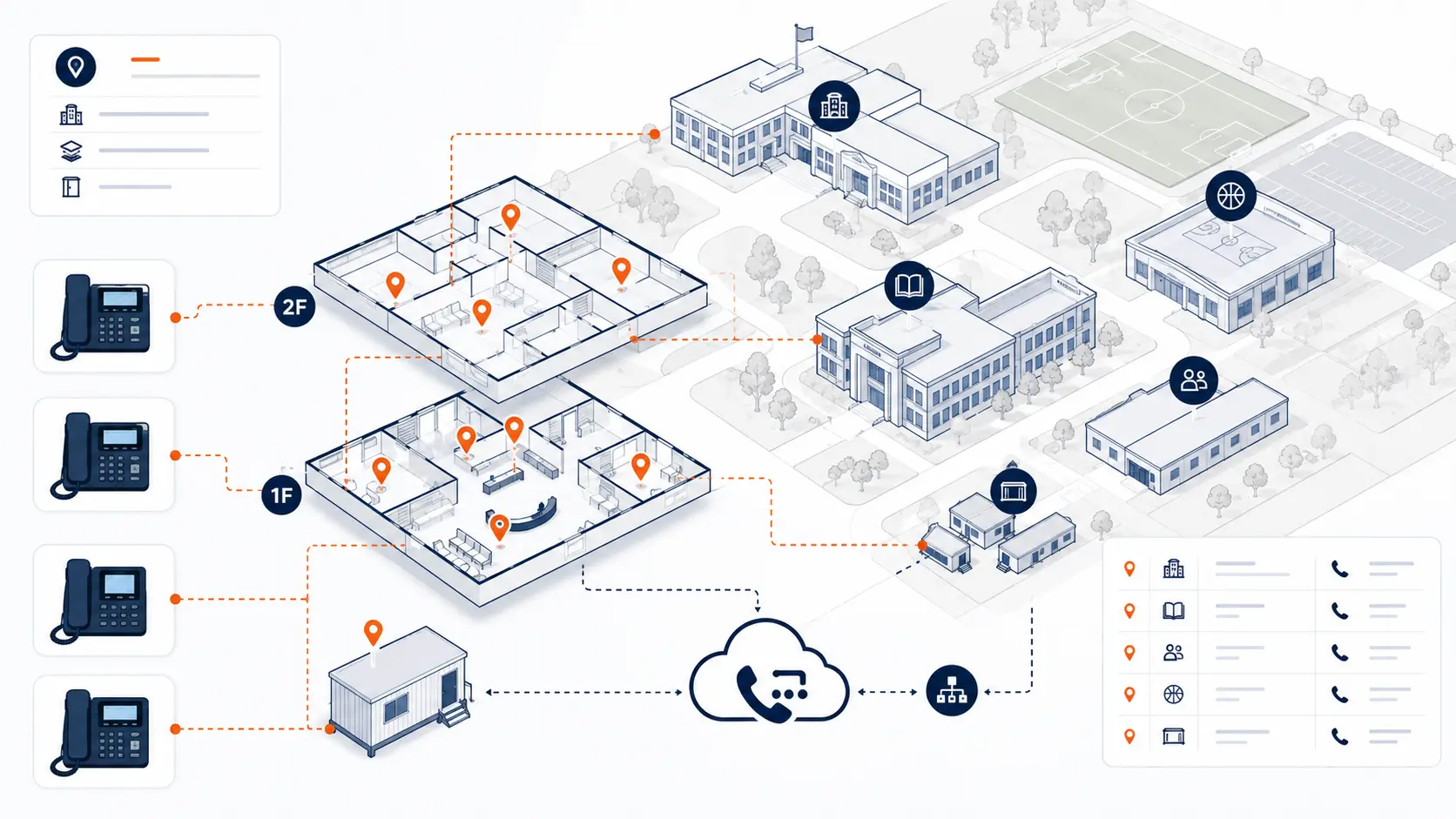
A single street address may cover a large campus. The main office, gym, library, cafeteria, portable classrooms, and athletic buildings may all share one address but require different responder instructions. A location record that only points to the front office may not be enough for a call from a gym, portable building, or second-floor classroom.
Shared and non-classroom spaces
Schools have many phone locations outside standard classrooms. Front offices, nurse offices, counseling suites, libraries, cafeterias, gyms, maintenance closets, reception desks, transportation offices, and administrative areas can all have phones. Each location should be reviewed for emergency calling behavior and location accuracy.
Staff who move between locations
IT staff, administrators, support staff, substitutes, and itinerant staff may work across multiple buildings. If they use softphones or mobile apps, the district needs a clear plan for how emergency location data is handled when the user is not tied to a fixed desk phone.
Campus-level and district-level routing
School districts often have main district numbers, campus numbers, department numbers, and shared call paths. E911 planning should review how those numbers relate to physical locations, notification recipients, and emergency routing expectations.
Ongoing operational change
Schools change rooms, reassign staff, move phones, add portable buildings, renovate offices, and adjust call routing. E911 planning needs an owner and process after go-live, not just a one-time setup during deployment.
Kari’s Law and school phone systems
Kari’s Law applies to covered multi-line telephone systems, often called MLTS, and addresses direct 911 dialing without requiring users to dial a prefix first. The Federal Communications Commission explains that Kari’s Law includes direct 911 dialing and notification to a central location, such as a front desk or security office, when a 911 call is made from an MLTS [1].
The federal rule is not a blanket retroactive rule for every older installed phone system. Applicability can depend on when the MLTS was manufactured, imported, sold, leased, or first installed, as well as state and local requirements. Districts should review applicability with qualified counsel, public safety authorities, and the phone system provider.
For schools, the practical lesson is simple: emergency dialing should not depend on whether the caller remembers an old phone system rule. A student, substitute, parent, visitor, or staff member may not know to dial 9 before dialing 911. Direct emergency dialing reduces that risk.
Kari’s Law also addresses notification. If a 911 call is placed from a school phone, the district may need designated personnel to receive notice. In a school setting, that notification could help the front office, administrators, or security staff guide responders to the right area.
District teams should review:
- whether any phones require a prefix for emergency dialing
- whether older PBX settings still preserve outdated dialing behavior
- who receives on-site notification
- whether notifications include useful location and callback information
- whether front office and operations teams understand the notification process
- whether testing has confirmed expected behavior
Kari’s Law should be reviewed as part of any PBX replacement, hosted phone migration, or major phone system configuration change.
RAY BAUM’S Act and dispatchable location
RAY BAUM’S Act addresses dispatchable location. The FCC describes dispatchable location as information that includes the street address of the calling party, plus other information needed to identify the caller’s location adequately, such as room number, floor number, or similar details [2].
This matters in schools. A school campus can be too large or complex for a single address to be useful on its own. Responders may need to know whether the call came from:
- the main office
- the nurse’s office
- a classroom wing
- a portable classroom
- the gym
- a cafeteria
- a library
- a maintenance shop
- a transportation building
- a district administration office
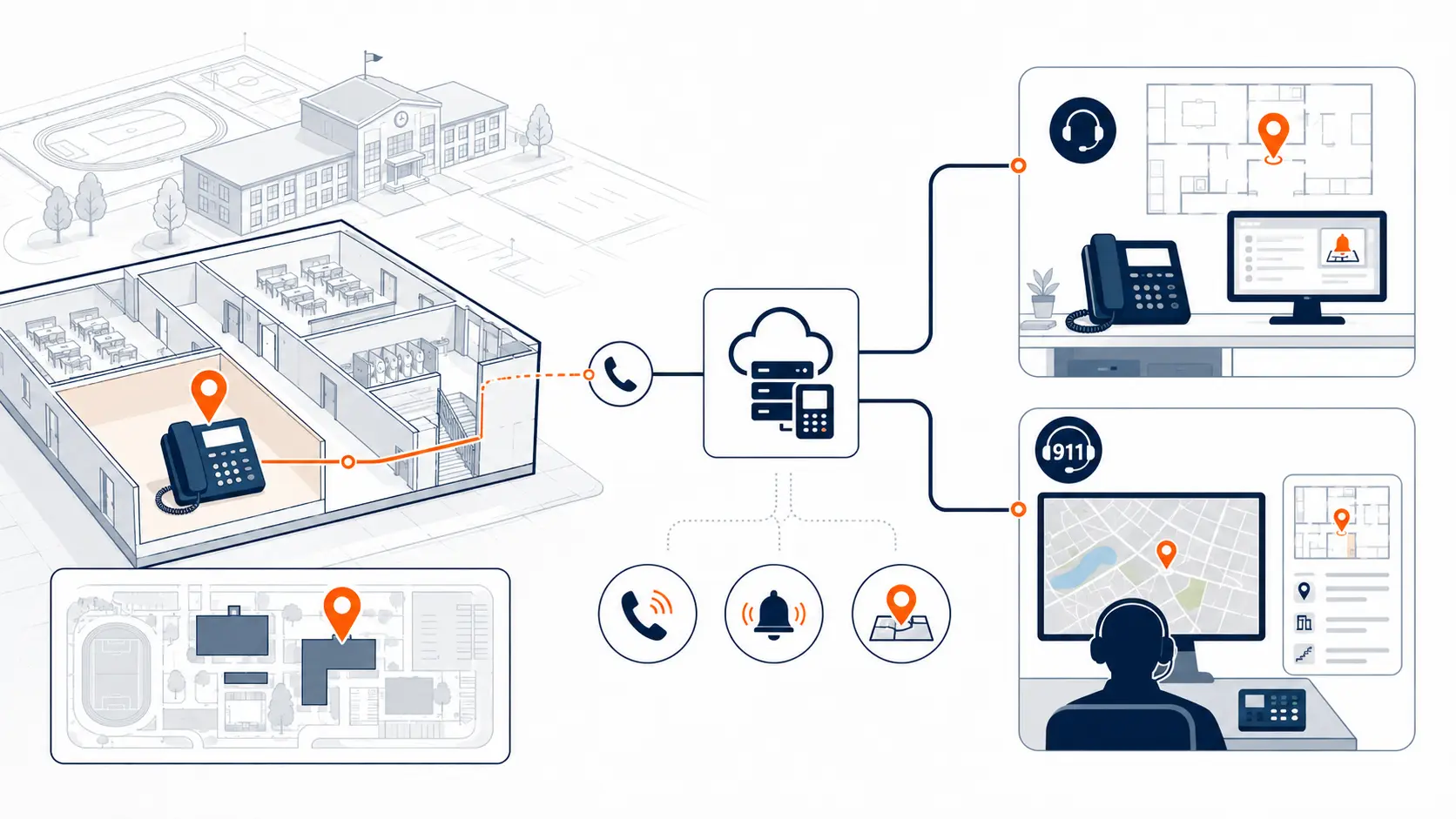
Dispatchable location connects phone system data to the real physical environment. It depends on phone placement, extension records, building names, floor plans, room assignments, network design, and device use.
A hosted phone system may provide tools to manage this data, but district procedures still matter. If a phone moves from one room to another and no one updates the location record, the system may send stale information. If a softphone is used from a different building, the system needs a defined method for handling that user’s location.
The difference between E911, NG911, and district phone system planning
District leaders may see terms like E911 and NG911 used together. They are related, but they are not the same planning item.
E911 refers to enhanced 911 capabilities that provide caller location information to emergency responders. In district phone system planning, the focus is usually on how calls are dialed, how the system sends location information, and how district personnel are notified.
NG911, or Next Generation 911, refers to the broader shift to an IP-based 911 system that can support more modern emergency communication capabilities. The National 911 Program describes NG911 as a digital, internet protocol based system that will replace older analog 911 infrastructure [3].
For a school district replacing a phone system, the immediate planning question is still practical: can the district’s phone environment support direct dialing, notification, dispatchable location, testing, and ongoing record maintenance? NG911 may change public safety infrastructure over time, but districts still need accurate phone system configuration today.
E911 risks in legacy PBX environments
Legacy PBX systems can work for years without drawing attention. That does not mean they are ready for modern emergency calling expectations.
Common E911 risks in legacy school PBX environments include:
- old dialing rules that require a prefix before outside calls
- outdated extension records
- phones moved without location updates
- building data stored only in spreadsheets or technician notes
- carrier records tied only to the main billing address
- inconsistent campus configurations
- old analog lines with unclear use cases
- limited reporting for emergency calls
- notification paths that no one has tested recently
- reliance on one retired or near-retired technician’s knowledge
These risks do not always show up in normal daily calling. A front office may answer calls, teachers may reach the office, and voicemail may work. The gaps often appear only during testing, migration, outage review, or a real emergency.
Districts evaluating older phone infrastructure should review PBX Replacement for Schools and the District Phone System Review Checklist.
Legacy PBX vs hosted phone system E911 planning
Hosted phone systems can help centralize administration, but they still need careful planning. The table below shows the difference between common legacy PBX risks and hosted system planning needs.
| Area | Legacy PBX risk | Hosted system planning need |
|---|---|---|
| Direct 911 dialing | Old systems may require a prefix | Confirm direct 911 behavior before cutover |
| Location data | Extension records may be stale or undocumented | Map devices to accurate locations |
| On-site notification | Alerts may be limited or unknown | Define recipients and alert delivery methods |
| Softphones and mobile apps | Often not part of the old system | Define usage rules and location handling |
| Administration | Changes may require specialized technicians | Assign ownership for location and user updates |
| Reporting | Emergency call visibility may be limited | Confirm available logs and notification details |
| Testing | Testing may not be documented | Build test steps into deployment and later changes |
| Analog services | Specialty lines may be poorly inventoried | Review specialty use cases separately |
The key point: hosted phone systems can improve manageability, but E911 readiness still depends on correct configuration, accurate records, and a maintenance process.
Hosted phone systems and E911 readiness
A hosted phone system can give districts a cleaner way to administer locations, users, call routing, and devices across multiple campuses. That can support better emergency calling planning, especially compared with older systems that depend on local hardware and hard-to-find expertise.
Still, hosted systems do not automatically make a district E911-ready. Several items must be reviewed before cutover:
- campus and building records
- location data for phones
- main numbers and callback behavior
- alert recipients for on-site notification
- softphone and mobile app policies
- network layout and device assignments
- porting sequence
- testing procedure
- ownership for updates after launch
The planning should happen before migration, not after users start placing live calls. E911 readiness belongs in the design phase of the phone system replacement process.
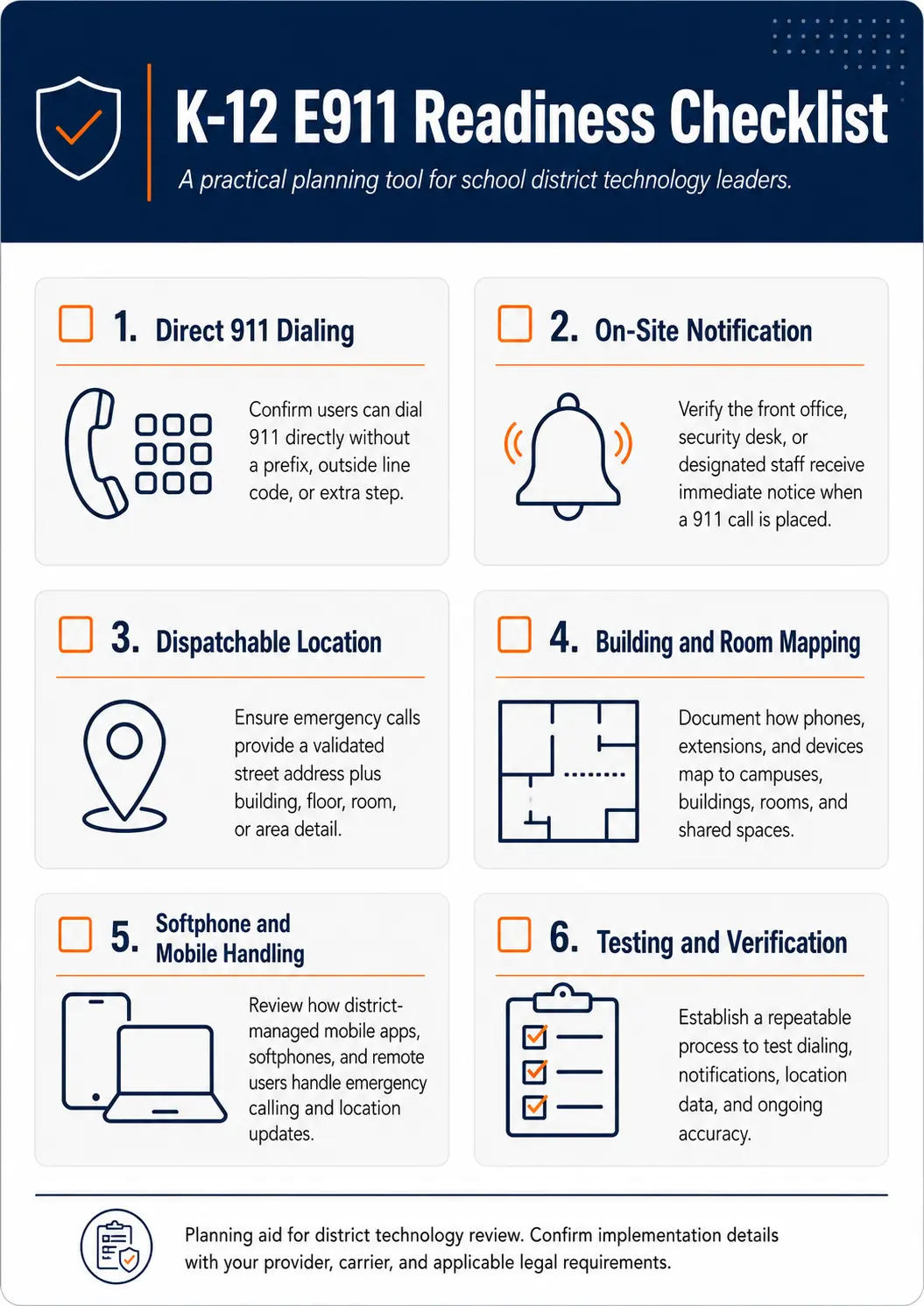
Use the K-12 E911 Readiness Checklist to review direct dialing, notification, location data, mobile handling, and testing.
Who owns E911 location data after deployment?
One of the biggest gaps in district E911 planning is ownership. A vendor can help configure the system. IT can manage the platform. A carrier may hold records. Public safety authorities may advise on testing. Facilities may know the physical room names better than anyone else. Front office staff may know how calls actually move during the school day.
A clear ownership model keeps location data from becoming stale.
| Area | Likely owner or contributor | Why it matters |
|---|---|---|
| Phone system configuration | District IT or phone system vendor | Controls users, devices, routing, and features |
| Room and building names | Facilities, operations, or campus administration | Keeps location language aligned with the physical campus |
| Staff moves | IT, HR, campus administrators, or department leads | Helps update user and device assignments |
| E911 records | IT, vendor, carrier, or assigned district owner | Keeps dispatchable location data current |
| Emergency notification list | IT, safety, front office, or district leadership | Determines who receives alerts |
| Testing coordination | IT, vendor, and local PSAP | Confirms behavior without creating confusion |
Districts should define:
- who updates location records when a phone moves
- who approves naming conventions for buildings and rooms
- who reviews softphone and mobile use
- who maintains notification recipients
- who keeps documentation current
- who coordinates testing after major changes
Without ownership, location records can slowly drift away from the real environment.
E911 planning checklist for school districts
A practical E911 review should cover the full calling environment, not just a few front office phones.
Direct 911 dialing
- Confirm that users can dial 911 without a prefix.
- Test representative phones during a coordinated test process.
- Review older dialing habits and staff instructions.
On-site notification
- Identify who should receive alerts.
- Confirm alert delivery method, such as email, SMS, screen pop, or console notification.
- Confirm notifications include useful location and callback details.
- Review backup recipients for after-hours or shared-site scenarios.
Dispatchable location
- Confirm the street address for each campus and building.
- Add room, floor, zone, wing, or area detail where needed.
- Review portable classrooms and shared spaces.
- Use consistent naming that staff and responders can understand.
Device assignment
- Tie physical phones to accurate locations.
- Review phones in offices, classrooms, shared areas, gyms, cafeterias, libraries, and administrative spaces.
- Update records when phones move.
Softphone and mobile handling
- Identify who can use softphones or mobile apps.
- Decide where those tools may be used.
- Review how location is set or updated for non-fixed devices.
- Document staff expectations.
Analog line review
- Inventory analog lines.
- Identify fax, elevator, alarm, gate, door, or specialty uses.
- Review each line separately instead of assuming every analog line has the same migration path.
Carrier and address records
- Compare billing records, carrier records, and physical addresses.
- Review main numbers and callback behavior.
- Identify mismatches before migration.
Testing and maintenance
- Coordinate testing with the appropriate PSAP or public safety contact.
- Document test date, device, location, result, and follow-up items.
- Retest after major changes.
- Assign ownership for future updates.
Planning resource: Use the K-12 E911 Readiness Checklist to review direct 911 dialing, on-site notification, dispatchable location, mobile handling, and testing procedures.
How schools should think about E911 testing
E911 testing should be planned, coordinated, and documented. It should not be treated like a casual test call.
Before testing, district teams should coordinate with the appropriate public safety answering point or local emergency communications authority. The goal is to confirm the system works without creating confusion for dispatchers.
A practical test plan should identify:
- which phones will be tested
- which campuses and buildings are included
- what location information should appear
- which notification recipients should receive alerts
- who is present during the test
- how results will be documented
- what follow-up actions are needed
Testing should occur:
- before a phone system migration goes live
- after number porting
- after major call routing changes
- after campus additions or renovations
- after large phone moves
- after changes to softphone or mobile app policy
- after updates to notification recipients
Documentation matters. If the district cannot show what was tested, when it was tested, and what results were observed, the process will be hard to trust later.
E911 planning for multi-campus districts
Multi-campus districts need a campus-by-campus E911 plan. Each site may have different building names, network layouts, phone placement, main numbers, and staffing patterns.
A phased migration can help, but only if E911 review is included in each phase. Moving one campus to a new system should include location mapping, notification review, number routing review, and testing for that campus before moving to the next site.
District teams should pay close attention to:
- main office routing
- campus main numbers
- shared district numbers
- administrative buildings
- transportation and maintenance facilities
- portable classrooms
- athletic facilities
- staff who travel between sites
- after-hours calling paths
- backup internet or failover scenarios
For larger deployments, review Multi-Campus Phone Systems before finalizing the migration sequence.
What to review before replacing a school phone system
A school phone replacement is the right time to review E911 readiness. Waiting until after cutover can create avoidable confusion.
Before migration, gather:
- current PBX or hosted system details
- phone bill and carrier records
- campus and building list
- validated physical addresses
- floor plans if available
- room lists and area names
- main numbers
- direct inward dial numbers
- extension list
- phone location map
- auto attendants
- ring groups
- emergency notification recipients
- softphone and mobile app users
- analog lines and specialty services
- current E911 records
- cutover timing constraints
- testing procedure
Districts can use the District Phone System Review Checklist and the District Phone System Modernization Roadmap to guide this review.
Common E911 planning mistakes schools should avoid
E911 gaps often come from process issues rather than technology alone. The following mistakes can weaken emergency calling readiness:
- waiting until after migration to review E911
- assuming the main street address is enough for a large campus
- forgetting portable classrooms
- forgetting shared spaces such as gyms, cafeterias, libraries, and nurse offices
- not reviewing administrative, maintenance, and transportation buildings
- allowing softphone use without a location plan
- moving phones without updating location records
- not documenting who owns updates
- not confirming on-site notification recipients
- not testing after call routing changes
- not involving front office or operations staff
- not reviewing carrier records before porting
- not keeping test records
The goal is not to create panic. The goal is to make emergency calling part of normal phone system governance.
How a district phone system review helps
A district phone system review gives IT and leadership a clearer picture of the current environment before making replacement decisions.
K12 Phone Systems reviews:
- current phone system
- PBX or hosted platform
- carrier services and phone bills
- buildings and campuses
- main numbers
- extension structure
- call routing and ring groups
- auto attendants
- E911 planning needs
- analog lines and specialty services
- softphone and mobile app use
- cutover risks
- hosted system readiness
- support and migration considerations
The result is a more practical conversation around risk, replacement timing, migration path, and support needs.
Related planning resources
- K-12 E911 Readiness Checklist
- District Phone System Review Checklist
- District Phone System Modernization Roadmap
- School Phone Systems
- PBX Replacement for Schools
- Multi-Campus Phone Systems
Frequently asked questions
What does E911 compliance mean for schools?
In this planning context, E911 compliance and readiness generally mean the phone system supports direct 911 dialing where required, provides on-site notification when applicable, and sends usable dispatchable location information so responders can identify where the call came from. Districts should confirm legal obligations with qualified counsel and appropriate public safety authorities.
What is Kari’s Law?
Kari’s Law applies to covered multi-line telephone systems and addresses direct 911 dialing without needing a prefix first. It also addresses notification to a central location when a 911 call is made from an MLTS [1]. Applicability for older systems should be reviewed with qualified counsel and appropriate public safety authorities.
What is RAY BAUM’S Act?
RAY BAUM’S Act led to FCC rules requiring dispatchable location information to be conveyed with 911 calls. For schools, that means location planning should account for buildings, floors, rooms, shared spaces, and other physical details needed to identify the caller’s location [2].
What is dispatchable location?
Dispatchable location is location information that helps emergency responders find the caller. It includes the validated street address plus details such as building, floor, room, suite, zone, or similar information needed to locate the caller.
Does a hosted phone system automatically make a school E911 compliant?
No. A hosted phone system may provide better administrative tools, but it still requires accurate configuration. Districts must review address records, device assignments, location data, softphone usage, notification settings, and testing.
Do softphones and mobile apps affect E911 planning?
Yes. Softphones and mobile apps can move between locations. Districts need policies and technical controls for how these devices are used, how location is set, and how emergency calls are handled.
How often should school districts review E911 location data?
Districts should review E911 location data after phone moves, staff moves, renovations, campus changes, network changes, phone system updates, and softphone policy changes. A scheduled review process can help keep records current.
Can E911 planning be done campus by campus?
Yes. In many multi-campus districts, a campus-by-campus plan is practical. Each campus should have location records, notification settings, routing, and testing reviewed as part of its migration phase.
What should a district review before replacing a PBX?
Before replacing a PBX, a district should review extension lists, phone locations, building addresses, carrier records, analog lines, E911 records, auto attendants, ring groups, and emergency notification procedures.
Can K12 Phone Systems provide legal compliance advice?
No. K12 Phone Systems provides technical review and E911 planning support for phone system projects. Districts should confirm legal and regulatory obligations with qualified counsel, public safety authorities, and appropriate state or local agencies.
References
- FCC Multi-line Telephone Systems 911 Direct Dialing, Notification, and Dispatchable Location Requirements
- FCC Dispatchable Location for 911 Calls
- National 911 Program: Kari’s Law and RAY BAUM’S Act
- National 911 Program: Next Generation 911
Ready to review your district’s E911 phone system readiness?
Share your current phone setup, building list, phone bill, or vendor proposal. We will help identify technical review areas, migration considerations, and practical next steps for emergency calling readiness.