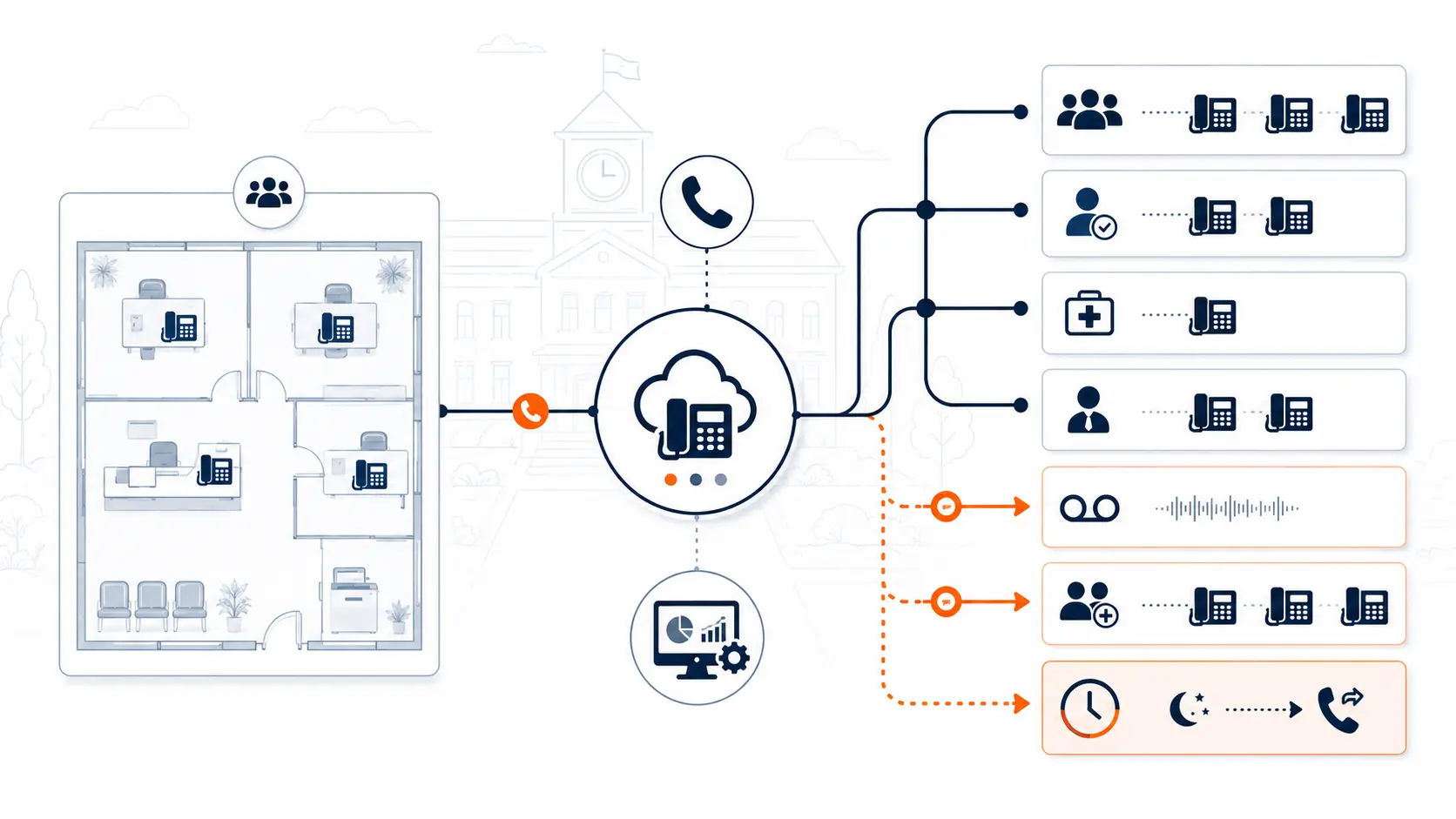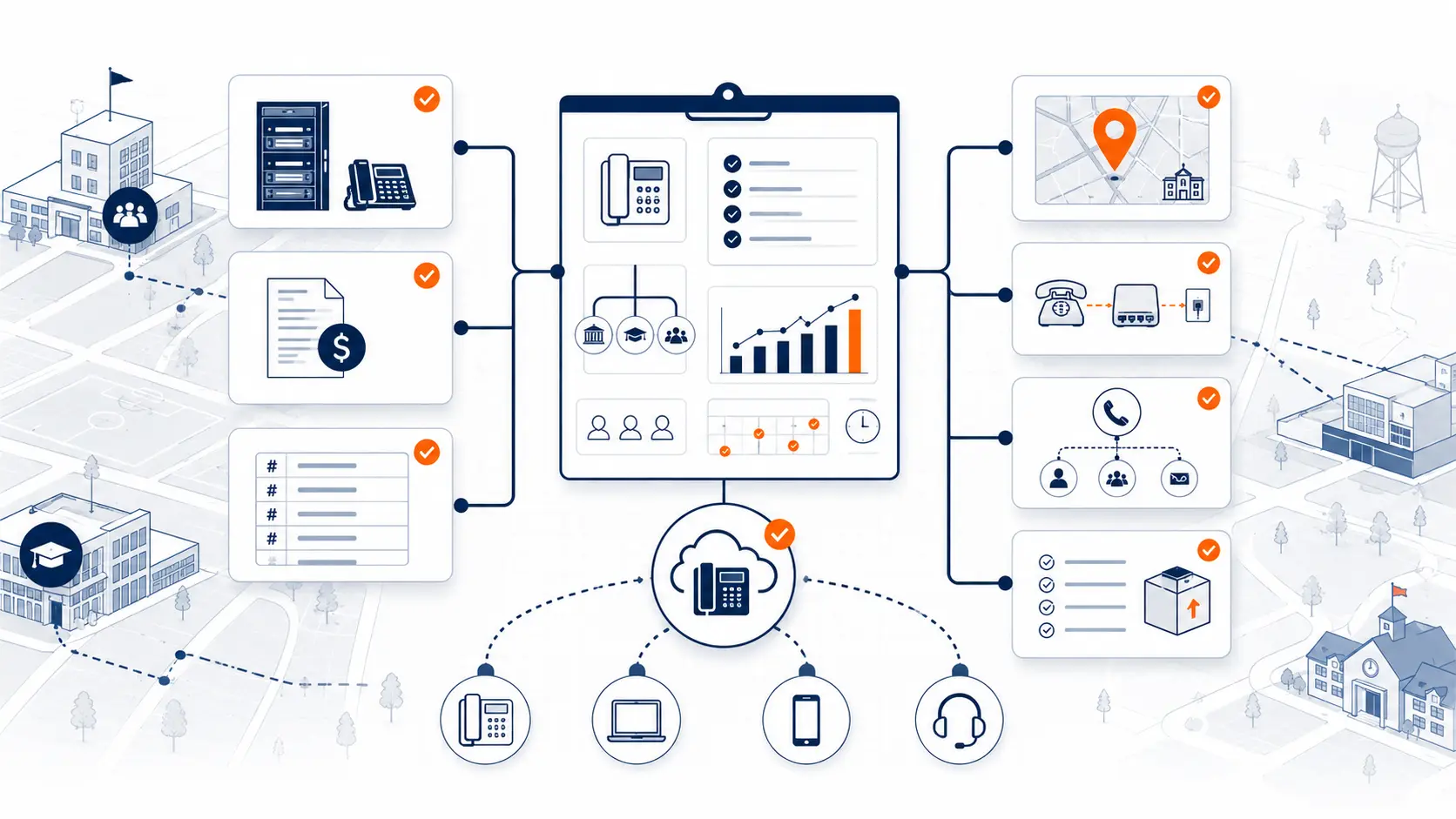
Replacing a school phone system should start with a review, not a quote. A district phone system touches front offices, classrooms, district administration, transportation, maintenance, emergency calling, main numbers, extensions, carrier records, and cutover timing. A vendor proposal can look clean on paper and still miss the operational details that cause problems during migration.
This guide walks through what school districts should review before replacing a legacy PBX, hosted VoIP PBX, cloud phone system, or carrier-managed phone service.
This guide is for technical planning and general education. It is not legal, procurement, or E-Rate advice. Districts should review legal, procurement, funding, and public safety questions with qualified counsel, district leadership, E-Rate consultants, public safety authorities, and state or local agencies.
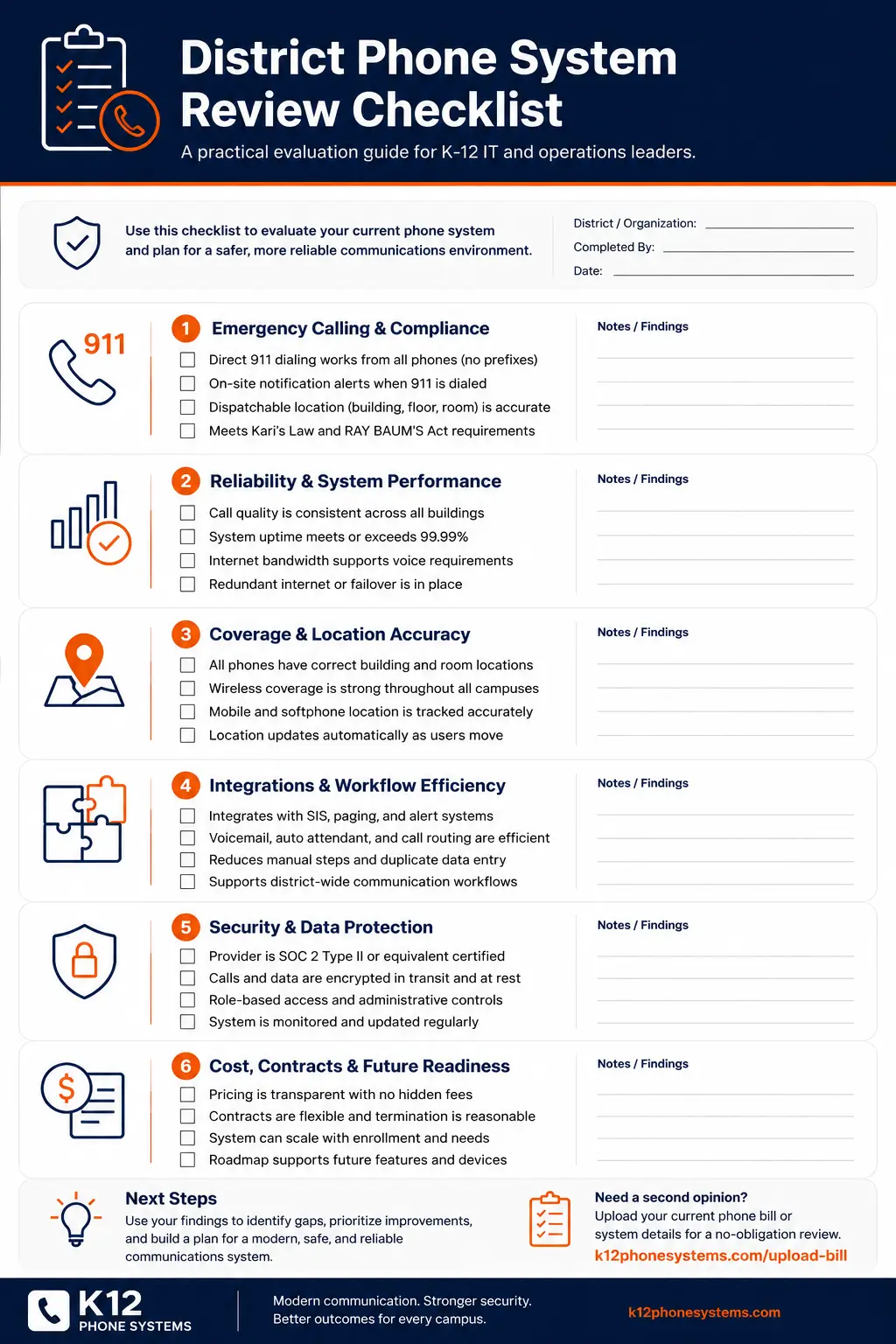
Request System Review | Download the District Phone System Review Checklist
Start with the reason for replacement
A district should be clear about why the phone system is being reviewed. The replacement driver affects the plan, the timeline, the stakeholders, and the risk areas.
Common replacement drivers include:
| Replacement reason | What it may signal | What to review first |
|---|---|---|
| Aging PBX hardware | Hardware, cards, or handsets may be difficult to support | PBX model, support status, parts availability, vendor access |
| Repeated outages | Single points of failure may exist | Internet, carrier paths, PBX health, power, failover |
| E911 concerns | Location records may not match real school spaces | Direct 911 dialing, notification, dispatchable location |
| Carrier changes | Analog or legacy services may be changing | Lines, trunks, numbers, special circuits |
| High phone bills | Pricing may be tied to users, extensions, or unused services | Bills, contracts, renewals, add-ons |
| Multi-campus routing issues | Calls may not match how the district operates | Main numbers, campus routing, ring groups |
| Existing VoIP frustration | The system may be modern but poorly scoped | Licensing, routing, support, E911, user access |
A district replacing a dead PBX has a different project than a district trying to reduce recurring VoIP costs. A district with E911 concerns has a different review path than a district trying to clean up call routing. Start by naming the problem.
Review the current phone system
Before replacing anything, document what exists now.
For a legacy PBX, gather:
- PBX make and model
- age of the system
- support provider
- current maintenance contract
- known failures
- hardware cards and capacity
- desk phone models
- voicemail system
- auto attendants
- ring groups
- analog lines
- SIP trunks or PRI circuits
- any known wiring or closet constraints
For an existing hosted VoIP or cloud PBX, gather:
- provider name
- contract term and renewal date
- number of paid users or extensions
- number of active phones
- number of unused seats
- main call flows
- admin portal access
- support history
- device ownership or rental terms
- E911 location setup
- mobile app or softphone usage
- current invoices
A district may already be on VoIP and still need a serious review. Modern does not always mean right. A hosted system can still be overpriced, poorly routed, hard to administer, weak on support, or misaligned with how schools work.
Review pricing, licensing, and contract structure
Many school districts pay too much for phone service by paying per extension, per user, or per device without reviewing actual usage.
This issue can exist in both old and new systems.
Legacy systems may carry costs through maintenance, carrier lines, repair visits, PRI circuits, analog lines, and support contracts. Hosted VoIP systems may carry costs through per-extension licensing, device rental, add-on features, support tiers, taxes, fees, and long renewal terms.
A district should ask:
- How many extensions are paid for?
- How many are active?
- How many are shared spaces, not real users?
- How many classroom phones rarely place outbound calls?
- How many users need a full license?
- Are desk phones rented, leased, purchased, or included?
- Are voicemail, mobile apps, call recording, or admin features extra?
- Are there support fees or premium support tiers?
- Is the district paying for features nobody uses?
- What changes at renewal?
- What is the cancellation window?
Per-extension pricing can be expensive in K-12. A school district may have many phones that need to exist for safety, access, or internal calling, but they may not need the same paid user profile as a full-time office worker. Classrooms, shared offices, libraries, gyms, maintenance areas, cafeterias, and reception spaces do not all use phones the same way.
The right pricing model should match district usage, not just count every endpoint as the same kind of user.
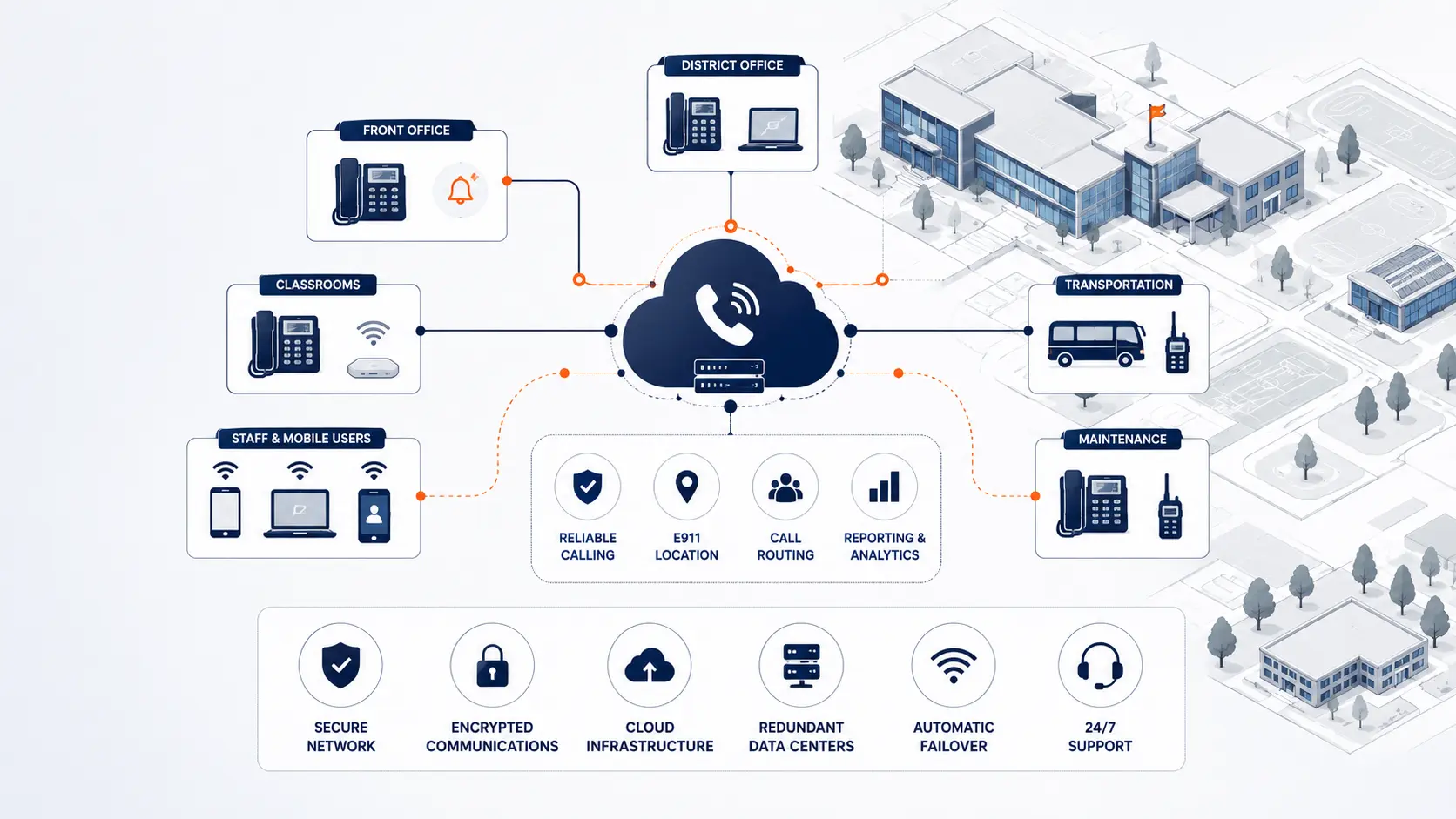
Review main numbers and call routing
Phone replacement can fail if call routing is recreated from old assumptions instead of reviewed from current operations.
Document:
- district main number
- campus main numbers
- department numbers
- direct inward dial numbers
- auto attendants
- front office routing
- attendance lines
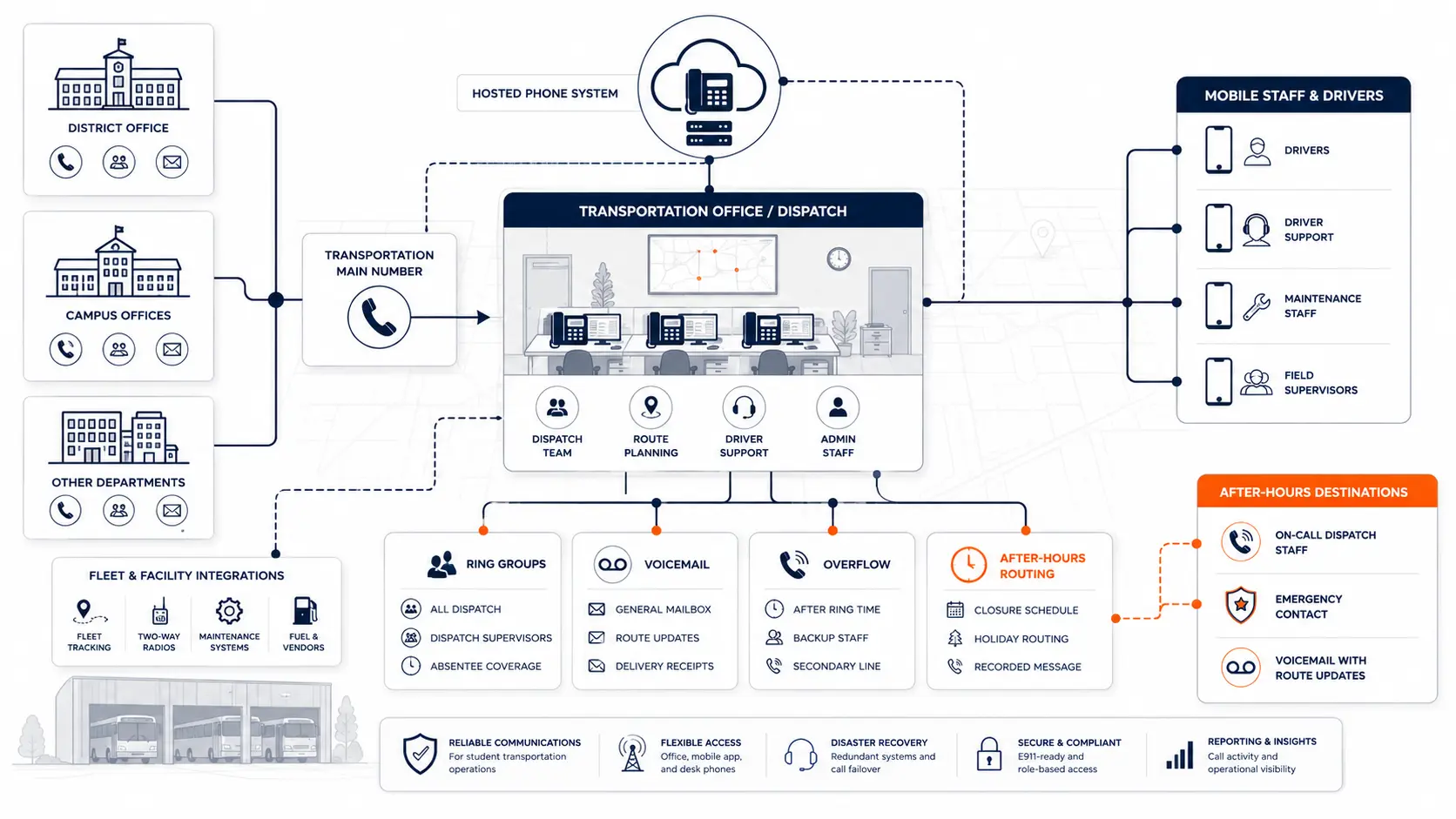
- transportation routing
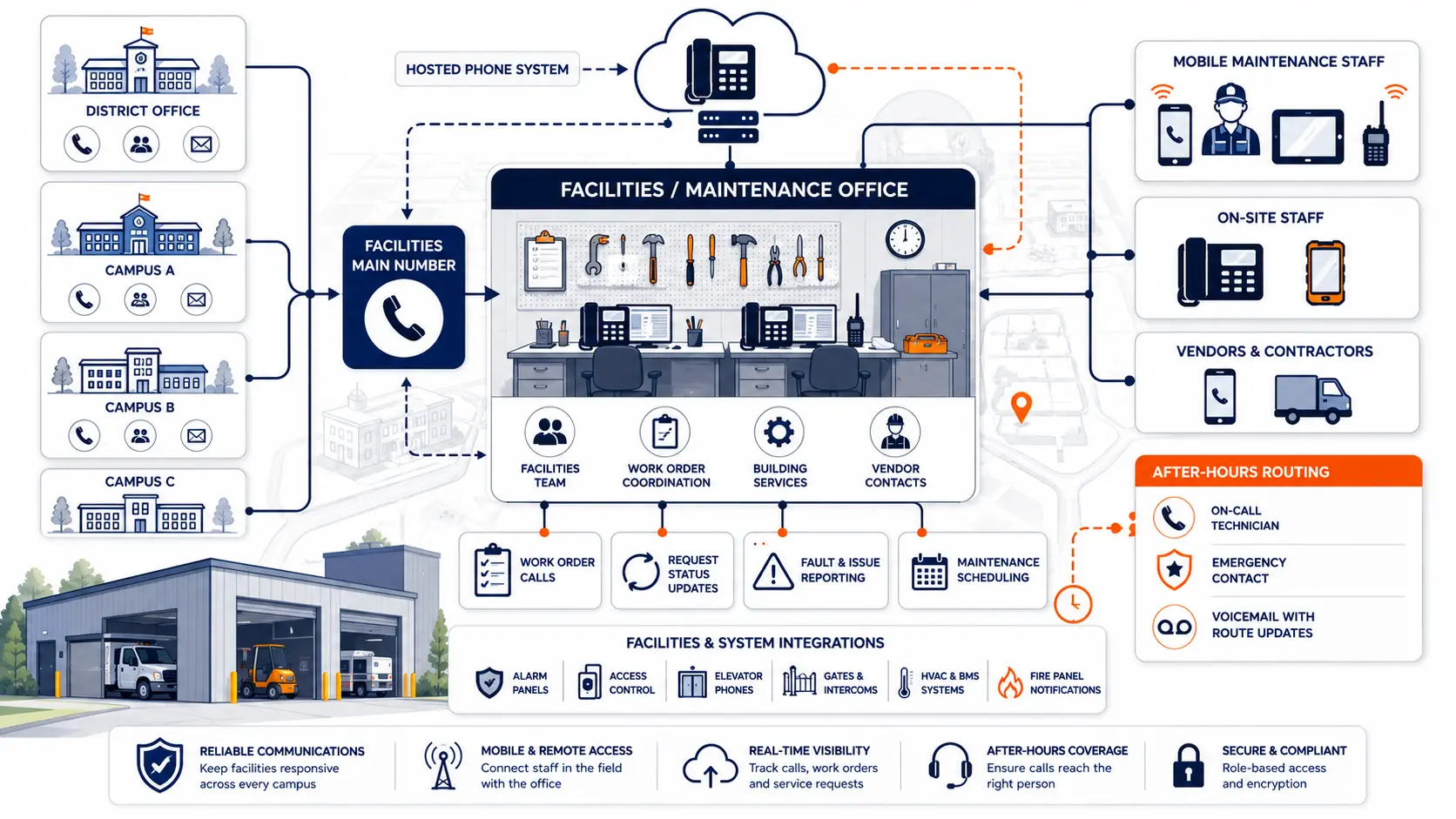
- maintenance routing
- nurse or clinic routing
- after-hours routing
- holiday schedules
- overflow paths
- emergency internal routing
- voicemail destinations
Ask front office staff where calls actually go. Ask which transfers fail, which numbers confuse callers, which ring groups are outdated, and which voicemail boxes are never checked.
A phone system replacement is a chance to clean up call flow before cutover. If the old routing is copied without review, the new system inherits old frustration.
Review E911 readiness
Emergency calling should be reviewed before a school phone migration.
The FCC’s MLTS rules address direct 911 dialing, on-site notification, and dispatchable location requirements for multi-line telephone systems [1]. 911.gov has public safety resources tied to Kari’s Law, RAY BAUM’S Act, and dispatchable location planning [2].
A district should review:
- Can users dial 911 directly without a prefix?
- Who receives on-site notification when 911 is dialed?
- Are notifications sent to the right school staff?
- Does the system send dispatchable location data?
- Are buildings, floors, rooms, and shared spaces mapped?
- Are portable classrooms included?
- Are gyms, cafeterias, libraries, and admin buildings included?
- How are softphones handled?
- How are mobile apps handled?
- Who maintains location data after deployment?
- How is testing coordinated with the local PSAP?
Planning resource: Use the K-12 E911 Readiness Checklist to review direct 911 dialing, on-site notification, dispatchable location, mobile handling, and testing procedures.
A hosted phone system does not automatically solve E911. The system still needs correct configuration, accurate location records, clear ownership, and a testing process.
For a deeper planning guide, see E911 Compliance for Schools.
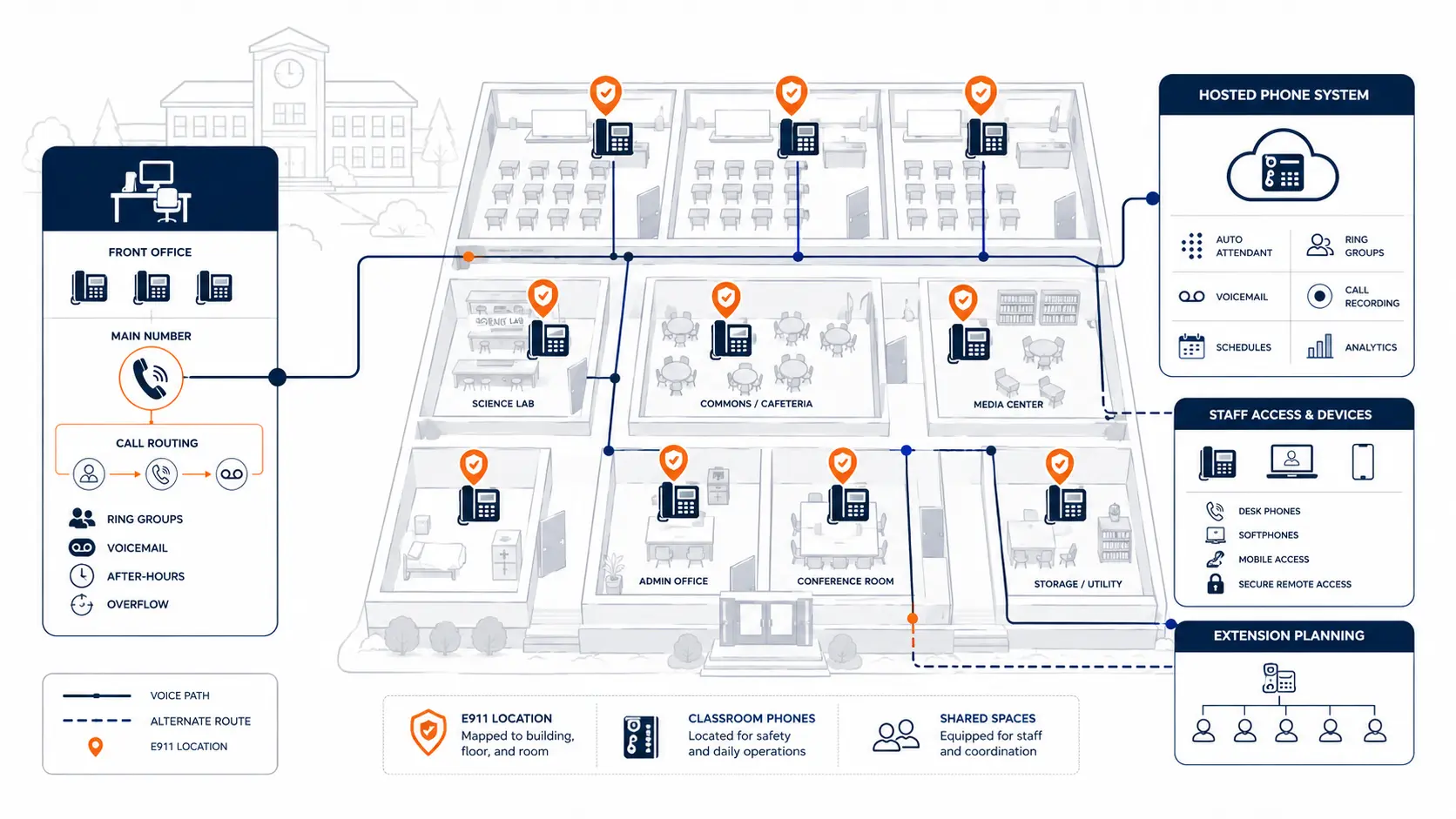
Review campuses, buildings, and phone locations
A school district phone system is a geography problem as much as a technology problem.
Create a current list of:
- campuses
- district office buildings
- transportation facilities
- maintenance facilities
- portable classrooms
- athletic facilities
- early learning centers
- alternative campuses
- shared buildings
- leased spaces
- administrative annexes
Then map phones to those spaces.
This helps with E911, routing, porting, device placement, cabling, support, and cutover sequencing.
Do not rely only on a spreadsheet of extensions. A room list, building list, floor plan, or labeled campus map may show gaps that an extension list misses.
Review analog lines and special services
Many districts still have analog lines connected to systems that are not regular desk phones.
Inventory:
- fax lines
- elevator phones
- alarm lines
- fire panels
- security gates
- door systems
- credit card terminals
- intercom tie-ins
- bus garage lines
- kitchen or cafeteria lines
- backup lines
- old unused lines
Do not assume every analog line can be replaced the same way. Specialty systems may require coordination with alarm vendors, elevator providers, facilities teams, fire authorities, or other qualified contractors.
Analog lines should be separated into categories:
| Line type | Review question |
|---|---|
| Voice line | Is it still used for calling? |
| Fax line | Is fax still required, and who uses it? |
| Alarm or fire panel | Who maintains it, and what transmission method is approved? |
| Elevator line | What does the elevator vendor require? |
| Gate or door system | Is the line tied to access control? |
| Unknown line | Can usage be verified before cancellation? |
Analog cleanup can reduce waste, but only after a careful inventory.
Review number porting risk
Number porting is often one of the most sensitive parts of replacing a school phone system. Main numbers, campus numbers, direct numbers, and department numbers may be spread across carriers or old account records.
Review:
- all numbers on the bill
- numbers printed on websites
- numbers used by parents
- numbers used for attendance
- numbers assigned to campuses
- numbers assigned to departments
- numbers tied to alarms or specialty services
- account names and service addresses
- carrier customer service records
- authorization requirements
- porting timeline
- temporary forwarding options
- test call plan after porting
A district should not discover during cutover that a main number is tied to the wrong account name or service address.
Review network readiness
Hosted and cloud phone systems depend on the district network. Network readiness should be reviewed before phones move.
Review:
- internet connection reliability
- secondary internet or failover options
- switching capacity
- Power over Ethernet availability
- cabling condition
- network closets
- firewall rules
- voice traffic handling
- Wi-Fi use for softphones
- battery backup
- power outage plan
- remote staff access
- support roles between phone vendor and IT team
For plain language planning, think in terms of three questions:
- Can phones stay registered and reachable?
- Can calls stay clear and stable?
- Can the district support phones during outage or cutover events?
A hosted system can be strong, but poor network planning can make it feel unreliable.
Review device and user needs
Every phone location does not need the same setup.
Review the user groups:
| User or location | Common need |
|---|---|
| Front office | reliable desk phones, overflow routing, voicemail, transfer paths |
| District administration | direct numbers, department routing, executive support |
| Teachers | classroom phones, privacy, simple emergency access |
| Transportation | department routing, after-hours handling |
| Maintenance | mobile access, shared lines, service coordination |
| Nurses and clinics | reachable phones, voicemail, escalation |
| Remote staff | softphone or mobile app access |
| Shared spaces | simple calling, location accuracy, clear labels |
This review helps avoid paying for full licenses where a basic phone role would be enough. It may reveal users who need mobile or softphone access but never received it.
Review support and administration
A phone system replacement changes who can make updates and how fast problems get fixed.
Ask:
- Who can change an auto attendant?
- Who can add or remove an extension?
- Who updates E911 location records?
- Who handles after-hours outage support?
- Who supports desk phones?
- Who supports softphones and mobile apps?
- Who handles carrier issues?
- Who owns number porting questions?
- Who trains office staff?
- What support is included after launch?
- What costs extra?
A system that looks affordable can become expensive if every change requires a paid ticket or slow vendor escalation.
Review migration timing and cutover plan
School districts need cutovers planned around school operations.
Consider:
- school calendar
- testing windows
- holidays and breaks
- board meetings
- registration periods
- summer programs
- athletic events
- transportation schedules
- front office hours
- staffing availability
- vendor availability
The cutover plan should include:
- campus sequence
- number porting dates
- phone labeling
- device staging
- staff communication
- test calls
- rollback or contingency plan
- post-launch support window
- open issue tracking
Planning resource: Use the District Phone System Modernization Roadmap to frame the replacement as review, design, deployment, porting, and support.
Review current VoIP before renewal
Existing hosted VoIP systems deserve the same review as old PBX systems.
A district should question its current installation when:
- costs rise each renewal
- pricing is tied to every extension
- unused licenses remain active
- classroom phones are billed like full users
- support is slow
- call routing feels patched together
- the district lacks admin control
- E911 records are unclear
- mobile apps are included but not used
- vendor invoices are hard to interpret
- desk phones are rented long after their value is recovered
- changes cost extra
- the provider cannot explain failover clearly
A current VoIP PBX may be technically newer than an on-premises PBX, but it may still be wrong for the district. The goal is not simply to move to VoIP. The goal is to have a school phone system that fits the district’s buildings, users, routing, emergency calling needs, support model, and budget.
What to gather before requesting quotes
Before requesting proposals, gather:
- current phone bill
- current contract
- renewal date
- cancellation terms
- campus list
- building list
- main numbers
- extension list
- call flow notes
- phone inventory
- E911 location records
- analog line inventory
- support history
- outage history
- device needs
- user groups
- network notes
- desired timeline
If all of that is not available, start with what exists. A review can help identify gaps.
What a phone system review should produce
A useful review should give the district more than pricing.
It should produce:
- Current-state findings
A practical summary of the phone system, numbers, call flow, contracts, support model, and risk areas.
- Replacement considerations
A clear view of what should be planned before replacing PBX hardware, hosted VoIP service, carrier services, routing, devices, and support processes.
- Migration path
A phased approach for buildings, users, numbers, E911 planning, testing, and post-launch support.
- Pricing review points
A way to question per-extension billing, unused licenses, recurring add-ons, device rental, and contract renewal exposure.
- Operational questions
A list of items the district should resolve before cutover.
Related planning resources
- District Phone System Review Checklist
- Legacy PBX Risk Map for School Districts
- District Phone System Modernization Roadmap
- K-12 E911 Readiness Checklist
- School Communications Infrastructure Framework
Frequently asked questions
What should a school district review before replacing a phone system?
A district should review the current phone system, bills, contracts, numbers, call routing, E911 location records, analog lines, user groups, device needs, network readiness, support model, and migration timing.
Should we review an existing VoIP phone system too?
Yes. Existing VoIP systems can still have high per-extension pricing, unused licenses, poor call routing, weak support, unclear E911 records, and renewal terms that no longer fit the district.
Why can per-extension pricing cost districts too much?
Districts often have many phones in classrooms, shared spaces, offices, gyms, cafeterias, and operations areas. Those endpoints do not all behave like full-time office users. Billing every extension as the same kind of user can raise recurring costs without matching real usage.
Can we keep our current phone numbers?
In many projects, yes, but number porting depends on carrier records, account ownership, service addresses, and authorization details. Districts should review all main numbers, campus numbers, department numbers, and direct numbers before migration.
Do we need a complete extension list before starting?
No. A complete extension list helps, but districts can start with a bill, campus list, main numbers, vendor proposal, or known issues. A review can help identify what is missing.
Should E911 be reviewed before phone replacement?
Yes. Direct 911 dialing, on-site notification, dispatchable location, building mapping, device assignments, and testing should be reviewed before cutover.
What happens to analog lines during replacement?
Analog lines should be inventoried separately. Some may be voice lines, fax lines, alarms, elevator phones, gates, or specialty services. Each type may need a different plan.
Can replacement be phased by campus?
Yes. Many districts benefit from a campus-by-campus or department-by-department rollout. Phasing can reduce disruption and gives the team a clearer path for testing, support, and staff communication.
What should we send before requesting a system review?
Send a phone bill, current contract, campus list, building list, phone inventory, vendor proposal, extension list, or a summary of the issues you are trying to solve. Start with what you have.
References
- Multi-line Telephone Systems 911 Direct Dialing, Notification, and Dispatchable Location Requirements
- Kari’s Law and RAY BAUM’S Act resources from 911.gov
- E-Rate program overview from USAC
- FCC E-Rate Schools and Libraries Program
Ready to review your district phone system before replacement?
Share your current phone setup, phone bill, campus list, vendor proposal, or renewal quote. We will help identify risk areas, pricing concerns, migration considerations, and practical next steps.