The front office is where most people judge whether a school phone system works. Parents call the main number. Staff transfer calls between offices. Vendors, transportation, maintenance, and district administration need clear routing. During an urgent situation, the front office may need visibility into who called, where a call went, and whether the right staff were notified.
That means front office call routing is not a small configuration detail. It should be reviewed before replacing a legacy PBX, renewing a hosted VoIP agreement, or moving to a new school phone system. The goal is not just to make calls ring somewhere. The goal is to make the daily call path clear, reliable, and manageable for the staff who handle it.
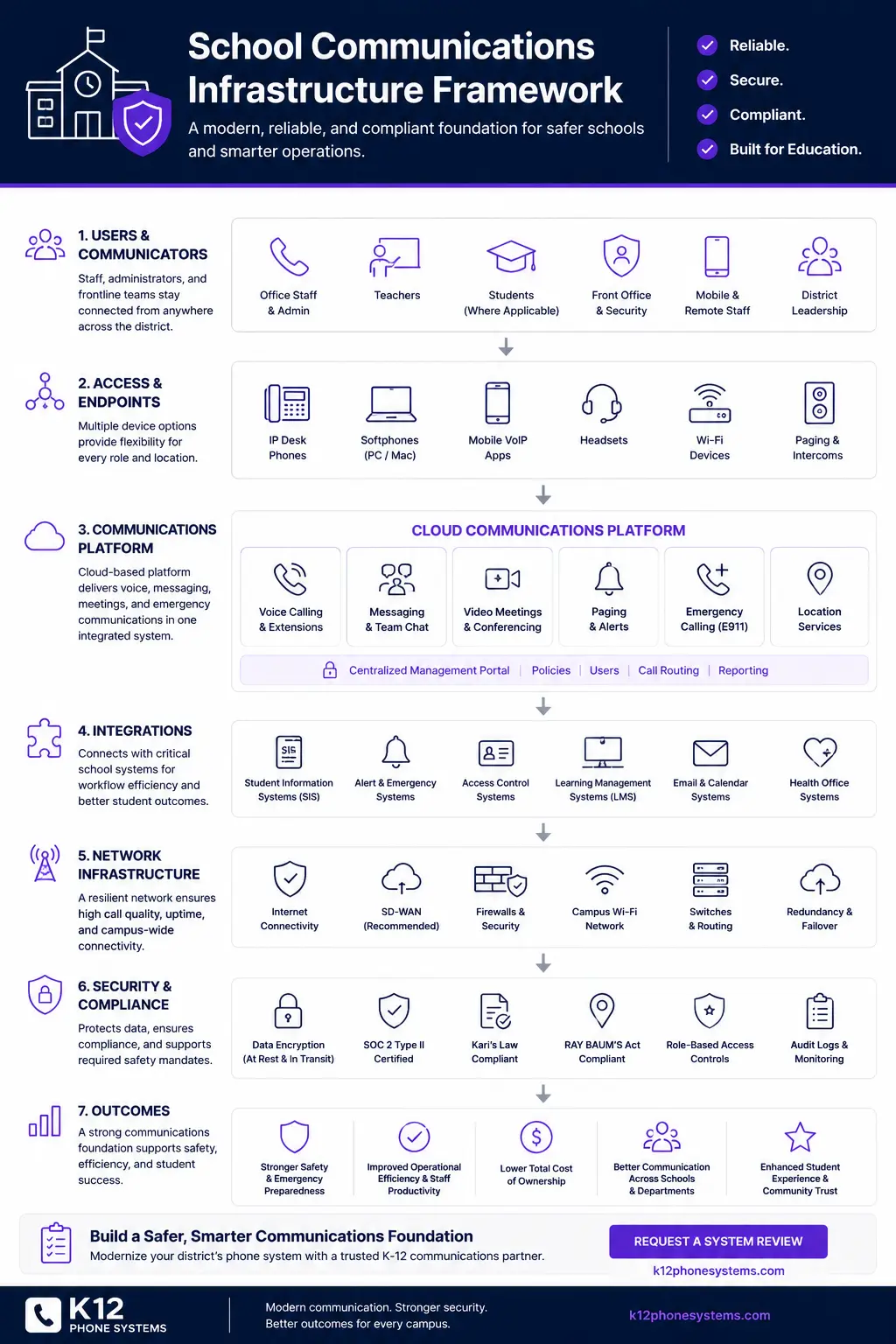
If your district is reviewing an old PBX, an existing hosted VoIP system, or a new vendor proposal, start with the District Phone System Review Checklist or request a System Review.
Why front office routing matters
Most school phone system discussions start with technology: PBX hardware, hosted VoIP, desk phones, mobile apps, SIP trunks, internet service, and number porting. Those all matter. But the experience of the system often comes down to front office routing.
A district can buy a modern cloud phone system and still frustrate callers if the call flow is poorly planned. A school can have new phones and still send parents to the wrong voicemail box. A district can pay for hundreds of extensions and still have front office staff manually transferring the same calls all day.
Front office routing affects:
- how parents reach attendance
- how visitors reach the main office
- how transportation calls are handled
- how administrators receive transferred calls
- how nurse, counseling, and special services calls are directed
- how overflow is handled during high-volume periods
- how voicemail is used after hours
- how emergency calls and on-site notifications are monitored
For districts replacing a legacy PBX, this is a chance to clean up years of inherited routing rules. For districts already on hosted VoIP, it is a chance to question whether the system was built around school workflows or just copied from an office template.
What front office call routing includes
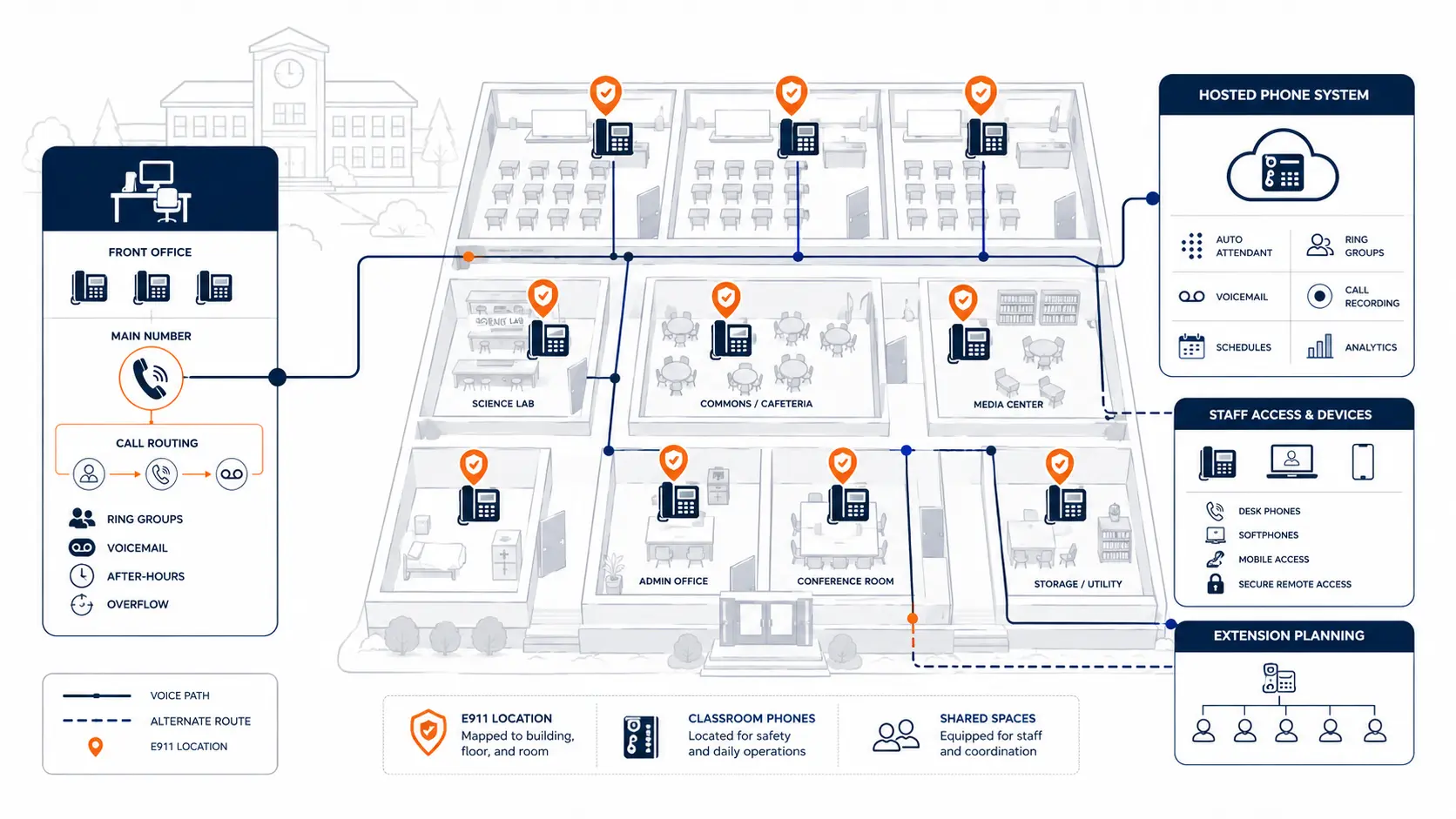
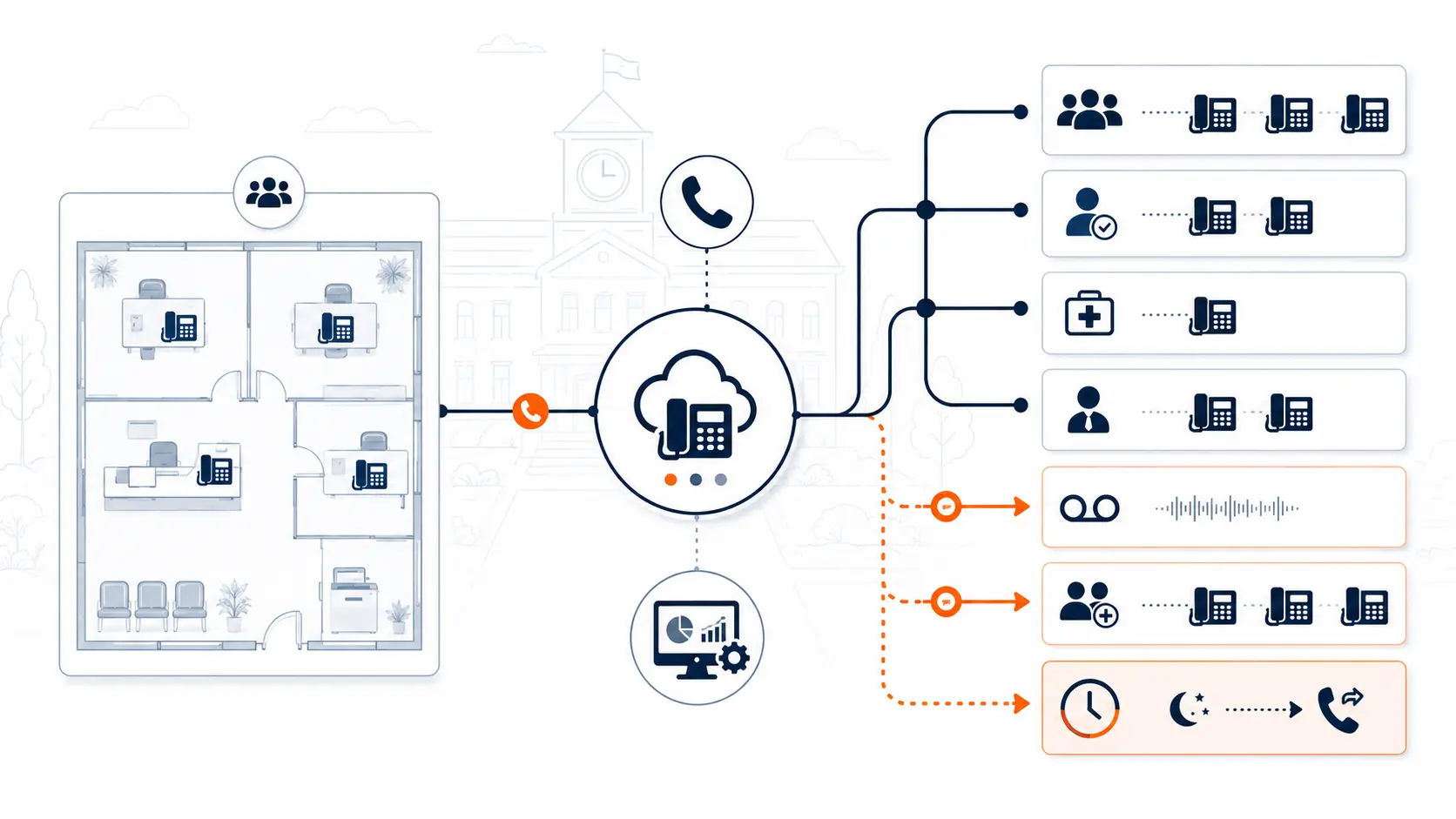
Front office call routing is the set of rules that decides what happens when someone calls a school number. That may sound simple, but most schools have more call paths than they realize.
Common routing components include:
- main school number
- auto attendant menu
- live answer path
- office ring group
- attendance option
- nurse option
- counseling option
- transportation option
- administrative transfer paths
- after-hours voicemail
- holiday schedule
- overflow routing
- backup destination
- emergency notification routing
A replacement project should document each of these before cutover. If the district does not document them, the new system may recreate old confusion or introduce new gaps.
Main numbers and first answer path
The first question is simple: what should happen when someone calls the main school number?
That answer may change by building, time of day, or school calendar.
Some schools want all calls to ring the front office during the school day. Others use a short menu to separate attendance, nurse, transportation, and general office calls. Some districts prefer a district-level auto attendant that routes callers to campuses. Others want each campus to manage its own call flow.
There is no universal answer, but there should be a documented answer.
Review these questions:
- Who answers the main number during school hours?
- What happens if all front office staff are already on calls?
- Should attendance calls go directly to a dedicated voicemail or staff group?
- Should the nurse have a direct option?
- Should calls route differently before school, during school, and after school?
- Who can change the schedule?
- What happens on holidays, early release days, and weather closure days?
A modern phone system should make these rules easier to manage, but it cannot fix a call flow nobody has reviewed.
Auto attendants and menu design
Auto attendants can help schools reduce call pressure, but they can also create frustration if the menu is too long or unclear.
The best school auto attendants are usually short. They route common calls without making parents listen to a long menu.
A practical school menu might include:
- Attendance
- Nurse
- Front office
- Transportation or district office, if appropriate
Avoid building a menu that tries to solve every possible caller need. Long menus increase hang-ups and misdirected calls. They also create a maintenance problem when departments, staff roles, or procedures change.
Before replacing a phone system, review:
| Question | Why it matters |
|---|---|
| How many options are on the menu? | Too many choices slow callers down. |
| Are the options school-specific? | Elementary, middle, and high schools may need different flows. |
| Who records the greeting? | Inconsistent greetings make the system feel unmanaged. |
| Who approves menu changes? | Uncontrolled changes can break routing. |
| Does the menu match actual office workflow? | A clean menu still fails if nobody owns the destination. |
A good system review should identify whether the current menu helps staff or simply hides routing problems.
Ring groups and front office coverage
A ring group sends an incoming call to multiple phones or users. In a school front office, ring groups are common. They let several staff members answer the main number without forcing callers through one person.
But ring groups should be designed carefully.
Common mistakes include:
- too many phones ringing at once
- phones ringing in offices that should not receive main calls
- no backup path if the group does not answer
- no clear voicemail ownership
- staff receiving calls during times they are unavailable
- ring groups copied from an old PBX without review
A better design starts with roles.
For example:
- Primary answer group: front office staff
- Secondary overflow group: administrator or backup office staff
- After-hours path: general school voicemail or district answering process
- High-volume path: attendance voicemail or dedicated queue
The district should know exactly who is in each group, why they are included, and what happens when nobody answers.
Attendance routing
Attendance calls are one of the most common routing needs in schools. They can create a large call load early in the morning.
A district should decide whether attendance calls should:
- ring the front office
- go to a dedicated attendance voicemail
- route to an attendance clerk
- use a separate menu option
- integrate with another attendance communication process
- change by campus level
For many schools, a dedicated attendance path reduces front office interruptions. But it only works if staff know who checks the messages, how often they are checked, and what happens when the assigned person is absent.
Phone system replacement is the right time to ask whether attendance routing still matches current school operations.
Nurse, counseling, and sensitive calls
Some calls need more careful handling than general office calls. Nurse, counseling, special services, and administrative calls may involve sensitive information or urgent needs.
Review:
- Should callers reach the nurse directly or through the front office?
- Should nurse calls roll to another staff member if unanswered?
- Should counseling calls go to voicemail after a set number of rings?
- Who receives voicemail notifications?
- Are messages sent to shared email inboxes or individual staff?
- What happens if staff are away from their desks?
A phone system cannot replace district policy, but it should support the way the district wants these calls handled.
After-hours routing
After-hours routing is often overlooked until something breaks.
Schools need clear rules for calls placed before school, after school, during weekends, and during holidays. Some campuses need a simple general voicemail. Others need separate options for transportation, athletics, or district office contacts.
Review:
- What message plays after hours?
- Can callers still reach staff extensions?
- Should the auto attendant change by schedule?
- Who updates holiday schedules?
- Who monitors voicemail?
- What happens during closures or weather events?
If the old PBX has been in place for years, after-hours rules may be outdated. A hosted system can make schedules easier to manage, but only if the district documents what should happen.
E911 visibility and front office notification
Front office routing and E911 compliance for schools are separate topics, but they connect.
Under federal MLTS rules, Kari's Law includes direct 911 dialing requirements and notification requirements for covered multi-line telephone systems. The FCC explains that notification may go to a central location, such as a front desk or security office, when a 911 call is made from an MLTS facility [1].
For school districts, this creates practical front office questions:
- Who receives on-site notifications when 911 is dialed?
- Does the notification show the caller or device location?
- Does the notification go to the right building?
- What happens if the front office is closed?
- Should security, administration, or district office staff receive alerts too?
- Are notifications tested after phone moves or system changes?
A school phone system review should verify that emergency calling and front office visibility are not treated as separate silos. Use the K-12 E911 Readiness Checklist to review direct 911 dialing, on-site notification, dispatchable location, and testing procedures.
Routing for multi-campus districts
Call routing becomes more complex when a district manages multiple campuses.
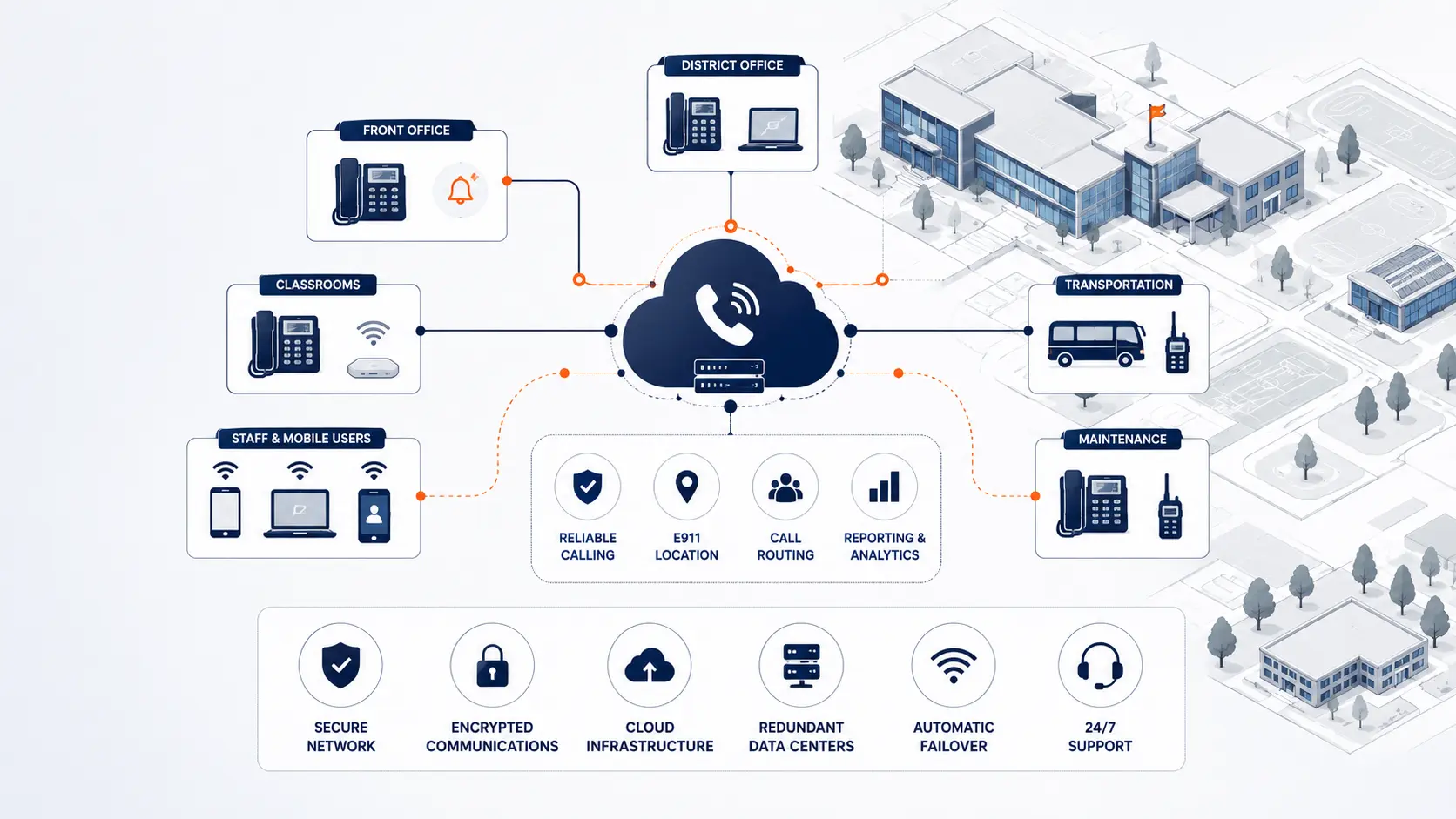
A district may have:
- one district main number
- separate campus main numbers
- department numbers
- shared administrative extensions
- transfer paths between campuses
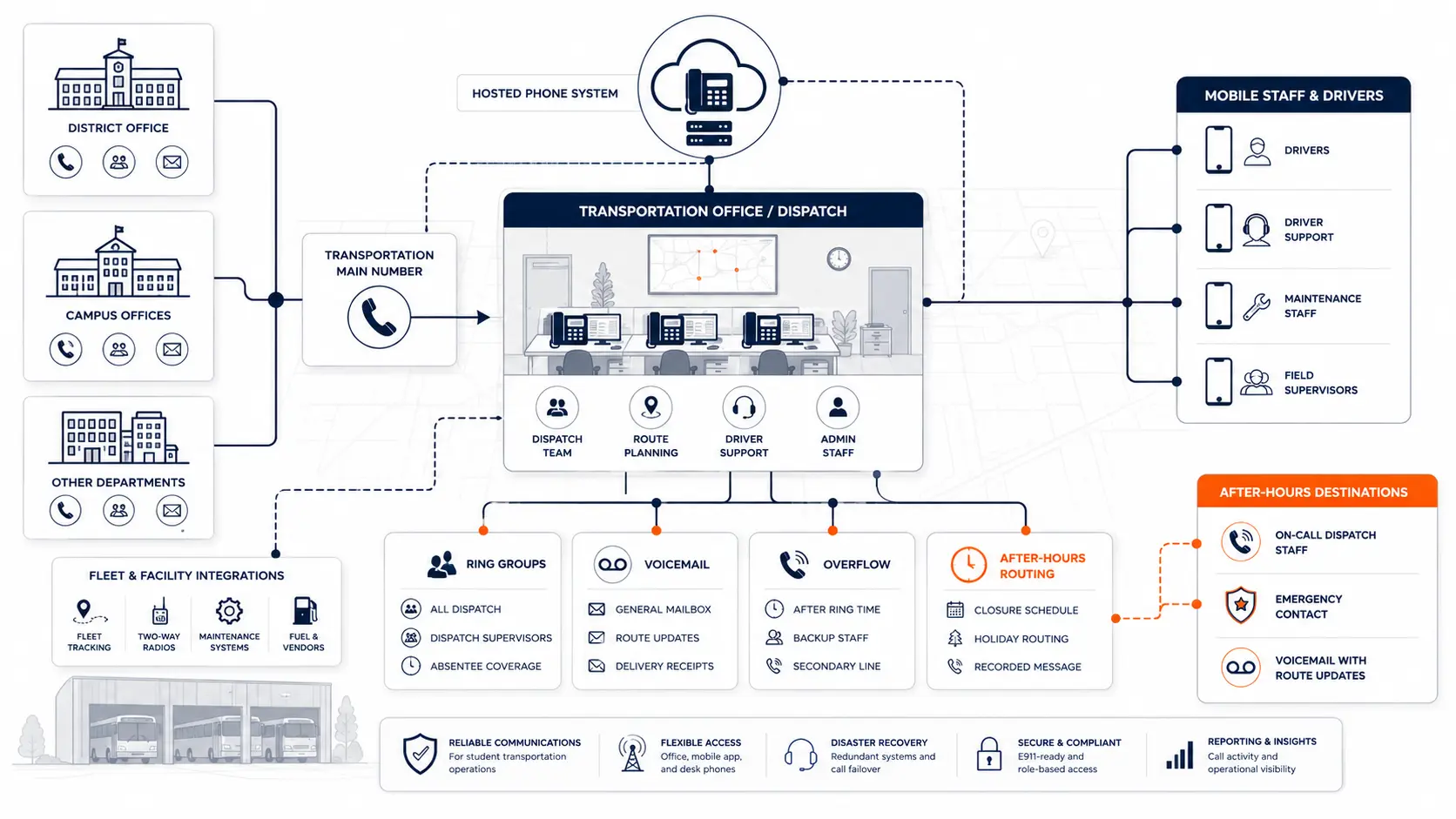
- transportation and maintenance departments
- district leadership numbers
- after-hours district routing
The key is to avoid building a confusing maze.
Multi-campus routing should answer these questions:
- Can callers reach the right campus quickly?
- Can staff transfer calls between campuses easily?
- Do campus main numbers route to the correct front office?
- Are district-level departments separated from campus-level call flows?
- Do schedules differ by campus?
- Are emergency notifications building-specific?
- Can IT manage routing centrally?
If a district is planning a larger migration, review the Multi-Campus Phone Systems guide and the District Phone System Modernization Roadmap.
Hosted VoIP routing problems districts should question
A district does not need to be on an old PBX to have routing problems. Existing hosted VoIP installations can be poorly designed too.
Common problems include:
- every staff member gets an extension whether they need one or not
- call flows were copied from the old PBX without review
- auto attendant menus are too long
- voicemail boxes are no longer monitored
- ring groups include the wrong users
- schools pay per extension instead of paying around actual call capacity and usage
- mobile apps are licensed broadly but used rarely
- support tickets are required for simple routing changes
- renewal proposals add cost without improving the call path
If a district is paying by extension, it may be paying too much. Schools often have many rooms, shared phones, seasonal staff, and staff who do not need a full paid user license. A renewal review should compare the number of paid extensions against real usage, call volume, front office workflows, and district support needs.
A hosted system should not just be newer. It should be easier to manage, easier to support, and better aligned with how schools handle calls.
What to document before changing routing
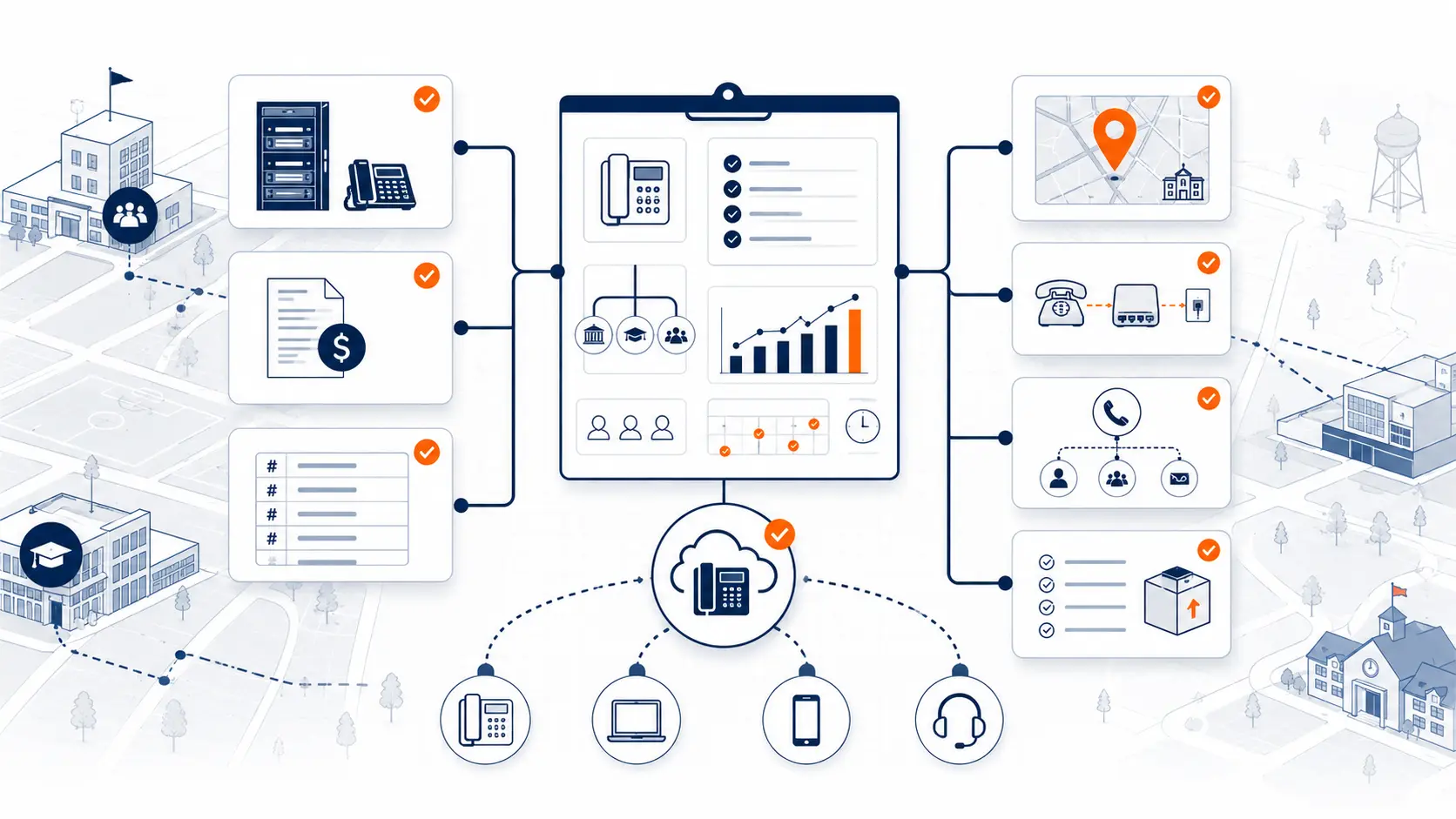
Before replacing or renewing a phone system, document the current call path.
Start with:
- all main numbers
- direct numbers
- auto attendant menus
- ring groups
- voicemail boxes
- department call paths
- front office phones
- attendance routing
- nurse routing
- after-hours routing
- emergency notification recipients
- campus schedules
- known complaints
- call flow changes staff want
You do not need a perfect inventory to start. But the more the district can document, the easier it is to avoid surprises during migration.
The District Phone System Review Checklist is designed to help organize this information before a vendor conversation.
Questions to ask before replacing the front office phone system
Before signing a proposal or renewing an agreement, ask:
- How will the main school number route during business hours?
- What happens when the front office does not answer?
- Can attendance calls route separately?
- Can each campus have a different schedule?
- Can district IT update routing without a support ticket?
- How are ring groups built and maintained?
- How are voicemail boxes assigned and monitored?
- How will holidays and closures be handled?
- How will E911 notifications reach the correct staff?
- How will call flow be tested before cutover?
- What is included in post-launch support?
- Are we paying for extensions that do not need to be paid users?
These questions help the district evaluate whether the vendor understands school operations or is simply selling phone service.
How a system review helps
A system review can help districts map current front office routing before making changes. K12 Phone Systems reviews main numbers, call paths, auto attendants, ring groups, extensions, E911 considerations, number porting, and migration risks.
The review should produce a clearer view of what exists today, what needs to change, and what should be planned before cutover.
Related planning resources
- District Phone System Review Checklist
- District Phone System Modernization Roadmap
- K-12 E911 Readiness Checklist
- School Phone Systems
- Multi-Campus Phone Systems
Frequently asked questions
What is front office call routing in a school phone system?
Front office call routing is the set of phone system rules that decides where calls go when someone calls the school main number. It may include auto attendants, ring groups, attendance routing, voicemail, after-hours routing, and overflow rules.
Should schools use an auto attendant or have every call answered live?
It depends on the school’s staffing, call volume, and parent communication process. Many schools use a short auto attendant for attendance, nurse, and front office routing, but long menus can frustrate callers.
What is a ring group?
A ring group sends a call to multiple phones or users so more than one person can answer. In schools, ring groups are often used for front office coverage, but they should include the right staff and have a backup path.
Should attendance calls route separately?
Often, yes. Attendance calls can create heavy morning call volume. A separate attendance option or voicemail can reduce front office interruptions if the district has a clear process for monitoring it.
Can front office routing differ by campus?
Yes. Elementary, middle, high school, administration, transportation, and maintenance sites may need different call flows. Multi-campus districts should document routing by building.
How does E911 affect front office routing?
Front office staff or other designated personnel may receive on-site notifications when 911 is dialed from a school phone system. Districts should confirm who receives alerts, what location information appears, and how notifications are tested.
Can hosted VoIP fix bad call routing?
Hosted VoIP can make routing easier to manage, but it does not automatically fix a poor call flow. The district still needs to review main numbers, auto attendants, ring groups, schedules, voicemail, and staff responsibilities.
Why should districts review per-extension pricing when reviewing call routing?
A routing review often reveals paid extensions that are unused, duplicated, or not tied to real call handling needs. If a district pays by extension, it may be paying too much for rooms, shared phones, or users that do not need full paid seats.
What should a district send before a front office routing review?
Send main numbers, current call flow notes, auto attendant menus, ring groups, extension lists, campus schedules, phone bills, and any known complaints about missed or misrouted calls.
References
Ready to review your school front office call routing?
Share your current phone setup, main numbers, call flow notes, campus list, or vendor proposal. We will help identify routing gaps, pricing concerns, E911 review areas, and practical next steps.