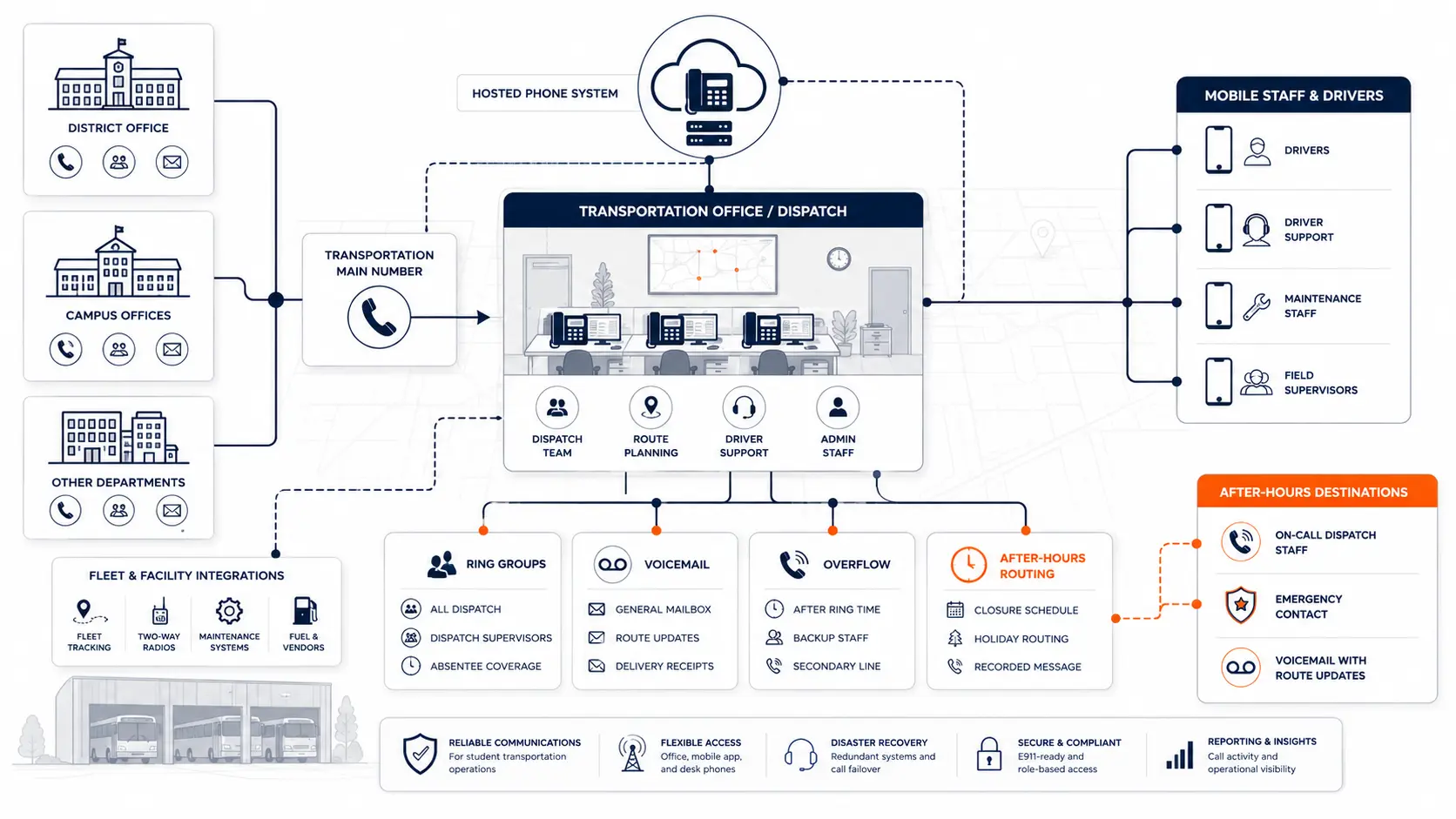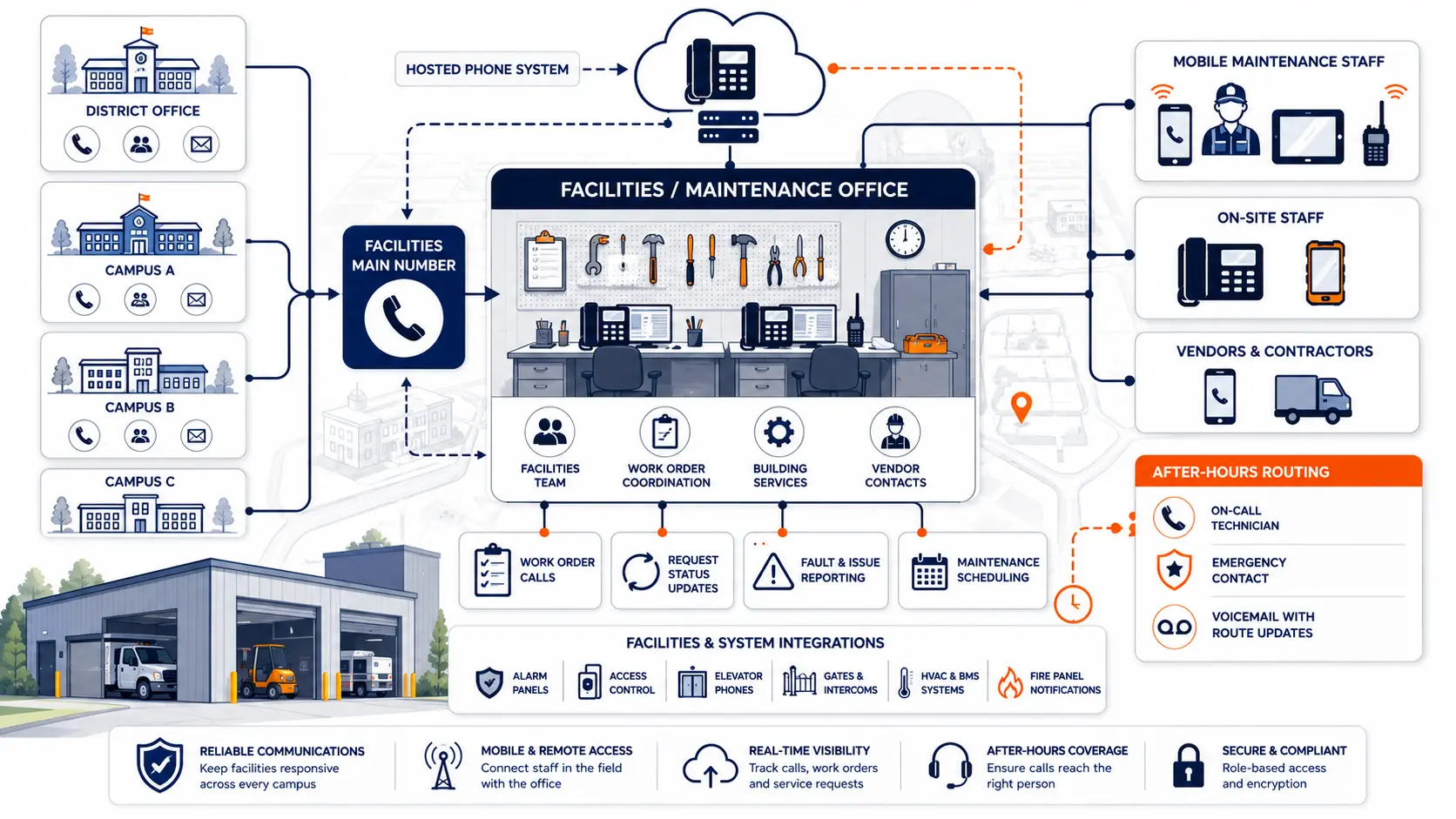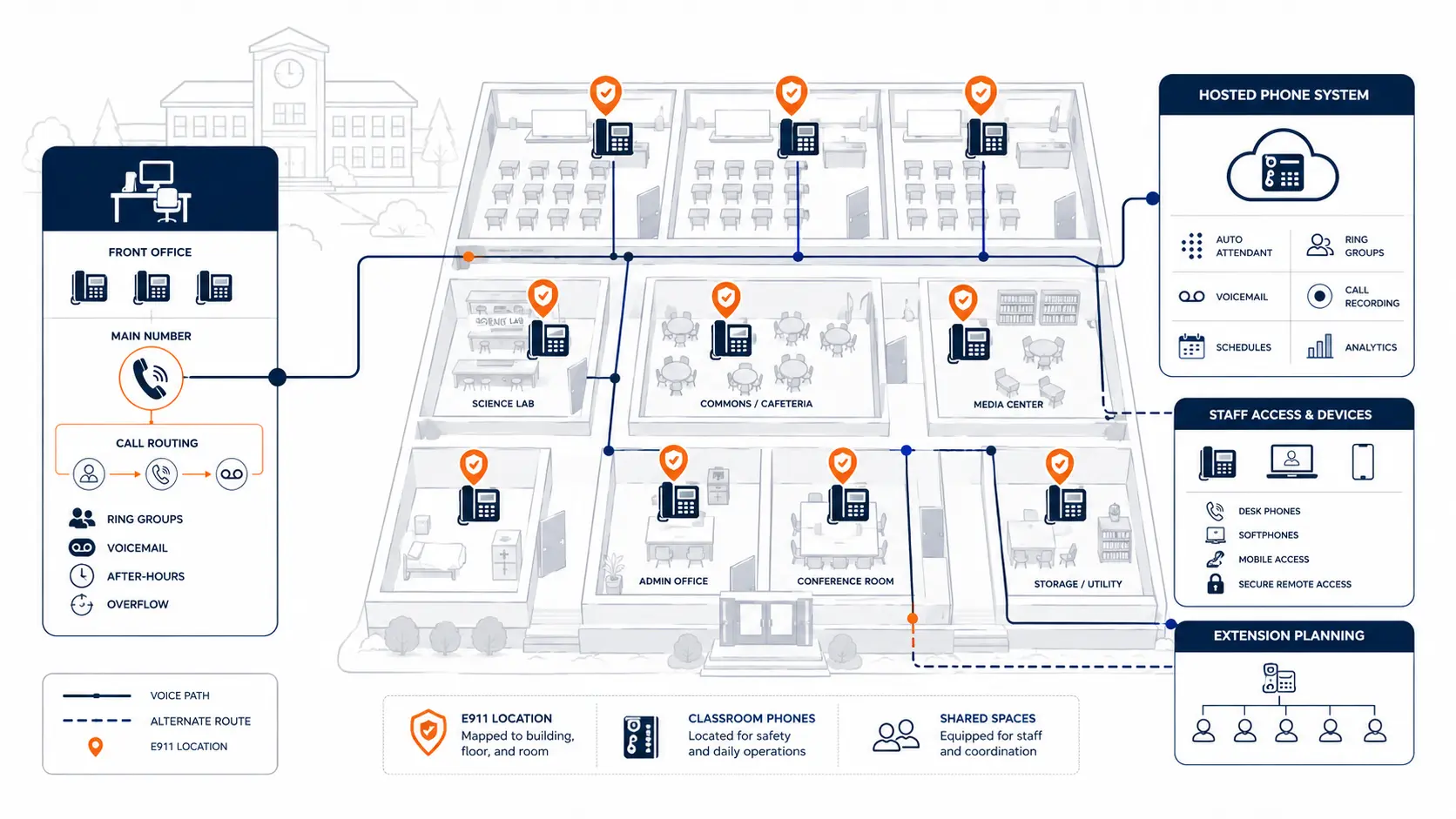
Classroom phones are often treated as small devices at the edge of a larger phone project. In a school district, they are part of a communication system that affects emergency calling, staff access, front office coordination, substitute coverage, device placement, location records, and daily operations. A classroom phone review should not start with handset models. It should start with how each room, staff role, and building needs to communicate.
Request System Review | Download the District Phone System Review Checklist
What classroom phone systems need to support
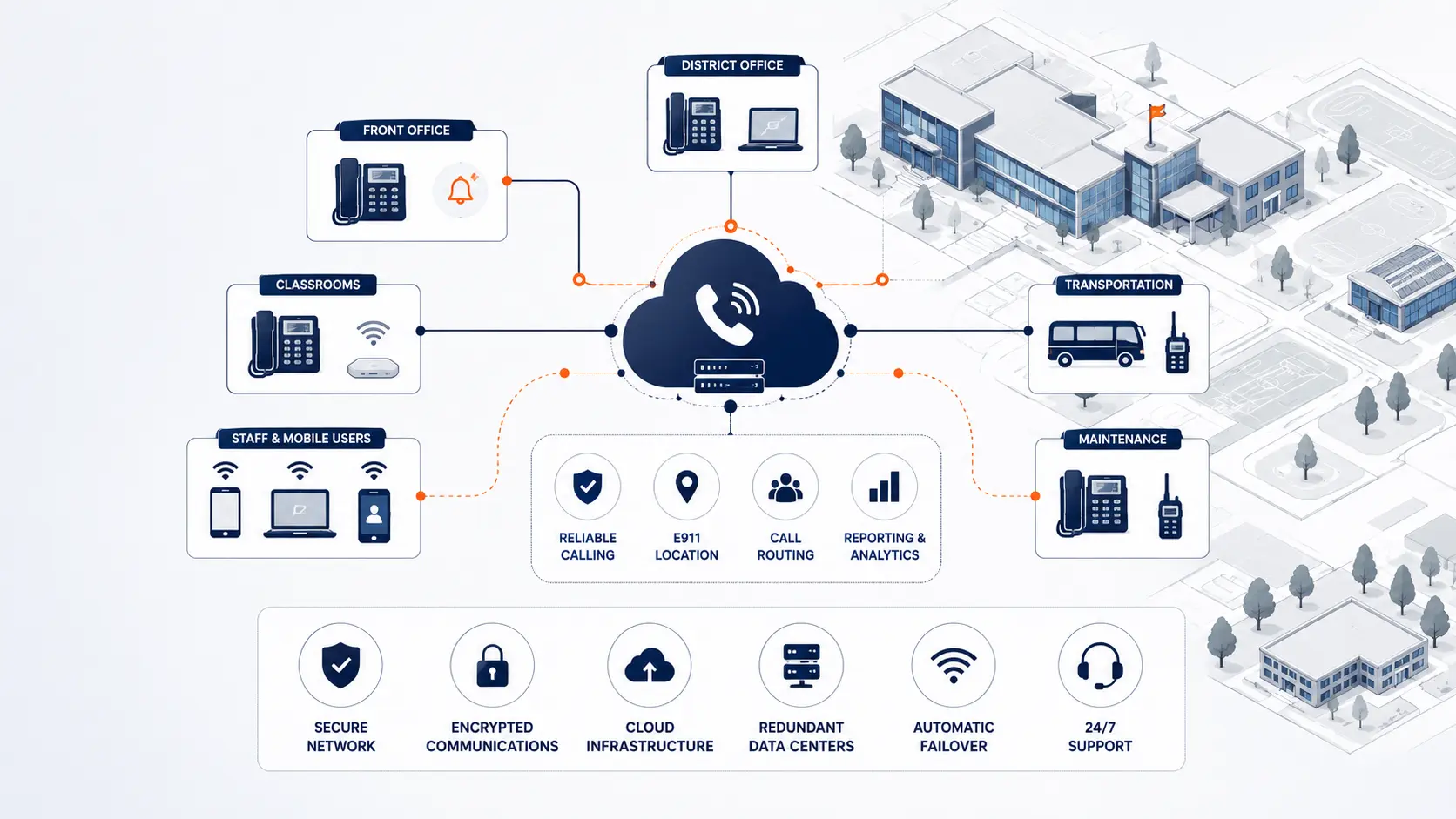
A classroom phone system gives staff a way to call the front office, reach district staff, receive calls, transfer calls, access voicemail, and place emergency calls from assigned spaces. In older school systems, classroom phones may be tied to a legacy PBX, analog wiring, or a campus-based key system. In newer systems, classroom phones may be part of a hosted phone system with central administration and district-wide routing.
For districts, the classroom question is not simply, “Do we need a phone in every room?” The better question is, “Which spaces need direct calling, how will emergency calls identify location, and what device model fits each use case?”
Classrooms, offices, labs, gyms, libraries, clinics, cafeterias, and portable buildings may have different requirements. A single standard device plan may miss key operational details.
Why classroom phones matter in a district phone review
Classroom phones sit at the intersection of staff communication, emergency readiness, and building operations. They may not carry the highest call volume, but they can create high-risk gaps if they are not mapped correctly.
A district review should answer these questions:
- Which rooms currently have phones?
- Which phones are actively used?
- Which spaces need outbound calling only?
- Which spaces need inbound calls from parents, staff, or the front office?
- Which devices are tied to E911 location records?
- Which rooms rely on analog wiring?
- Which phones are shared by multiple staff members?
- Which spaces use softphones or mobile apps instead of desk phones?
- Which classroom phones are part of paging, bell, intercom, or emergency workflows?
A classroom phone system may look simple from the hallway. In the phone system database, each device can carry routing rules, extension assignments, location records, and support expectations.
Classroom phones and E911 location data
E911 planning is one of the main reasons classroom phones deserve careful review. A phone in Room 214 should not report only the district office address. It should be tied to the correct dispatchable location for the building, floor, room, or area.
The FCC’s MLTS 911 rules address direct 911 dialing, notification, and dispatchable location for multi-line telephone systems [1]. This guide is not legal advice. Districts should review legal and compliance questions with qualified counsel, public safety authorities, and appropriate state or local agencies.
In practical terms, classroom phone E911 planning should review:
- Direct 911 dialing without prefixes
- Building and room location records
- On-site notification recipients
- Phone moves between rooms
- Portable classroom naming
- Shared classroom spaces
- Labs, gyms, clinics, and libraries
- Softphone and mobile app usage
- Testing after cutover
- Ongoing ownership of location updates
The district should know who updates location data after a room change, renovation, summer move, or staff reassignment. Without that process, location records can age quickly.
Planning resource: Use the K-12 E911 Readiness Checklist to review direct 911 dialing, on-site notification, dispatchable location, mobile handling, and testing procedures.
Classroom phones vs softphones and mobile apps
Some districts are reducing the number of physical classroom phones. Others still prefer a phone in most instructional spaces. Both approaches can work, but each has planning tradeoffs.
| Option | What it can support | What to review |
|---|---|---|
| Desk phone in classroom | Fixed room calling, clear location assignment, easy front office use | Cabling, power, device support, E911 location data |
| Softphone on computer | Staff mobility, headset use, district-managed calling | User login, device location, availability during emergencies |
| Mobile app | Calling from off-campus or shared roles | E911 behavior, staff policy, privacy, support |
| Shared area phone | Gyms, clinics, cafeterias, libraries, workrooms | Location label, call permissions, staff awareness |
Physical phones often give districts the clearest room-based location model. Softphones and mobile apps can add flexibility, but they require stronger policy and E911 review. A district should not assume that every staff extension needs a paid seat, an app, and a desk phone. That is how hosted VoIP costs can climb fast.
Why per-extension pricing can affect classroom phone decisions
Many hosted VoIP proposals price service by extension, user, seat, or device. In a school district, that model can get expensive quickly if every classroom, shared space, common area, department, and staff role receives a billable extension.
Classroom phone planning should separate actual communication needs from billing units.
A district might need:
- Fixed classroom phones
- Shared area phones
- Main office phones
- Department phones
- Staff softphones
- Mobile app access for select roles
- Common area extensions
- Emergency-use devices
- Non-billable or lower-use endpoints, depending on the provider model
If a district is paying a full monthly user price for every classroom phone, every common area phone, and every staff extension, the invoice may deserve review. This is especially true when many classroom phones place few calls but still count as full-priced extensions.
A better review asks:
- Which extensions are active users?
- Which extensions are room devices?
- Which are common area phones?
- Which are only used for internal calling?
- Which require voicemail?
- Which require mobile app access?
- Which should be grouped differently for pricing?
- Which phones are rarely used but still billed monthly?
A phone system can be technically modern and still commercially inefficient. Districts should review pricing before renewal, not only during replacement.
What to document before changing classroom phones
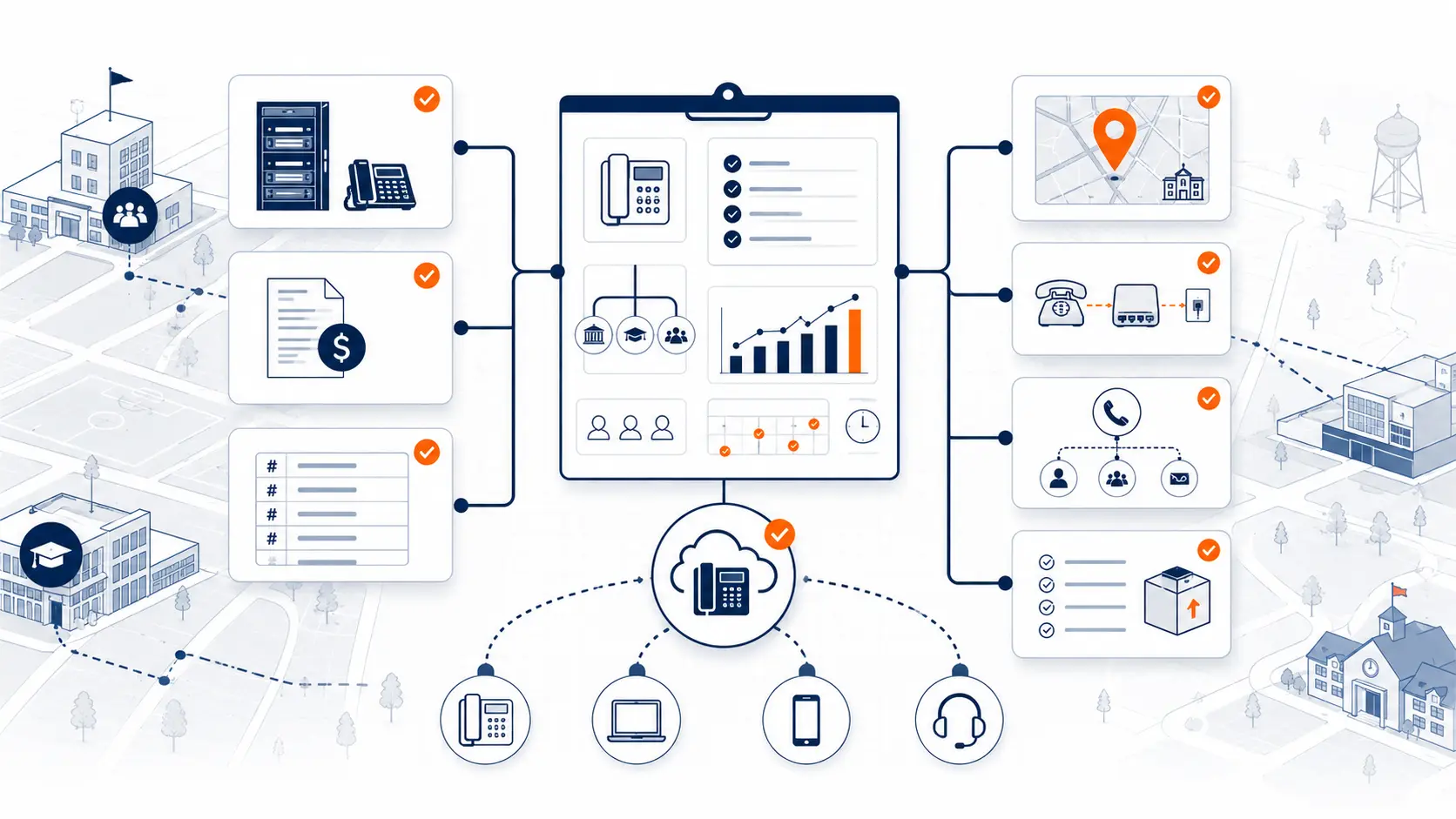
Before replacing classroom phones or moving to a hosted system, gather practical records. The goal is not perfection. The goal is to avoid guessing during design and cutover.
Start with:
- Classroom list by building
- Existing extension list
- Room numbers and labels
- Current handset locations
- Phones that are missing, unplugged, or unused
- Staff roles assigned to each room
- Shared spaces and special rooms
- Portable classroom labels
- Main office and nurse office routing
- E911 location records
- Analog lines serving instructional spaces
- Cabling and power constraints
- Current vendor invoice
- Known support issues
If the district has floor plans, those can help. If not, a building and room list is still useful.
The District Phone System Review Checklist can help organize this information before vendor conversations.
Classroom call routing and front office workflows
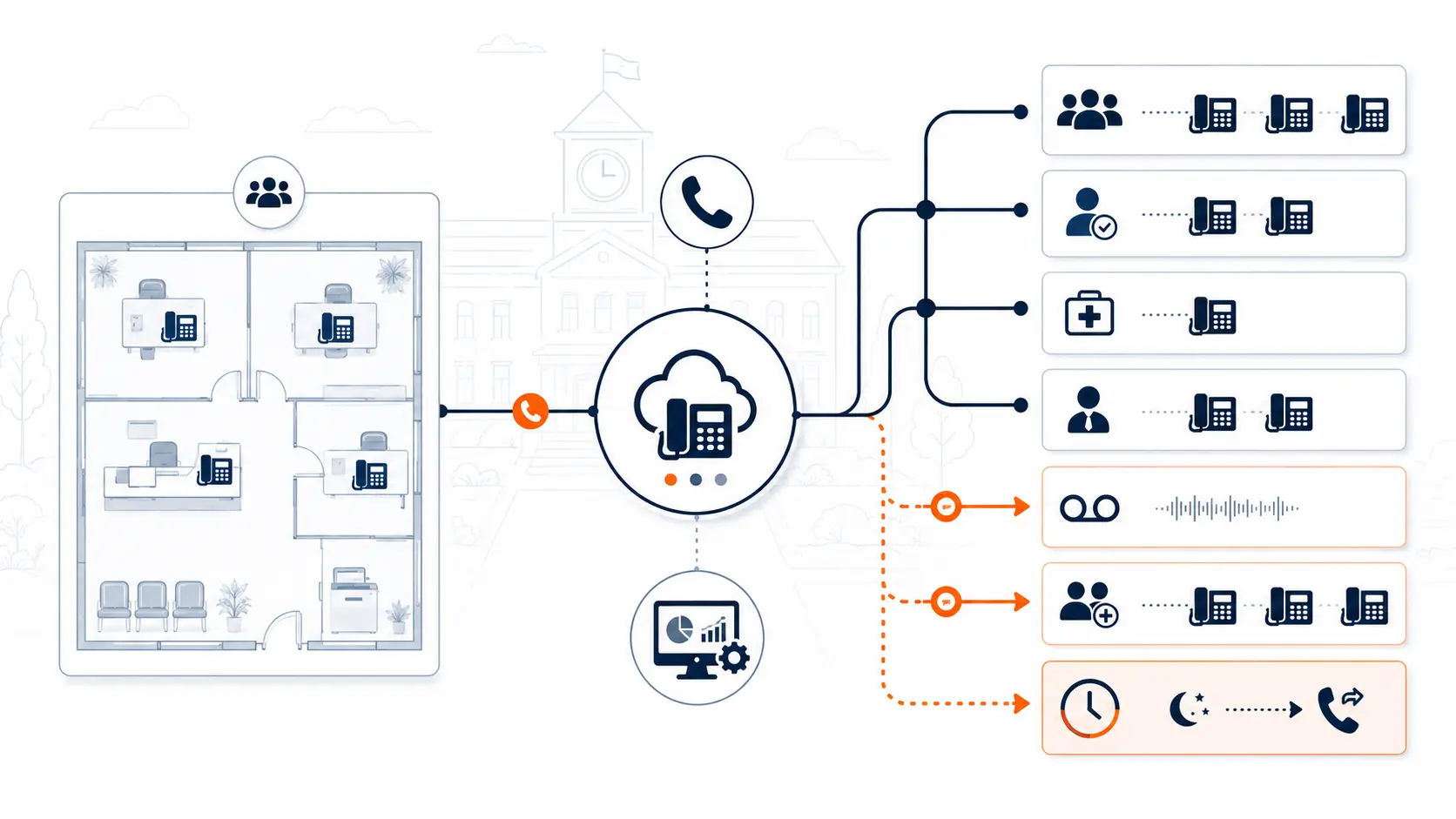
Classroom phones are rarely isolated. They connect to the daily rhythm of the front office.
A district should review:
- How teachers call the main office
- How the office reaches classrooms
- How nurse, counselor, and administration calls route
- Whether parent calls should ever go directly to classrooms
- How voicemail works for classroom extensions
- How calls route during lunch, testing, arrival, and dismissal
- How substitute teachers use room phones
- Whether classroom phones can call outside numbers
- Whether after-hours restrictions are needed
Some districts want classroom phones to receive internal calls only. Others allow broader calling. The right model depends on policy, staffing, and building workflow.
Classroom call routing should align with the broader School Phone Systems plan and the district’s front office call handling model.
Classroom phones in multi-campus districts
A single-campus school can often manage classroom phones with a simpler dial plan. Multi-campus districts need a more structured approach.
Review:
- Campus-specific extension ranges
- Building codes or prefixes
- Shared names across campuses
- Common room numbers in different buildings
- District-wide transfer paths
- Emergency notification recipients by site
- Campus-specific after-hours routing
- Device naming standards
- Location records for each building
For example, Room 101 may exist in every elementary school. The phone system must distinguish those rooms clearly. A label like “Room 101” is not enough if it does not include the building or campus.
The Multi-Campus Phone Systems guide covers broader routing and migration planning for districts with multiple sites.
Classroom phones during phased migration
Classroom phones are often best migrated in phases. A full district cutover can create avoidable risk if every building, phone, number, routing rule, and location record changes at once.
A phased approach can use:
- Pilot campus
- Building-by-building rollout
- Grade-level building groups
- Summer cutover windows
- Department-first testing
- Front office and classroom validation
- E911 testing by building
- Post-launch support windows
During each phase, the district should validate:
- Can the front office reach classrooms?
- Can classrooms reach the front office?
- Are emergency calls routed and identified correctly?
- Do voicemail and internal dialing work?
- Are device labels correct?
- Are unused phones removed from billing?
- Are staff trained on the new process?
Use the District Phone System Modernization Roadmap to plan review, design, deployment, porting, and support.
Questions to ask before replacing classroom phones
Use these questions before finalizing a phone system plan:
- Which instructional spaces need physical phones?
- Which spaces can use shared phones or softphones?
- Which classroom phones need voicemail?
- Which phones should only dial internally?
- How will room-based E911 location data be maintained?
- How will portable classrooms be labeled?
- How will phone moves be tracked?
- How are classroom phones priced?
- Are common area phones billed like full users?
- What devices are included in the proposal?
- What support is available during cutover?
- How are substitute staff expected to use room phones?
- What testing happens before each building goes live?
- What happens to old analog classroom lines?
These questions help move the conversation away from handset counts and toward system design.
How K12 Phone Systems reviews classroom phone needs
A classroom phone review should connect device planning to the rest of the district phone environment. K12 Phone Systems can review:
- Existing classroom extensions
- Building and room lists
- Campus routing requirements
- Main office call paths
- E911 location planning needs
- Softphone and mobile app usage
- Pricing model concerns
- Device replacement requirements
- Cutover sequence
- Support expectations
The review does not require a perfect inventory. Start with what you have: a phone bill, vendor proposal, extension list, campus list, or notes from your current system.
Related planning resources
- District Phone System Review Checklist
- K-12 E911 Readiness Checklist
- District Phone System Modernization Roadmap
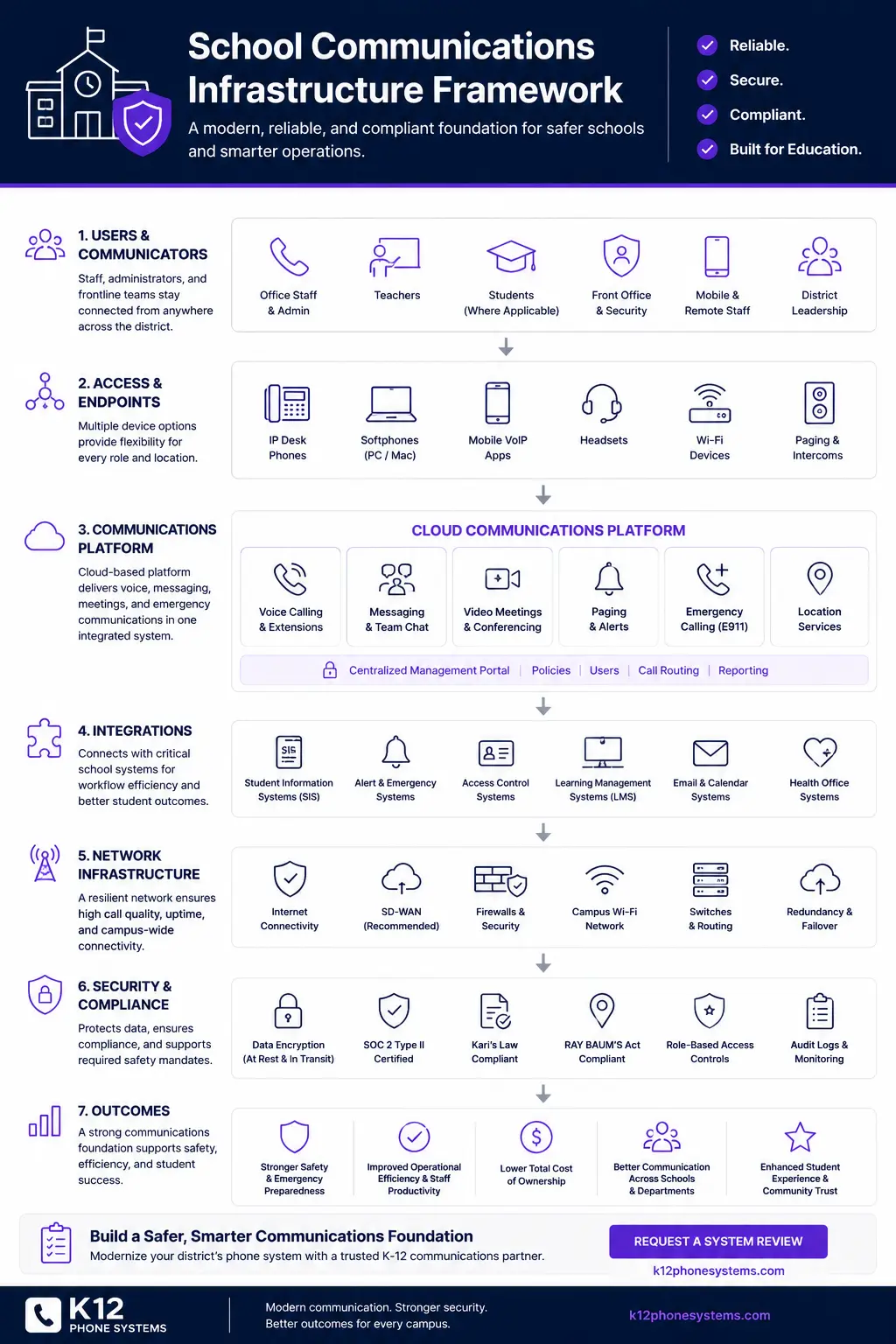
- School Communications Infrastructure Framework
- School Phone Systems
Frequently asked questions
Do schools still need classroom phones?
Many districts still need phones in classrooms, shared spaces, clinics, labs, gyms, and offices. The exact device plan should come from the district’s operational, emergency calling, and staff communication requirements.
Can classroom phones be replaced with softphones?
In some cases, yes. Softphones can work for certain staff roles, but districts should review availability, login behavior, device location, E911 planning, and what happens when computers are closed or unavailable.
Do classroom phones affect E911 planning?
Yes. A classroom phone should be tied to an accurate dispatchable location, such as the correct building and room. Moves, renovations, and device swaps should trigger a location record review.
Should every classroom phone have voicemail?
Not always. Some classroom phones only need internal calling or front office access. Voicemail requirements should match district policy and staff workflow.
Can a district phase classroom phone replacement by building?
Yes. Many districts prefer phased cutover by campus or building group. Each phase should include front office testing, classroom calling tests, E911 review, and support coverage.
What should we review if our classroom phones are already VoIP?
Review per-extension pricing, device usage, E911 location data, softphone policies, support response, call routing, and renewal terms. A system can be VoIP and still be overpriced or poorly aligned with school workflows.
Are common area phones priced the same as full users?
That depends on the provider model. Districts should question proposals that bill every classroom, hallway, lab, or common area phone as a full user when those devices have limited calling needs.
What should we send before a classroom phone review?
Send a campus list, room list, extension list, current phone bill, vendor proposal, or notes about current problems. A complete inventory helps, but it is not required to start.
References
Ready to review classroom phone requirements?
Share your current phone setup, building list, classroom extension list, phone bill, or vendor proposal. We will help identify device needs, routing considerations, E911 review areas, pricing concerns, and practical next steps.