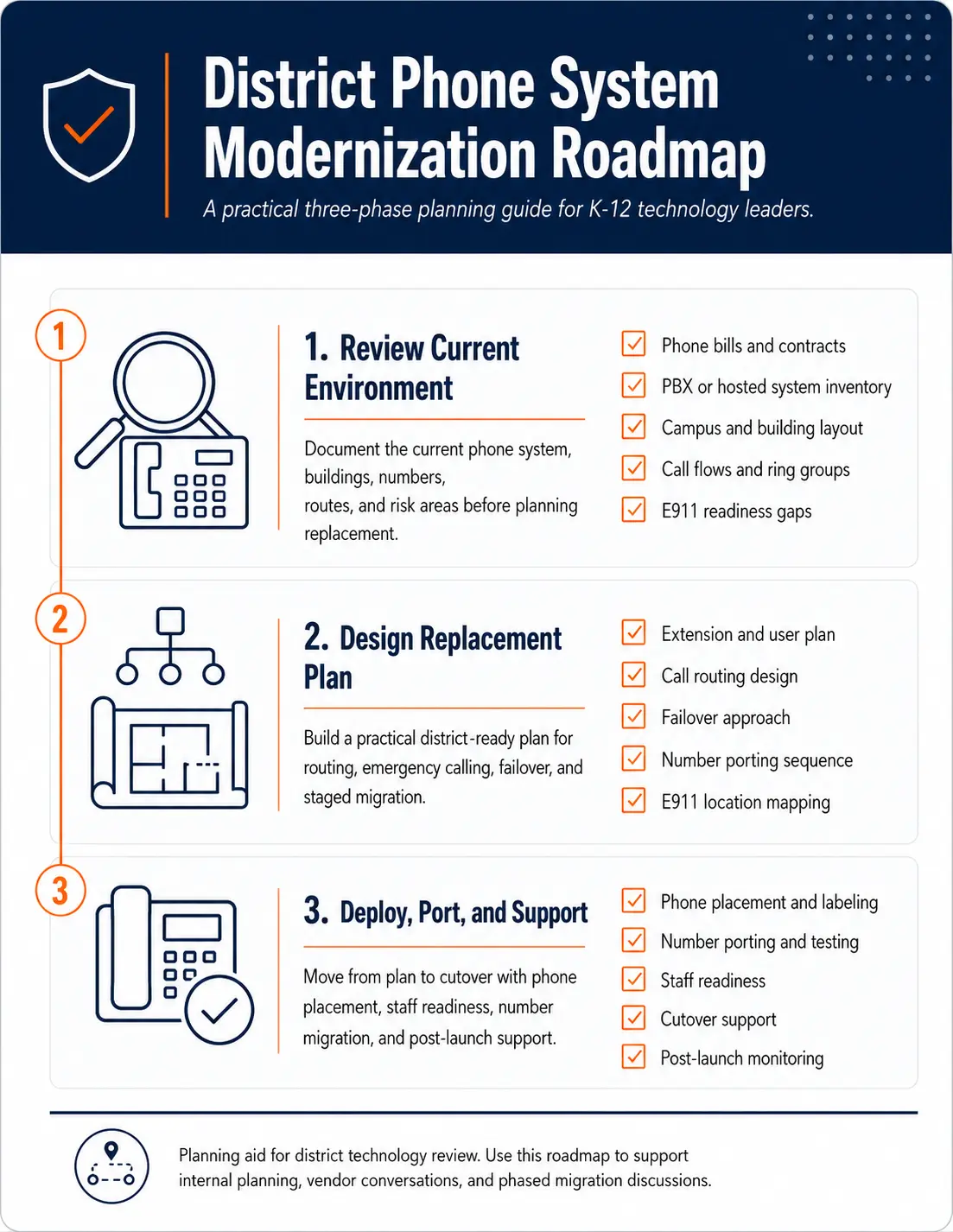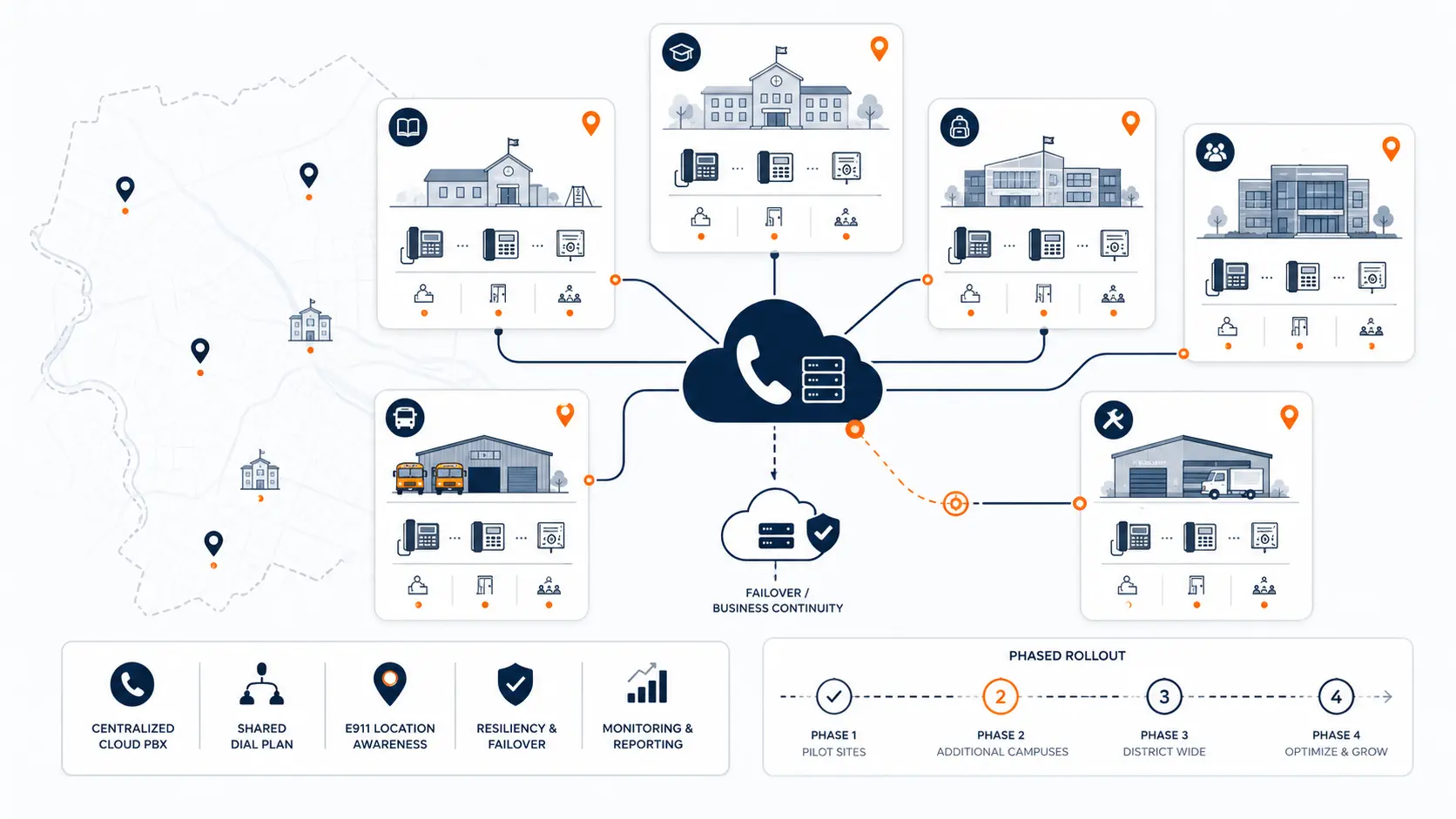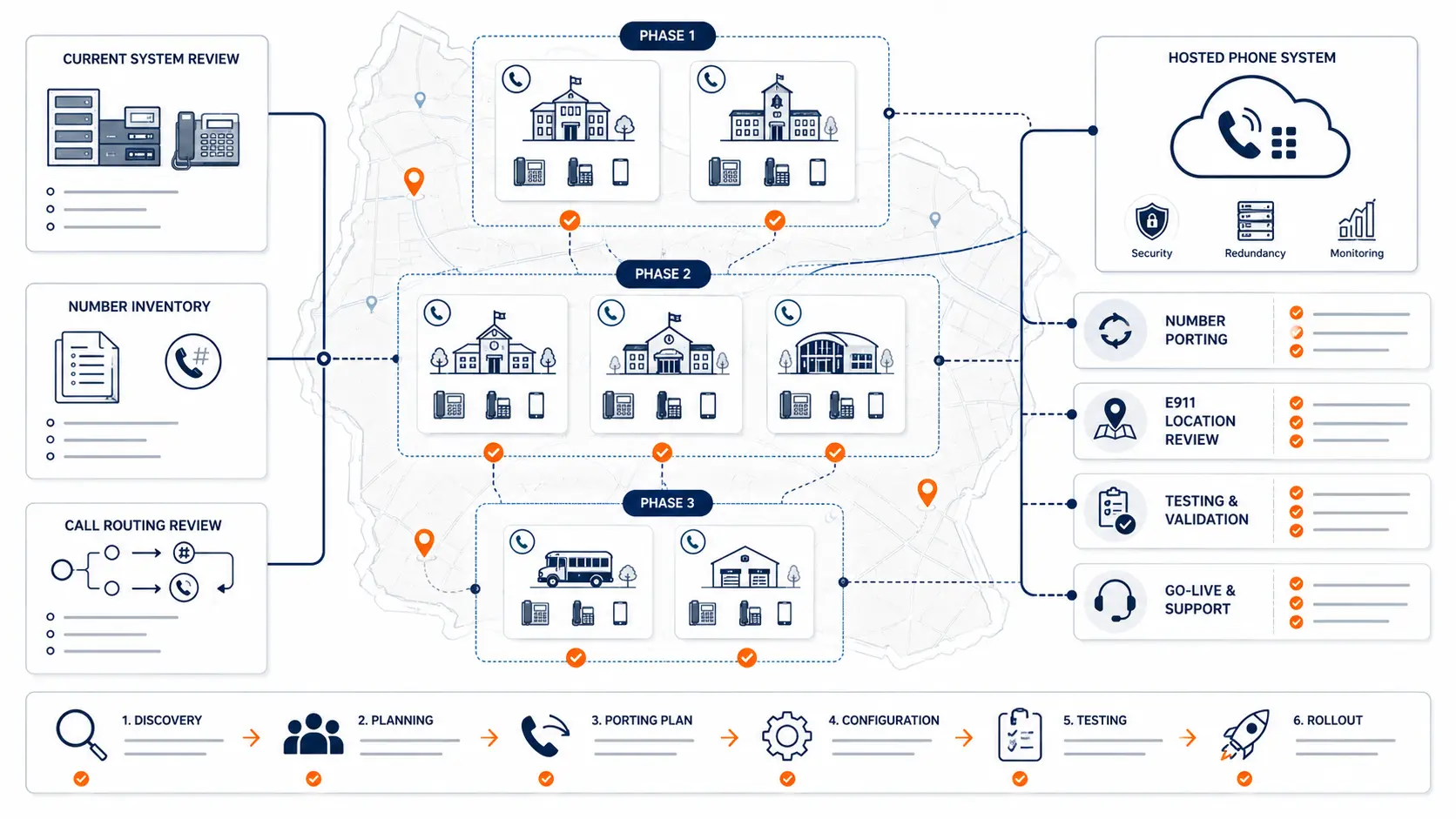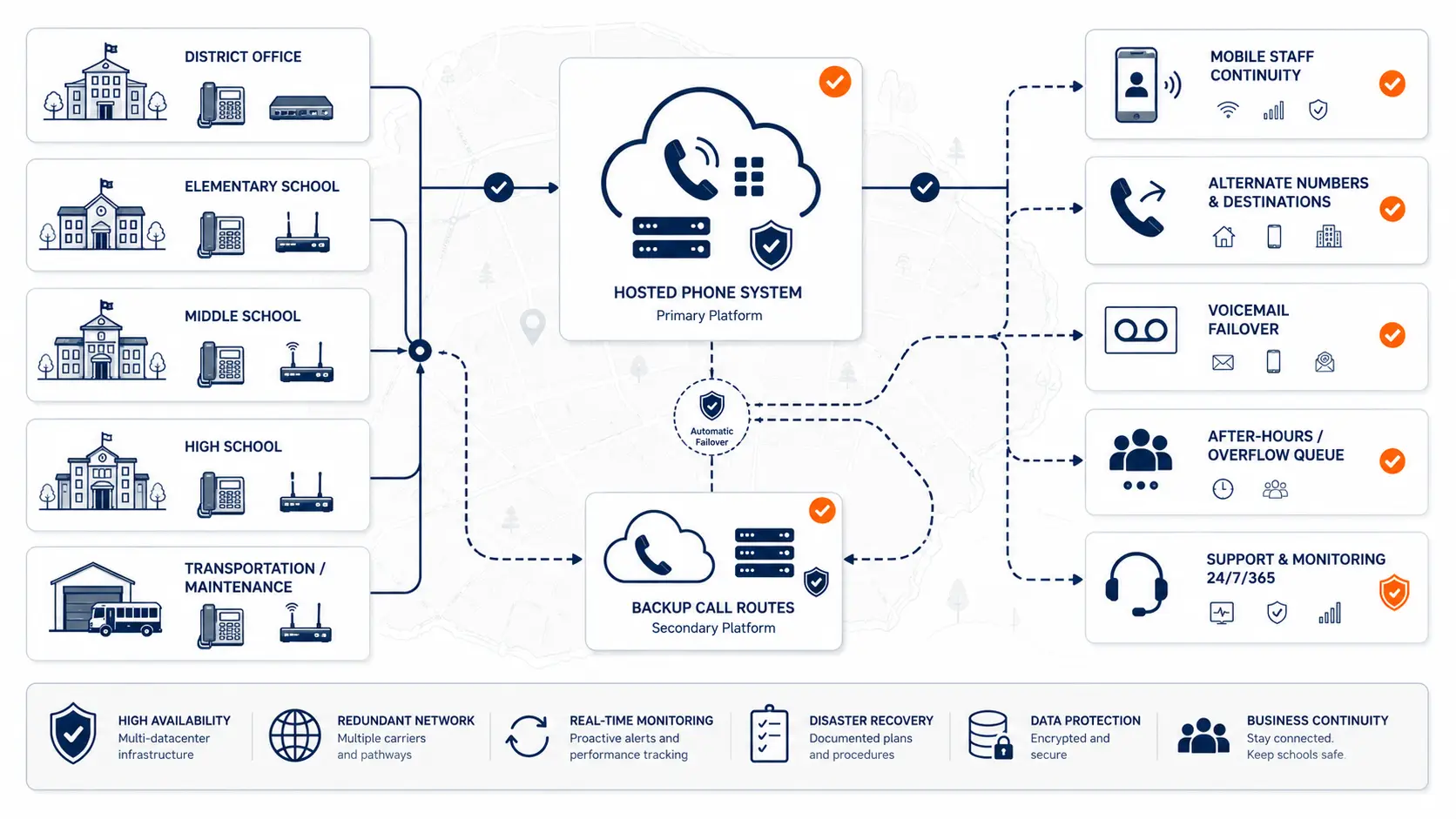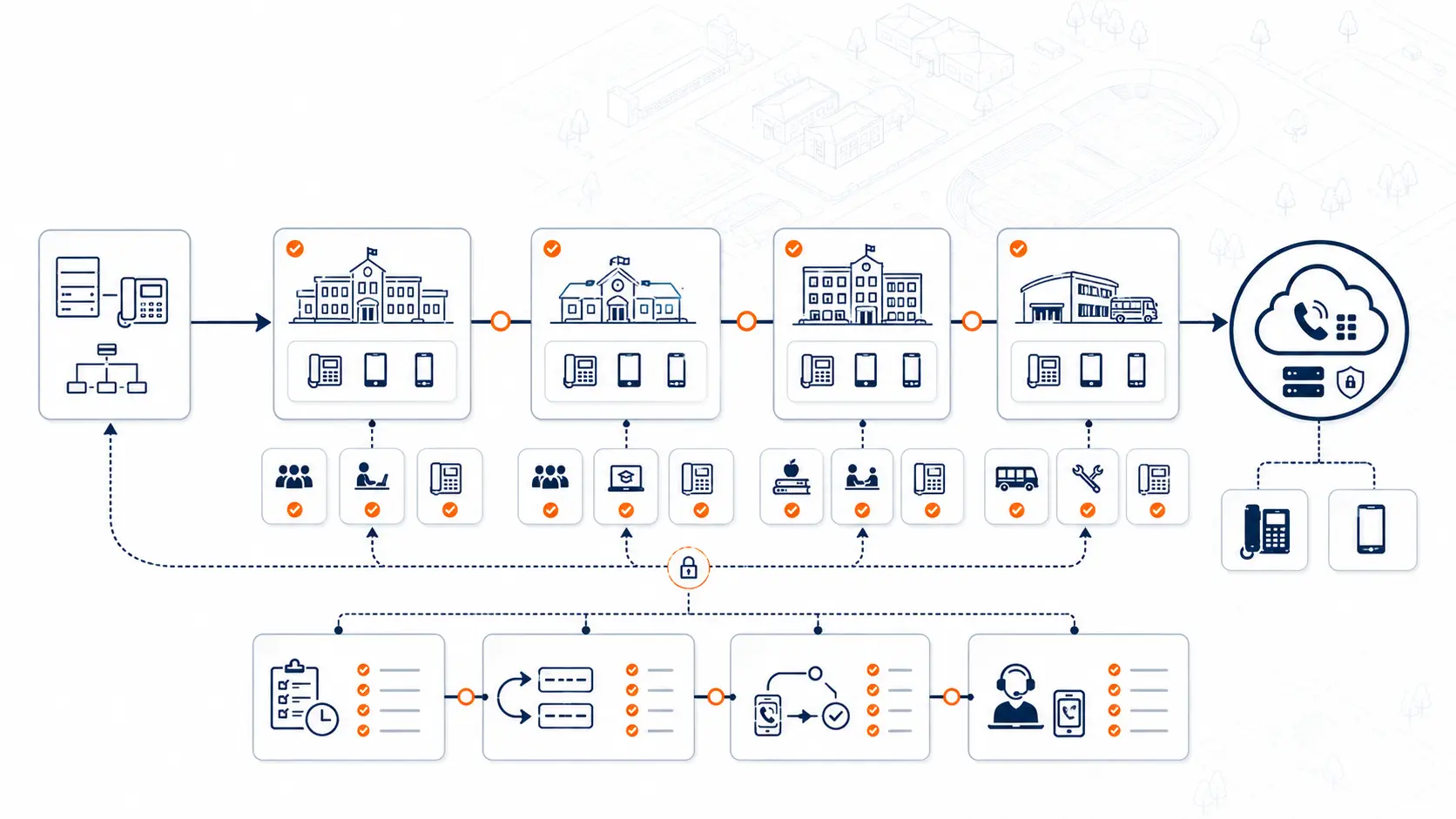
Replacing a school phone system does not have to mean moving every building, number, phone, department, and user in one rushed event. Most districts are better served by a phased cutover that separates planning, number porting, device rollout, E911 review, staff readiness, and support into manageable steps.
A phased cutover gives the district more control. It helps IT teams protect front office calling, test emergency calling readiness, prepare staff, verify number routing, and reduce the chance that a phone system migration becomes a school-day disruption.
This guide is for technical planning and general education only. It is not legal, procurement, or compliance advice. Districts should review legal, emergency calling, procurement, and public safety requirements with qualified counsel, public safety authorities, and appropriate state or local agencies.
Request System Review | Download the District Phone System Modernization Roadmap
What a phone system cutover means for a school district
A phone system cutover is the point where calling moves from the current system to the replacement system. That may include moving numbers to a new carrier or hosted phone provider, replacing desk phones, rebuilding call routing, changing voicemail behavior, updating auto attendants, and testing emergency calling.
For a school district, cutover planning is more complex than a standard office migration. The phone system may support:
- front office main numbers
- campus-level auto attendants
- classroom phones
- administration extensions
- transportation and maintenance departments
- nurses, counselors, and security staff
- voicemail boxes
- after-hours routing
- emergency calling workflows
- analog or specialty lines
- softphones and mobile apps
A cutover affects how parents, staff, vendors, public safety partners, and district leaders reach the right people. That is why districts should treat cutover as an operational project, not a simple phone swap.
For broader replacement planning, see PBX Replacement for Schools and School Phone Systems.
Why phased cutovers are usually safer than big-bang migrations
A big-bang migration moves everything at once. In some environments, that can work. In school districts, it often creates unnecessary pressure.
A phased cutover lets the district move in controlled stages. The district can test one building, one group of numbers, one department, or one campus before expanding the rollout.
| Cutover approach | How it works | Main risk | Best fit |
|---|---|---|---|
| Big-bang cutover | All numbers, phones, users, and routing move at once | A mistake can affect the full district | Small or simple environments with strong documentation |
| Campus-by-campus cutover | One campus moves at a time | Shared routing must be planned carefully | Multi-campus districts |
| Department cutover | Specific departments move first | Internal transfer paths may need temporary routing | District office, transportation, maintenance, administration |
| Pilot cutover | A small group tests the system before broader rollout | Pilot feedback must be acted on quickly | Districts with unclear call flows or new hosted systems |
Phasing is not about moving slowly. It is about reducing surprise.
A phased plan gives the district time to validate call flow, number porting, E911 location data, user training, and support before moving the next group.
What districts should decide before phasing the cutover
Before creating a cutover schedule, the district should decide what needs to move together and what can move separately.
The most important planning question is this:
What has to remain operational during school hours?
For most districts, that includes:
- main campus numbers
- front office phones
- district administration numbers
- emergency calling
- nurse and security calling
- transportation communication
- maintenance and facilities access
- voicemail or overflow routing
- after-hours routing
The district should also decide whether cutover will be organized by campus, department, phone type, number group, or a combination of those.
Campus-by-campus cutover planning
A campus-by-campus cutover is often the most natural approach for K-12 districts. Each school becomes its own migration phase.
This approach works well when each campus has its own:
- main number
- front office routing
- auto attendant
- classroom phones
- office phones
- building-specific emergency location data
- staff training needs
- local cutover window
Campus phasing helps IT teams focus on one environment at a time. It also makes it easier to identify problems before they spread across the district.
A typical campus phase might include:
- Confirm the main number and direct numbers.
- Confirm auto attendants, ring groups, and transfer paths.
- Map phones to rooms, offices, and shared spaces.
- Review E911 location data.
- Stage and label phones.
- Test inbound and outbound calls.
- Test internal transfers.
- Coordinate any approved emergency calling test with the appropriate public safety answering point.
- Support the front office during the first school day after cutover.
- Document lessons before moving to the next campus.
For districts with multiple buildings, see Multi-Campus Phone Systems.
Department-based cutover planning
Some districts should phase by department instead of campus. This can make sense when district operations are centralized or when one department has complex routing needs.
Departments that may need separate cutover planning include:
- district administration
- transportation
- maintenance and facilities
- technology
- food service
- athletics
- special programs
- student services
- enrollment
- finance and procurement
Transportation is a good example. It may have different calling needs than a campus front office. It may receive early morning calls, route urgent messages, or depend on after-hours contact rules. Moving transportation without reviewing those call flows can create confusion even if the phones technically work.
A department cutover should document:
- main department number
- users and extensions
- call handling during business hours
- after-hours call handling
- transfer paths to schools or district office
- voicemail ownership
- escalation paths
- backup routing
- support needs on launch day
Number porting and phased cutover
Number porting is one of the most important parts of a phone system cutover. Porting is the process of moving phone numbers from the current provider to the new provider or carrier.
A school district may have many types of numbers:
- district main numbers
- campus main numbers
- department numbers
- direct inward dial numbers
- fax numbers
- old published numbers
- numbers tied to analog lines
- numbers tied to alarms, elevators, gates, or specialty systems
- numbers that still appear on websites, directories, forms, and public records
The district should not assume every number should port at the same time.
A phased porting plan should identify:
| Number type | Cutover question |
|---|---|
| Main district number | Does it route to district administration, an operator, or an auto attendant? |
| Campus main number | Does each campus need its own port date? |
| Department number | Does the department need special launch support? |
| Direct number | Is the number still used, published, or required? |
| Fax number | Is fax still required, and how will it be handled? |
| Specialty number | Is it tied to a system that should not be moved without review? |
| Old number | Can it be retired, forwarded, or removed from records? |
For a deeper planning guide, see What School Districts Should Know About Number Porting Before Changing Phone Systems if that page exists in your site.
E911 review before each cutover phase
Emergency calling should be reviewed before every cutover phase, not after the migration is complete.
For each campus or department phase, the district should review:
- direct 911 dialing
- on-site notification recipients
- dispatchable location records
- building names
- floor or room information
- shared areas
- portable classrooms
- softphone and mobile app behavior
- phone moves
- testing procedures
- who owns location updates after launch
Kari’s Law and RAY BAUM’S Act affect multi-line telephone systems and dispatchable location planning. The FCC explains that Kari’s Law requires direct 911 dialing and notification capabilities for covered multi-line telephone systems, and RAY BAUM’S Act includes dispatchable location requirements for 911 calls.
Planning resource: Use the K-12 E911 Readiness Checklist to review direct 911 dialing, on-site notification, dispatchable location, mobile handling, and testing procedures.
For more detail, see E911 Compliance for Schools.
Routing and call flow testing
A phone system cutover can fail even when the phones work. The common problem is routing.
A district should test how calls move through the new system before and after each phase.
Test these call paths:
- parent calls to campus main number
- parent calls after hours
- calls to the district office
- calls to transportation
- calls to maintenance
- calls from one campus to another
- calls from district administration to campus front offices
- calls to voicemail
- calls to ring groups
- calls that should overflow to another person or department
- calls that should not ring during certain hours
- calls from softphones and mobile apps
- calls from classroom phones
Call flow documentation should be simple enough for non-telecom staff to understand. A front office employee should be able to verify whether a route works without reading a technical diagram.
Desk phones, softphones, and mobile apps
A phased cutover should define which users get which calling tools.
Not every district user needs the same setup.
Some users need desk phones:
- front office staff
- campus administrators
- nurses
- security offices
- district administration
- transportation dispatch
- maintenance offices
Some users may use softphones or mobile apps:
- administrators who travel
- IT staff
- district leadership
- certain mobile staff
- temporary or remote staff
Some users may need only voicemail, call forwarding, or shared department access.
This matters for cost, E911 planning, support, and user training. It also matters if the district is paying for every extension or app user whether they are actively used or not.
A district should review whether its current or proposed hosted VoIP model bills by extension, user, device, or usage. Per-extension pricing can become expensive when a district has many low-use phones, seasonal users, shared spaces, or rarely used extensions. See Why Per-Extension VoIP Pricing Can Cost School Districts Too Much.
Staff readiness before cutover
The technical cutover is only part of the project. Staff readiness matters too.
District teams should prepare simple instructions for:
- answering calls
- transferring calls
- checking voicemail
- changing greetings
- using the directory
- using softphones or mobile apps
- reporting an issue
- handling calls during the cutover window
- what to do if a phone does not work as expected
Training does not need to be complicated. For many users, a one-page quick reference sheet is more useful than a long manual.
Front office staff need the most focused preparation because they are often the first to notice routing issues. They should know who to contact during cutover and what information to collect when something does not work.
Cutover window planning
The cutover window is the period when numbers, routing, devices, and users move from the current system to the new system.
A good cutover window should answer:
- What time does the cutover start?
- Which numbers are moving?
- Which phones are affected?
- Who is onsite or available remotely?
- Who validates inbound calls?
- Who validates outbound calls?
- Who validates internal calls?
- Who handles front office issues?
- What is the escalation path?
- What happens if a number does not port on schedule?
- What happens if a routing rule fails?
- What is the communication plan for staff?
Districts should avoid casual cutover timing. A campus main number should not move without a known validation plan.
What to validate after each phase
After each phase, the district should verify both technical and operational outcomes.
| Area | Validation question |
|---|---|
| Main number | Does the published number reach the correct destination? |
| Outbound calling | Can users place calls normally? |
| Internal calling | Can staff reach expected extensions? |
| Transfers | Can front office staff transfer calls correctly? |
| Voicemail | Are greetings, boxes, and notifications working? |
| E911 planning | Are emergency calling records and notifications configured as planned? |
| Softphones | Do mobile and desktop apps behave as expected? |
| Call routing | Do auto attendants, ring groups, and overflow rules work? |
| Staff support | Do users know how to report issues? |
| Documentation | Were changes recorded for the next phase? |
The district should not move to the next phase until critical issues are addressed or knowingly accepted.
Common phased cutover mistakes
Districts can reduce problems by avoiding these common mistakes:
- moving numbers before routing is documented
- replacing phones before E911 location data is reviewed
- assuming all campuses work the same way
- forgetting transportation, maintenance, or district office call flows
- treating softphones like desk phones
- not involving front office staff before launch
- not testing after each phase
- not documenting lessons learned
- moving too many numbers in one porting event
- overlooking analog or specialty lines
- assuming the current vendor’s extension list is accurate
- failing to review the pricing model before renewal or migration
A phased plan should get better after each phase. If the first campus reveals documentation gaps, routing issues, or training needs, the next campus should benefit from that information.
How a system review supports phased cutover planning
A system review helps identify what should move first, what should wait, and what needs more planning.
K12 Phone Systems reviews:
- current PBX or hosted system
- phone bills and carrier services
- campuses and buildings
- main numbers and direct numbers
- auto attendants and ring groups
- extension structure
- E911 planning needs
- analog and specialty lines
- number porting requirements
- staff access needs
- cutover risks
- support expectations
The goal is not to force a one-size-fits-all migration. The goal is to build a practical replacement plan that fits how the district actually communicates.
Related planning resources
- District Phone System Modernization Roadmap
- District Phone System Review Checklist
- K-12 E911 Readiness Checklist
- Legacy PBX Risk Map for School Districts
- School Phone Systems
- PBX Replacement for Schools
- Multi-Campus Phone Systems
- K-12 VoIP Phone Systems
Frequently asked questions
What is a school phone system cutover?
A school phone system cutover is the point where calling moves from the current phone system to the replacement system. It may involve porting numbers, replacing devices, rebuilding call routing, configuring voicemail, reviewing E911 data, and supporting staff through the transition.
Should a school district cut over every campus at once?
Not always. Many districts are better served by a phased cutover that moves one campus, department, or number group at a time. This reduces risk and gives IT staff a chance to validate the process before expanding the rollout.
Can number porting be phased by campus?
Often, yes. Whether that is practical depends on the current carrier setup, number ownership, billing records, and call routing design. Districts should review number inventory carefully before choosing a porting sequence.
Does E911 need to be reviewed before each cutover phase?
Yes. Each phase should include review of direct 911 dialing, on-site notification, dispatchable location data, and testing procedures. Emergency calling should not be treated as a final afterthought.
How should front office staff be involved in a cutover?
Front office staff should help validate call routing, transfers, voicemail behavior, main number handling, and parent-facing call paths. They should also know who to contact during the cutover window if something does not work.
What happens if a number does not port on time?
The district should have a documented escalation plan. Depending on the situation, temporary forwarding or delayed cutover may be needed. This is one reason districts should not schedule too many critical numbers in one poorly documented event.
Can softphones and mobile apps be included in a phased cutover?
Yes, but they need their own planning. Districts should review user assignment, device policy, E911 behavior, training, and support expectations before deploying softphones or mobile apps broadly.
How long does a phased phone system cutover take?
The timeline depends on the number of campuses, numbers, devices, analog services, routing complexity, E911 planning, and staff readiness. A small district may move quickly. A larger district may need a staged schedule across multiple weeks or months.
What should we document after each cutover phase?
Document what moved, what worked, what failed, what routing changed, what staff reported, what E911 records were updated, and what should be adjusted before the next phase.
What should we send before requesting a cutover planning review?
Send your current phone bill, campus list, building list, main numbers, extension list, known call flows, current vendor proposal, or a summary of the problems you are trying to solve. You do not need a perfect inventory to start.
References
Ready to plan a phased phone system cutover?
Share your current phone setup, phone bill, campus list, number inventory, or vendor proposal. We will help identify cutover risks, E911 planning needs, porting considerations, and a practical migration path.