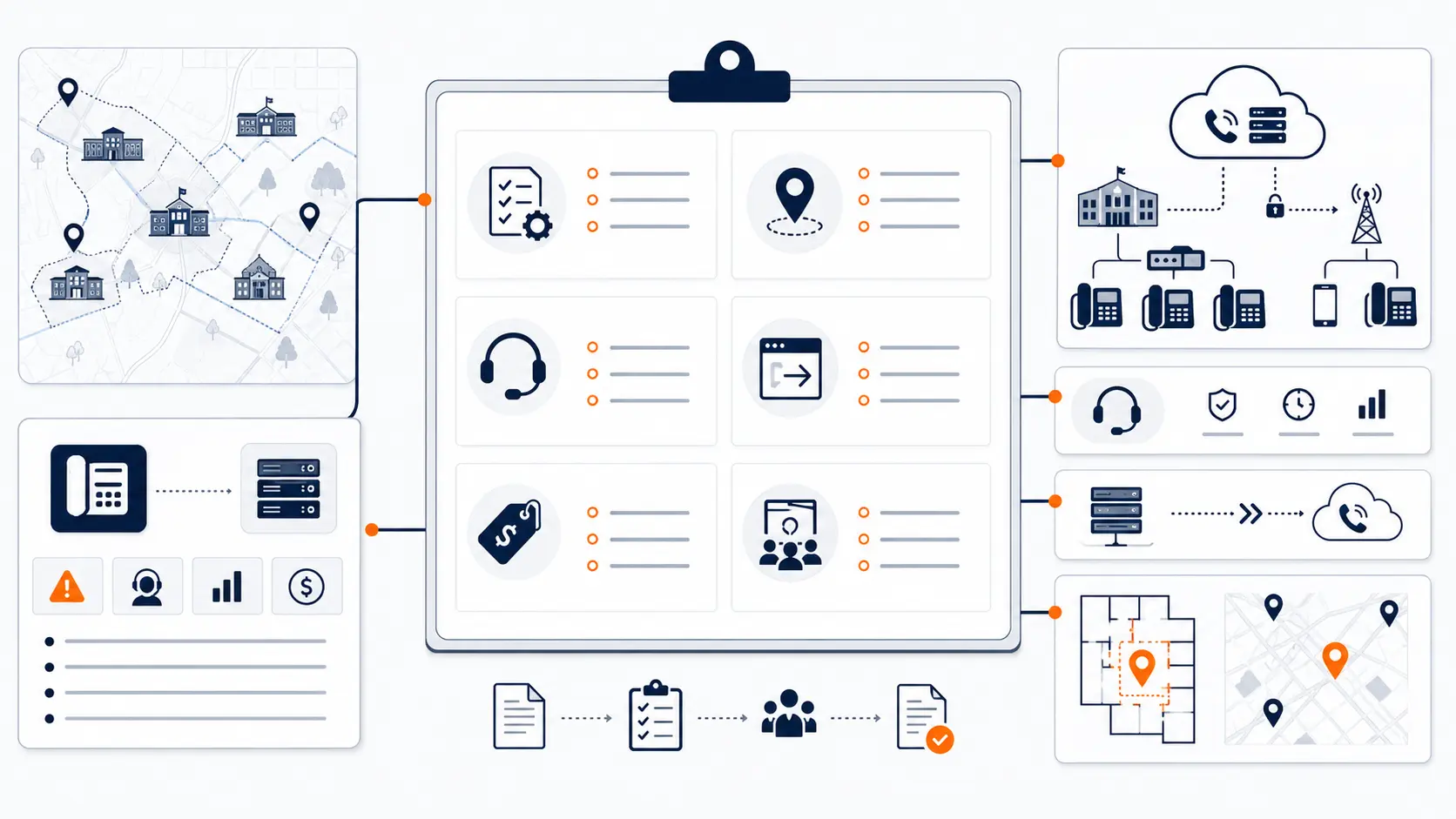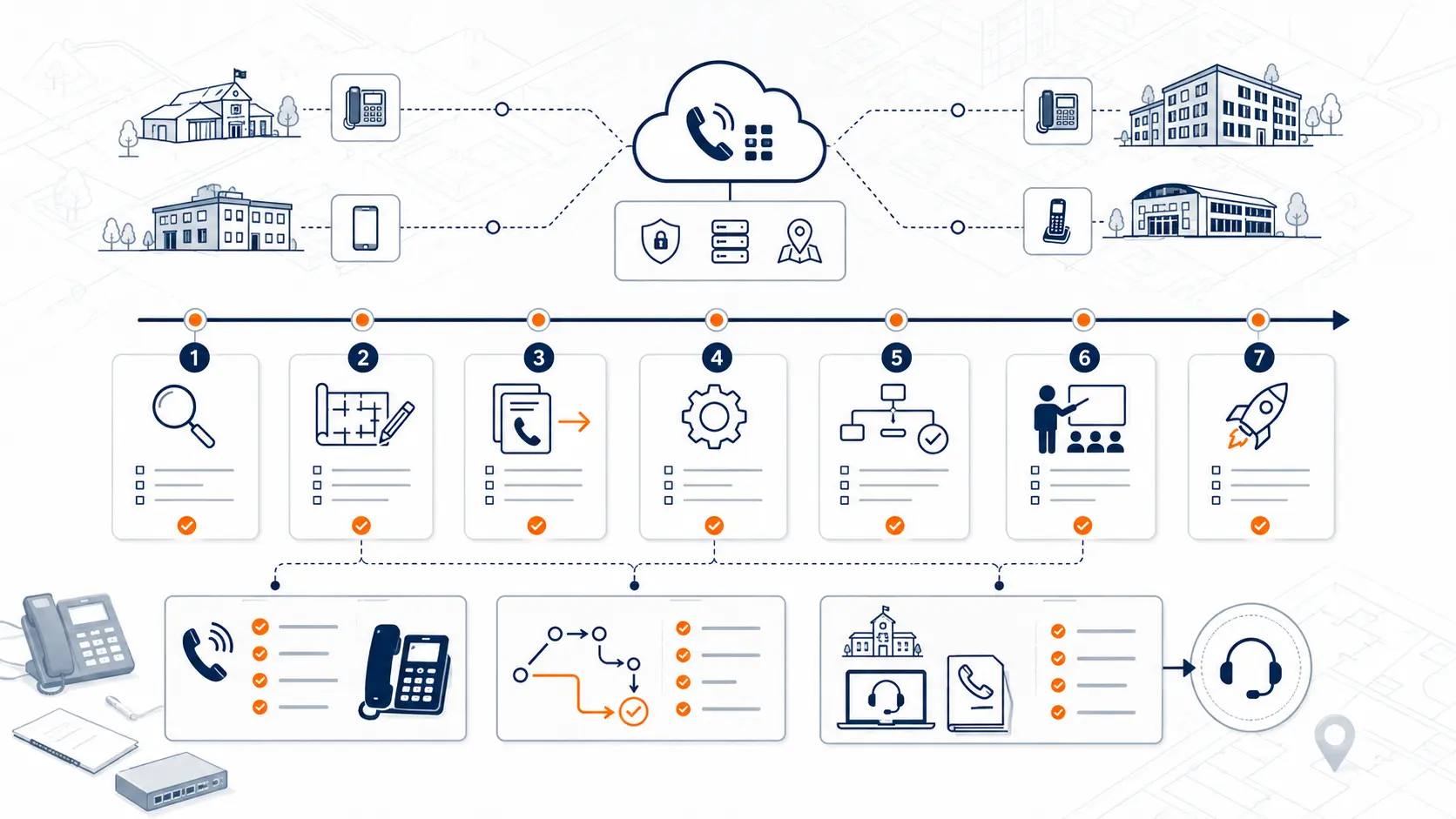
Replacing a school phone system is not a one-day technology task. It touches front office call flow, district administration, classroom phones, transportation routing, maintenance coverage, E911 records, number porting, analog lines, staff readiness, and support after launch. A realistic implementation timeline helps the district move from review to cutover without turning the phone project into an emergency.
This guide explains the major phases in a school phone system implementation timeline and what district teams should review before moving phones, numbers, users, and call routing to a new platform.
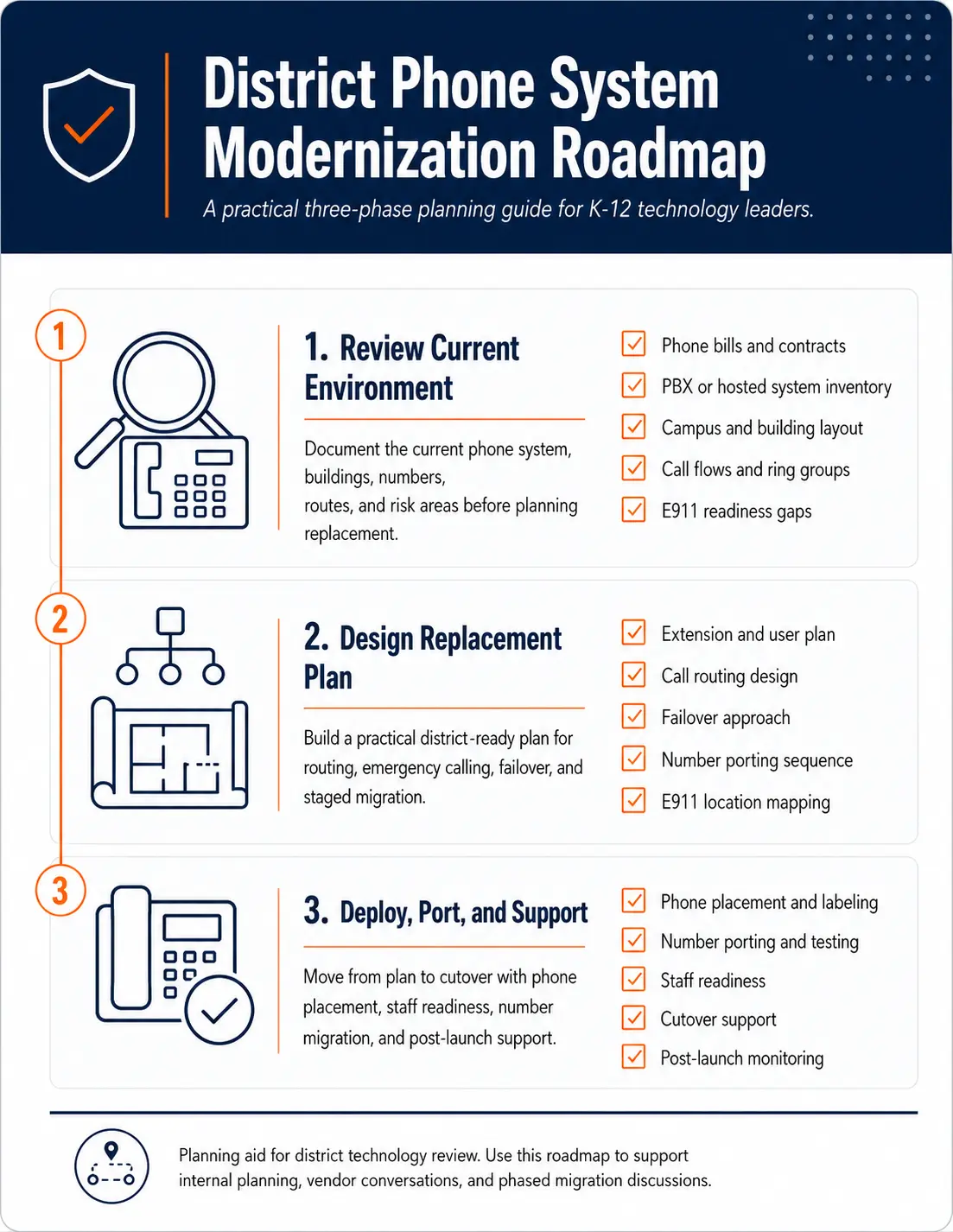
Request System Review | Download the District Phone System Modernization Roadmap
What a school phone system implementation timeline should include
A school phone system implementation timeline should show more than the date phones go live. It should identify the work required before, during, and after cutover.
A good timeline usually includes:
- current system review
- phone bill and contract review
- campus and building inventory
- number inventory
- extension and user review
- call routing design
- E911 planning
- analog line review
- phone placement planning
- number porting
- staff readiness
- testing
- go-live support
- post-launch changes
The timeline should give district leaders a practical path. It should also make clear which items require district input, vendor work, carrier coordination, or public safety coordination.
Why timelines vary by district
No single implementation schedule fits every school district. A single-campus school with simple call flow can move faster than a multi-campus district with several main numbers, old PBX equipment, analog lines, portable classrooms, softphones, and multiple departments.
A timeline depends on the complexity of the environment, not just the number of phones.
| District factor | Why it affects the timeline | What to review early |
|---|---|---|
| Number of campuses | More sites require more routing, E911, and cutover planning | Campus list, main numbers, site contacts |
| Number inventory | Porting depends on accurate carrier records | Phone bills, number list, losing carrier details |
| E911 location needs | Location data must be mapped and tested | Building, floor, room, and device records |
| Analog lines | Specialty lines may need separate review | Fax, alarm, elevator, gate, and emergency lines |
| Existing PBX condition | Old systems may have poor documentation | Auto attendants, extensions, call paths |
| Hosted VoIP renewal issues | Current hosted systems may have pricing or routing problems | User counts, unused seats, contract terms |
| Staff readiness | Front offices and departments need clear instructions | User groups, training needs, support plan |
A timeline should be based on what the district actually has, not a generic deployment promise.
Phase 1: Current system review
The first phase is discovery. This is where the district reviews what exists before choosing how to replace it.
Districts should collect:
- current phone bills
- hosted VoIP invoices, if already on a cloud system
- current PBX or phone system notes
- extension lists
- main numbers
- direct inward dial numbers
- campus numbers
- department numbers
- auto attendant menus
- ring groups
- front office call paths
- known outage issues
- support history
- existing contracts
This phase often reveals that the project is not only about replacing an old PBX. Some districts already have hosted VoIP, but the current installation may still deserve review. Common issues include high per-extension pricing, unused app seats, confusing fees, poor routing, weak support, unclear porting terms, and E911 records that have not been maintained.
Districts can use the District Phone System Review Checklist to organize this phase.
Phase 2: Campus, building, and user inventory
The second phase is mapping the environment. A school phone system supports buildings, departments, offices, staff roles, and shared spaces. The implementation plan should reflect that structure.
Create a practical inventory of:
- campuses
- district office buildings
- administrative buildings
- transportation facilities
- maintenance facilities
- portable classrooms
- shared spaces
- main offices
- classroom phone locations
- staff groups
- department call paths
- after-hours routing needs
The goal is not to create unnecessary paperwork. The goal is to prevent missed phones, wrong locations, broken call paths, and confusing cutover decisions.
For larger districts, this phase should be organized by campus or building group. That makes it easier to phase the work and test one area before moving to the next. For more complex environments, review Multi-Campus Phone Systems.
Phase 3: E911 planning
E911 planning should happen before cutover. It should not be treated as a cleanup task after phones are live.
Districts should review:
- direct 911 dialing
- on-site notification
- dispatchable location
- building and room data
- location records for desk phones
- softphone and mobile app behavior
- portable classroom records
- shared space records
- notification recipients
- testing process
- ongoing ownership of location updates
E911 planning is closely tied to phone placement. If a phone is assigned to a classroom, office, gym, library, cafeteria, portable classroom, or district facility, the system records need to support accurate location information.
This guide is for technical planning and general education only. It is not legal advice. Districts should review compliance requirements with qualified counsel, public safety authorities, and appropriate state or local agencies.
For a deeper review, use the K-12 E911 Readiness Checklist and the E911 Compliance for Schools guide.
Phase 4: Call flow and routing design
Once the district knows what exists, the next phase is routing design.
This includes:
- main number routing
- campus number routing
- front office call flow
- auto attendant design
- attendance line routing
- transportation routing
- maintenance routing
- district administration routing
- after-hours handling
- voicemail handling
- escalation paths
- failover routing
Many districts should not simply copy the old PBX configuration. Old call flow may reflect years of quick fixes, staff changes, and temporary workarounds.
A replacement project is a chance to ask:
- Should the front office still receive every call first?
- Which departments need direct routing?
- Which numbers are no longer needed?
- Which ring groups are too broad?
- Which staff roles need mobile access?
- Which routes create missed calls or confusion?
- What should happen outside school hours?
This phase is where the phone system becomes district communication infrastructure, not just a replacement for old desk phones.
Phase 5: Pricing and contract review
Implementation planning should include pricing review. This is true for districts replacing an old PBX and districts already using hosted VoIP.
A district should review:
- per-extension charges
- unused users
- unused softphone seats
- app licenses
- desk phone rentals
- device leases
- support tiers
- contract term
- renewal date
- price increases
- porting terms
- cancellation terms
- taxes, fees, and surcharges
- included support
- excluded services
Per-extension VoIP pricing can be a problem for schools because districts often have many users, shared phones, seasonal staff, part-time roles, and locations that do not create proportional call volume. Paying for every extension can lead to a phone bill that grows faster than actual usage.
Before signing or renewing, districts should ask whether the billing model matches how schools use phones. Review Why Per-Extension VoIP Pricing Can Cost School Districts Too Much.
Phase 6: Number porting plan
Number porting can be one of the most sensitive parts of a school phone system implementation. A district cannot afford to lose main office numbers, campus numbers, transportation numbers, or district administration numbers during the transition.
A porting plan should document:
- all numbers to be ported
- numbers that should stay with existing services
- numbers tied to analog lines
- main billing telephone numbers
- carrier account details
- authorized signer information
- porting sequence
- temporary forwarding needs
- cutover date and time
- testing steps after port
- rollback or escalation contacts
Number porting should be treated as a coordinated project, not a casual form submission.
For more detail, review What School Districts Should Know About Number Porting Before Changing Phone Systems if that page exists in the site.
Phase 7: Analog line and specialty service review
Analog lines can slow down a school phone system implementation if they are not identified early.
Common analog or specialty services may include:
- fax lines
- alarm lines
- elevator lines
- gate systems
- door systems
- fire panels
- security panels
- emergency phones
- point-of-sale or cafeteria devices
- legacy modem lines
- backup lines
Not every analog line should be replaced in the same way. Some may be retired. Some may move to a different service. Some may require coordination with a qualified specialty vendor. Some may need to remain separate from the hosted phone system.
The key is to separate the main phone system project from specialty line decisions early enough to avoid surprises during cutover.
For a deeper planning guide, see Why Analog Line Replacement Matters for School Districts.
Phase 8: Network readiness
A hosted phone system depends on the district network. That does not mean every network needs a complete rebuild. It means the district should review whether the network can support reliable voice traffic.
Review:
- internet reliability
- failover options
- cabling
- switches
- Power over Ethernet
- network segmentation
- firewall rules
- wireless limitations
- battery backup
- campus connectivity
- outage history
A desk phone on a stable wired network may behave differently from a softphone on Wi-Fi. A district should decide which devices belong on desks, which users need softphones, and which roles need mobile apps.
Network readiness should be reviewed before deployment so the phone project does not expose problems after go-live.
Phase 9: Pilot, testing, and staff readiness
A pilot can reduce risk for larger districts. It allows the team to test call flow, phones, voicemail, E911 routing, mobile apps, and support processes before moving every campus.
A pilot may include:
- one administrative office
- one school campus
- one department
- one building group
- a small group of staff users
- selected front office users
Testing should include:
- inbound calls
- outbound calls
- internal calls
- transfers
- voicemail
- auto attendants
- ring groups
- emergency calling process
- after-hours routing
- failover routes
- softphone or mobile app behavior
- phone labels and extension lists
Staff readiness should focus on the roles most affected by the change: front office staff, attendance staff, district administration, transportation, maintenance, and IT support.
Phase 10: Cutover and post-launch support
Go-live should not be the end of the project. It is the point where the district starts using the new system in real conditions.
A cutover plan should include:
- timing window
- carrier coordination
- vendor contacts
- district contacts
- testing checklist
- issue escalation path
- front office support
- IT support process
- staff communication plan
- post-cutover review
After launch, districts should expect adjustments. Common post-launch items include call routing tweaks, voicemail changes, ring group updates, label corrections, device moves, and staff questions.
A strong implementation timeline makes room for this. A weak timeline treats go-live as the finish line.
Sample implementation timeline
The following example is not a universal schedule, but it gives district teams a planning model.
| Phase | Typical focus | District involvement |
|---|---|---|
| Week 1 | Current system review | Provide bills, contracts, site list, known issues |
| Week 2 | Number and extension inventory | Confirm numbers, users, locations, departments |
| Week 3 | E911 and routing design | Review location records, notification contacts, call flow |
| Week 4 | Porting and device planning | Approve phone placement, porting sequence, cutover timing |
| Week 5 | Pilot and testing | Test phones, routing, voicemail, E911 process, support workflow |
| Week 6 | First site or department cutover | Validate live calls, support staff, fix issues quickly |
| Week 7 and beyond | Phased rollout and support | Repeat by campus or building group |
A smaller district may move faster. A larger district may need more time. The right question is not “How fast can this be done?” The better question is “What timeline gives the district a clean cutover with fewer surprises?”
Implementation timeline checklist
Before approving a timeline, district teams should confirm:
- current system review is complete
- phone bills are reviewed
- contract terms are understood
- hosted VoIP renewal pricing is reviewed, if applicable
- all main numbers are listed
- all campus numbers are listed
- number porting sequence is documented
- extension list is reviewed
- E911 records are reviewed
- dispatchable location plan is understood
- analog lines are separated from main phone planning
- call routing is documented
- front office workflows are reviewed
- network readiness has been checked
- phones and devices are assigned
- staff readiness is planned
- testing steps are defined
- support contacts are known
- post-launch changes are expected
Planning resource: Use the District Phone System Modernization Roadmap to organize the review, design, deployment, porting, and support phases of a district phone system implementation.
What a system review should clarify before the timeline is approved
Before a district commits to an implementation timeline, it should understand the scope of work.
A phone system review should clarify:
- what system is being replaced
- what numbers are involved
- which campuses are included
- which staff roles need phones, softphones, or mobile access
- how main numbers route today
- how routing should work after migration
- what E911 planning is needed
- what analog lines need separate review
- what network readiness issues exist
- what the cutover sequence should look like
- what support will be available during launch
K12 Phone Systems can help review the current environment before a district commits to a timeline. Start with a Request System Review if the district needs help identifying the right sequence.
Frequently asked questions
How long does a school phone system implementation take?
The timeline depends on the district’s size, number inventory, E911 planning needs, analog lines, routing complexity, and cutover approach. A small project may move faster. A multi-campus district usually needs a phased schedule.
Can a school district replace phones one campus at a time?
Yes. Many districts benefit from phased deployment by campus, department, or building group. This can reduce risk and give the team time to validate routing, E911 records, and staff readiness.
Should E911 planning happen before or after cutover?
E911 planning should happen before cutover. Districts should review location records, notification recipients, device assignments, and testing procedures before phones go live.
Can number porting delay the implementation timeline?
Yes. Number porting depends on accurate carrier records, authorized signer information, correct number inventory, and carrier coordination. Porting should be reviewed early.
Should analog lines be included in the same timeline?
Analog lines should be inventoried early, but specialty services may need a separate plan. Elevator, alarm, gate, and fire panel lines may require coordination with qualified vendors.
What if the district already has hosted VoIP?
The timeline may still include review work. Existing hosted VoIP installations may have per-extension pricing problems, unused users, poor routing, unclear E911 records, weak support, or contract renewal pressure.
Who should be involved in implementation planning?
IT should lead the technical review, but front office staff, transportation, maintenance, district administration, facilities, finance, and operations may all need input.
What should a district send before requesting a timeline review?
Send current phone bills, system notes, campus list, main numbers, extension list if available, known call routing issues, current contract terms, and any vendor proposal under review.
References
Ready to plan a school phone system implementation timeline?
Share your current phone setup, phone bill, campus list, number inventory, or vendor proposal. We will help identify timeline risks, migration considerations, and practical next steps before cutover.